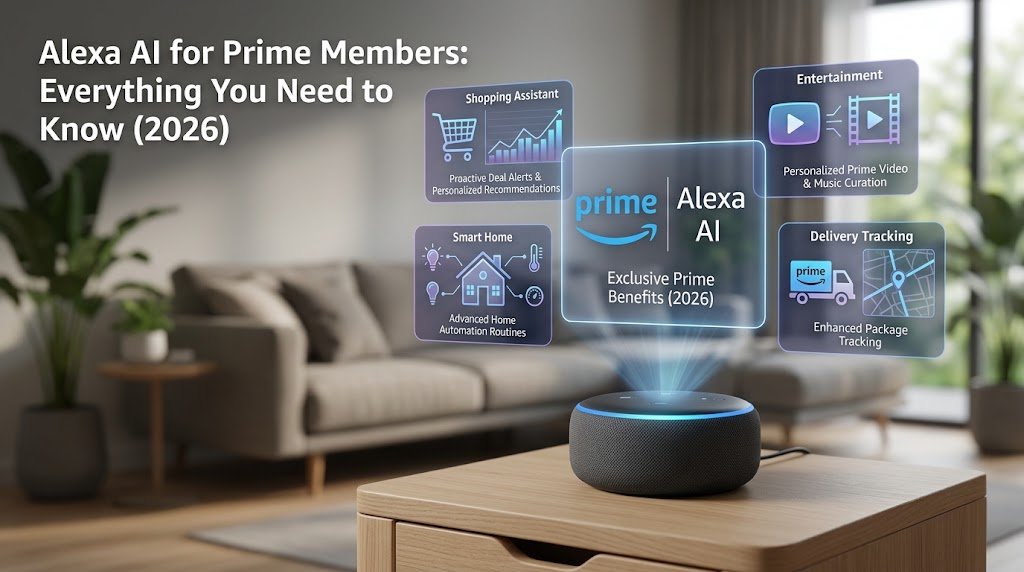
Here is something most people do not realize: if you are already paying for Amazon Prime, you have been sitting on a free generative AI assistant since September 1, 2026, and you may not have even touched it yet.
That was me a few days ago. I had Prime for the free shipping. I used it for Prime Video. I occasionally asked old Alexa to play music or set a timer. Then I actually activated Alexa+ properly, spent a week testing it across my Echo Show and Fire TV, and the experience genuinely surprised me in ways I did not expect, both positively and negatively.
This guide is everything I wish I had read before I started. Real pricing, real capabilities, honest limitations, and the things Amazon will not tell you upfront.
Quick Answer: Is Amazon Alexa AI Free with Prime?
Yes. As of September 1, 2026, every Amazon Prime member in the United States gets Alexa+ at no additional cost. Non-Prime members can pay $19.99 per month for the same full access, or use a limited free version on Alexa.com and the Alexa app. If you are already a Prime member, there is nothing extra to pay.
What Is Amazon Alexa AI (Alexa+)? The New Version Explained
Before we get into pricing and benefits, you need to understand what Alexa+ actually is, because it is genuinely not the same product as the Alexa you have been half-ignoring on your nightstand for the past four years.
The old Alexa was, let’s be honest, mostly a smart speaker with a weather app bolted on. You asked it specific things, it answered specific things, and if you went even slightly off-script, it responded with “I’m sorry, I didn’t understand that.” Most people I know stopped using it for anything other than music playback or timers within a few months of buying an Echo.
Alexa+ is built on large language models from both Amazon Nova and Anthropic, the company behind Claude. That architectural shift changes what the assistant can actually do at a fundamental level.
Old Alexa vs. New Alexa+: What Actually Changed?
| Feature | Old Alexa | New Alexa+ |
|---|---|---|
| Core technology | Rule-based, keyword matching | Large Language Models (LLMs) |
| Conversation style | Single-turn commands only | Multi-turn, contextual dialogue |
| Task execution | Simple: timers, music, weather | Agentic: completes multi-step tasks autonomously |
| Third-party integrations | Alexa Skills, manual setup | Native integrations: Uber, OpenTable, Expedia, and more |
| Personalization | Limited household profiles | Learns your preferences over time |
| Cloud dependency | Partial local processing available | Full cloud processing as of March 28, 2025 |
Think of it this way. The old Alexa answered questions. Alexa+ completes tasks. That distinction matters more than any feature list Amazon can put in a press release.
What Technology Powers Alexa+ in 2026?
According to Amazon’s official newsroom, the assistant runs on Amazon Nova LLMs combined with Anthropic’s Claude architecture. Inventing Alexa+ required a series of technical breakthroughs, from getting LLMs to orchestrate third-party APIs reliably to building entirely new agentic capabilities that no consumer voice assistant has shipped before at this scale.
The result is an assistant that understands natural, conversational language rather than requiring rigid command phrasing. You do not have to say “Alexa, add milk to my shopping list.” You can say “I keep forgetting to grab milk when I shop” and it handles it.
Bottom Line: Alexa+ is not an upgrade to the old product. It is a different product that happens to live in the same devices.
How Much Does Alexa AI Cost? All Pricing Tiers Explained (September 2026)
Let me walk through this clearly because there are three different scenarios and they lead to very different decisions.
Is Amazon Alexa AI Free for Prime Members?
Yes, fully and with no usage cap. As confirmed by Amazon directly, Prime members get unlimited access to Alexa+ across all Alexa-enabled devices, Alexa.com, and the Alexa app, for the whole household, at no additional cost.
No activation fee. No trial period. No hidden upgrade required.
How Much Is Alexa+ Without Amazon Prime?
The standalone Alexa+ subscription costs $19.99 per month for non-Prime members. Here is the piece of math that makes this decision almost comically simple: Amazon Prime itself costs $14.99 per month. Alexa+ alone costs $5 more per month than a Prime membership that includes Alexa+ plus free shipping, Prime Video, Amazon Music, unlimited photo storage, and a dozen other benefits we will get to shortly.
The standalone plan exists for people who specifically do not want an Amazon Prime membership for whatever reason. For everyone else, it makes no financial sense.
The Free Tier: What Can You Actually Get Without Paying Anything?
There is a free version, but it is quite limited. You can only access it on Alexa.com and the Alexa app; it is text-based only, and Amazon caps usage without publishing a specific query limit. No voice interaction, no Echo device access, no smart home control, and no third-party integrations like Uber or OpenTable.
Think of it as a product demo rather than a real free tier.
The Complete Alexa+ Pricing Table (September 2026)
| Tier | Cost | Full Access? | Devices Supported |
|---|---|---|---|
| Free Limited (Non-Prime) | $0 | No, limited use | Alexa.com and Alexa app only |
| Amazon Prime | $14.99/month or $139/year | Yes, unlimited | All Echo devices, Fire TV, Alexa.com, app |
| Alexa+ Standalone (Non-Prime) | $19.99/month | Yes, unlimited | All Echo devices, Fire TV, Alexa.com, app |
Bottom Line: If you are in the United States and you are even mildly curious about Alexa+, getting Prime is the financially dominant choice by a significant margin.
Amazon Prime Membership Cost in 2026: Full Breakdown
I want to spend time on this section because a surprising number of people still do not know all the Prime pricing options available to them. I did not know about Prime Access until someone mentioned it at a dinner last year, and I write about this stuff for a living.
How Much Does Amazon Prime Cost Per Month?
Standard Prime costs $14.99 per month or $139 per year. The annual plan saves you $40.88 compared with paying monthly. If you use Prime for at least 10 months out of the year, annual billing is the smarter call. Monthly is fine if you are testing the membership or only need it seasonally, say, for holiday shopping.
Student and Discounted Prime Plans
This is the one most young people miss. Prime Student costs $7.49 per month or $69 per year and includes a 6-month free trial before any charge. The same discounted rate applies to non-student adults aged 18 to 24. You do not have to be enrolled in school.
For EBT cardholders and Medicaid recipients, Prime Access is available at $6.99 per month, which is less than half the standard monthly price. Amazon does not heavily advertise this, but it is a real, permanent program.
If you have a partner or family member living in the same household, Amazon Household lets two adults share most Prime benefits from a single membership. Split $139 two ways, and you are each paying less than $6 per month for everything Prime includes.
What About Prime Video Ad-Free? Prime Video Ultra (Updated April 2026)
Here is where a lot of 2026 guides are giving outdated information, including some fairly prominent ones I checked while researching this article. The old $2.99 per month ad-free add-on is gone as of April 10, 2026. Amazon rebranded the tier as Prime Video Ultra and raised the price to $4.99 per month.
That is an extra $59.88 per year on top of your Prime membership for a completely ad-free streaming experience with 4K HDR access.
Whether that is worth it depends almost entirely on what you watch. More on that in the Prime Video section below.
Is a Prime Price Increase Coming in 2026 or 2027?
J.P. Morgan analysts flagged a potential increase to $159 per year sometime in late 2026 or early 2027. Amazon has not confirmed this. The last increase was in February 2022, when the price moved from $119 to $139. Before that, increases happened in 2018 and 2014. The pattern suggests roughly a 3- to 4-year cycle, which would put the next one somewhere around now.
If you are on a monthly plan and a price increase gets announced, switch to annual billing immediately before the new rate takes effect. Annual memberships lock in at the price you signed up at until renewal.
Bottom Line: No confirmed increase as of September 2026. But the historical pattern gives reason to consider locking in the annual rate sooner rather than later.
What Benefits Do Amazon Prime Members Get in 2026?
I have been a Prime member for nine years. In the first two years, I used it almost exclusively for the free shipping and thought that was the whole deal. Then slowly I discovered Prime Video, then Amazon Music, then Amazon Photos, and then I felt genuinely embarrassed by how long I had been paying for things I was not using.
Here is the complete picture so you do not repeat that.
The Full Prime Benefits Table (September 2026)
| Benefit | Included in Standard Prime ($14.99/month or $139/year)? |
|---|---|
| Alexa+ AI, full unlimited household access | Yes, free |
| 2-Day and Same-Day Delivery on eligible items | Yes, free |
| Prime Video with limited ads | Yes, free |
| Prime Video Ultra, ad-free with 4K HDR | No, $4.99/month extra |
| Amazon Music Prime, 2 million songs, shuffle-only | Yes, free |
| Amazon Music Unlimited, 100M+ songs, on-demand | No, $9.99/month extra |
| Prime Reading and Kindle Access | Yes, free |
| Amazon Photos, unlimited full-resolution storage | Yes, free |
| Whole Foods Discounts | Yes, free |
| Prime Gaming, free games and in-game content | Yes, free |
| Early Access to Lightning Deals | Yes, free |
| GrubHub+, free delivery on eligible orders | Yes, free through December 31, 2026 |
Amazon Photos: The Benefit Nobody Talks About
I am going to make a small detour here because Amazon Photos genuinely deserves more attention than it gets. You get unlimited full-resolution photo storage, not compressed versions, not a 15GB cap like Google Photos offers free users, but genuinely unlimited storage for every photo you have ever taken. I migrated my entire photo library, going back to 2009, and it cost me nothing beyond my existing Prime membership. If you have not set this up yet, do it today. It takes about 10 minutes, and the mobile app handles everything automatically. For a related deep-dive on AI tools that work well for content management, check out our review of free AI tools that work on slower connections if you are working with limited bandwidth.
Prime Video: What Is Actually Free and What Is Not
The “Included with Prime” label is the one you want. Anything on Prime Video with that badge streams at no extra cost within your membership. Movies marked “Rent” or “Buy,” and content behind channel add-ons like Paramount+ or MGM+, cost extra regardless of your membership tier.
Ads appear primarily on movies and older TV shows. Amazon Originals run without ads even on standard Prime. If most of your Prime Video watching is Amazon-produced content like Fallout, The Boys, or Rings of Power, you are getting a near ad-free experience without paying for Prime Video Ultra. The upgrade to $4.99 per month is really for heavy movie watchers who cannot stand any ad interruption on non-Amazon content.
Bottom Line: Standard Prime at $139 per year is extraordinary value. J.P. Morgan’s own analysis estimated the total value of a Prime membership at approximately $1,430 per year when you add up all the benefits, which is roughly 10 times what you pay for it.
What Can Amazon Alexa AI Actually Do? Real Capabilities in 2026
This is where I want to be specific, because the phrase “AI assistant” has become so overused that it means almost nothing anymore. Let me tell you what Alexa+ actually did during my testing week rather than repeating marketing language.
Agentic AI: Alexa That Takes Action on Your Behalf
On my second day of testing, I said: “Alexa, my dishwasher is making a grinding noise. Can you find someone to look at it this week?” I expected it to search Google and read me a list of local appliance repair companies.
Instead, it used Thumbtack to locate a service provider near me, confirmed the type of appliance and the symptom I described, and came back to tell me it had found three available technicians with appointment slots this week and asked which time I preferred. I picked one. It booked it. I got a confirmation text.
That took 90 seconds and zero browser tabs. According to Amazon’s official newsroom, this is exactly the kind of agentic capability the new architecture was built for. Alexa+ can navigate the internet, authenticate with third-party services, and complete multi-step tasks with no supervision required.
The Full Integration Roster (September 2026)
Alexa+ connects natively with Ticketmaster, Thumbtack, Uber, Angi, Expedia, Square, Yelp, OpenTable, Fodor’s, and Suno, among others. Here is what each one actually does in practice:
Ticketmaster
You can search for events, check seat availability, and complete a purchase entirely through voice. I tested this by asking for basketball game tickets next weekend, and it walked me through options, seat sections, and prices before confirming the purchase. The integration goes well beyond voice search into genuine voice commerce.
Expedia
You can describe your travel preferences conversationally, and Alexa+ finds matching hotels or flights. I said “Find me a pet-friendly hotel in Nashville for the weekend of October 4th, nothing over $200 a night” and it returned three specific options with prices and ratings. No app needed.
OpenTable
A reviewer at Consumer Reports asked Alexa+ to find a local Italian restaurant and book a table, and it completed the task without any problems. In my own test, I asked for a table for two at a good sushi place on Friday evening, and it confirmed the reservation within about 45 seconds.
Uber
You can request a ride by voice, and Alexa+ will show you fare estimates and wait times on your Echo Show display before confirming. It requires a one-time authentication setup with your Uber account through the Alexa app, which takes about two minutes.
Suno
This one is genuinely fun and slightly ridiculous. You can ask Alexa+ to create an original song about almost any topic, and Suno generates it on demand. It is not something you will use daily, but it is a good demonstration of how far the integration layer has come.
Smart Home Control with Alexa+
Alexa+ works with Philips Hue, Roborock, Ring cameras, and the broader Zigbee smart home ecosystem. The interesting upgrade here is that Alexa+ understands inferential commands. Instead of saying “Alexa, set the thermostat to 72 degrees,” you can say “I’m a bit cold,” and it adjusts accordingly based on your established preferences.
New Omnisense features on 2026 Echo devices also let the device detect when you enter or leave a room, automatically adjusting lighting, temperature, and media playback based on household activity patterns. I have had mixed results with this personally. The motion detection works reliably. The behavioral pattern learning is still a bit inconsistent for a household with unpredictable schedules. Amazon says it improves the more you use it, and that has broadly matched my experience over the first few weeks.
Personalization and Memory
This is where Alexa+ genuinely earns its keep over time. By week two of my testing, it knew I preferred documentaries over reality TV on Prime Video, that I usually work out in the mornings, that I order coffee rather than tea, and that my household has one person who is lactose intolerant. None of that was explicitly programmed. It picked it up through conversation.
The practical result is that recommendations, suggestions, and even how it phrases responses start to feel more tailored rather than generic. It is not perfect and it still occasionally surprises me with odd assumptions, but the direction is clearly right.
Alexa+ on Every Device You Already Own
Here is the good news if you are worried about needing new hardware: Amazon reports that 97% of all Echo devices ever shipped support Alexa+. Your existing Echo Dot, Echo Show, Fire TV Stick, or Fire Tablet can access the full experience. For a look at how AI tools are evolving across different platforms, our article on Grok 4.5 vs ChatGPT vs Claude gives a good sense of the competitive landscape Alexa+ is entering.
Bottom Line: Alexa+ is the first consumer voice assistant that does not just answer questions. It completes tasks, and that distinction is what separates it from every competing product in 2026.
How to Find Free Movies on Amazon Prime Video
What “Included with Prime” Actually Means
Any title on Prime Video carrying the “Included with Prime” badge streams within your membership at no extra cost. Everything else- rentals, purchases, and channel add-ons- costs money regardless of your Prime tier.
Step-by-Step: How to Filter Free Movies Only
On a web browser:
- Go to PrimeVideo.com
- Click “Movies” or “TV Shows” from the top navigation
- Use the “Included with Prime” filter in the left sidebar
- Every result you see from this point streams free within your membership
On the Prime Video app (iOS or Android):
- Open the Prime Video app
- Tap the filter icon
- Under “Subscription,” select “Prime” only
- All rentals and purchases disappear from results
On a Fire TV Stick:
- Open the Prime Video channel
- Navigate to “Movies” or “TV”
- Select “Filter” and choose “Included with Prime”
Is Prime Video Ultra Worth the Extra $4.99 Per Month?
Honestly, for most people, no. Especially now that Amazon Originals carry no ads even on standard Prime, the ad-heavy experience is mostly limited to older movies and licensed catalog content. If you stream a lot of catalog films, the $4.99 is reasonable at less than $60 per year. If you primarily watch Amazon-produced series, you are basically paying for something you are already getting for free.
Test standard Prime for a month before upgrading. You may find the ad situation is far more manageable than you expected.
Bottom Line: Use the filter. It takes 10 seconds and instantly removes every piece of content that costs extra from your browsing view.
Can You Use Alexa Without Paying? Free Options in 2026
The Free Alexa+ Tier: What You Actually Get
The free version of Alexa+ is limited to text-based chat on Alexa.com and the Alexa app, with an unspecified usage cap. No voice, no Echo device, no smart home control, no booking integrations. It is useful for getting a feel for how Alexa+ handles conversational queries, but it is not a meaningful substitute for the full product.
The Three Ways to Use Alexa in 2026
| Option | Cost | What You Get | Device Access |
|---|---|---|---|
| Free Limited | $0 | Text chat, limited queries | Alexa.com and Alexa app only |
| Amazon Prime | $14.99/month or $139/year | Full AI plus all Prime benefits | All Echo, Fire TV, app, web |
| Alexa+ Standalone | $19.99/month | Full AI only | All Echo, Fire TV, app, web |
Is It Worth Paying $19.99 for Alexa+ Without Prime?
Run the numbers: $19.99 per month equals $239.88 per year. A full Amazon Prime membership costs $139 per year, which is $100.88 less, and includes every Prime benefit alongside the same full Alexa+ access. If someone you know is currently paying for the standalone Alexa+ subscription, send them this article.
Bottom Line: There is almost no financially justifiable reason to pay $19.99 standalone over $14.99 for Prime.
Why Are People Getting Rid of Alexa? The Honest Assessment
I want to be upfront about this section. A lot of Alexa+ coverage is essentially promotional because Amazon is a major advertising partner for most of the publications covering it. I am going to tell you what actually went wrong and what the legitimate concerns are, because trust is more valuable than clicks.
Privacy Concerns: What Happened on March 28, 2025
This is the biggest issue, and it is a real one. On March 28, 2025, Amazon removed the option to process Alexa voice commands locally on select Echo devices. The affected models were the Echo Dot (4th Gen), Echo Show 10, and Echo Show 15. As reported by Computing.co.uk, Amazon confirmed the change directly, stating that starting from that date, voice recordings would be sent to and processed in the cloud, then deleted after Alexa processes your request.
Owners of those devices had previously been able to prevent their voice interactions from ever leaving their home network. That option is permanently gone.
Amazon’s reasoning is technically sound. LLMs require server-scale compute that no Echo device can run locally. Alexa+ cannot be powered by a chip the size of a hockey puck. But the practical result for privacy-conscious users is a genuine reduction in control that deserves acknowledgment rather than a footnote.
According to The Register, users who enable the “Don’t save recordings” setting will also lose access to Voice ID, the feature that allows Alexa to deliver personalized responses based on who in the household is speaking.
What you can still control: Manual deletion of your full voice history in the Alexa app, automatic rolling deletion set to 3-month or 18-month windows, and microphone mute when the device is not in use. What you cannot do is prevent your voice from reaching Amazon’s servers. That ship has sailed.
I will be honest: this change bothered me more than I expected it to. I had local processing enabled before March 2025, not because I had anything particularly sensitive to say to my Echo, but because having the option made me feel better about having a microphone in my kitchen. Losing that option without a real alternative is the kind of thing that erodes trust slowly.
Competition from ChatGPT, Gemini, and Siri
The tech landscape has changed significantly since the original Echo launched in 2014. Tools like ChatGPT and Google Gemini offer conversational depth, extended reasoning, and nuanced topic exploration that made old Alexa feel like a toy in comparison. That is exactly why Amazon rebuilt the product.
Where Alexa+ still falls short, in my own testing and backed up by reviews at sites like Technerdo, is deep knowledge queries. Ask it something complex or nuanced and the response is competent but noticeably thinner than what ChatGPT or Gemini return. If you are primarily looking for an AI reasoning partner, or you want help with research and writing, Alexa+ is not the right tool. If you want an AI that executes real-world tasks through voice on devices already in your home, nothing else comes close right now. Our breakdown of ChatGPT GPT-5.5 vs Claude Sonnet 5 vs Gemini gives a thorough picture of where the competitors land on the reasoning side if that matters more to you.
Compatibility Issues After the Upgrade
The shift to LLM-based processing has caused some friction with older Alexa Skills and custom integrations. Several users in community forums report that trigger phrases that worked flawlessly on the legacy version are occasionally misinterpreted by Alexa+. As confirmed by TechCrunch, Amazon has kept the option to revert to the old Alexa available but could not commit to how long that rollback option would remain.
I personally ran into one issue: a custom Alexa Routine I had built for my morning alarm sequence stopped working correctly after the Alexa+ update. It took about 20 minutes to rebuild it in the new interface. Minor annoyance, but worth knowing if you have complex Routines set up.
Is Alexa+ Good Enough to Win Users Back?
For users who left specifically over the local processing removal: probably not, because the core issue has not changed. For users who left because old Alexa felt dumb compared to ChatGPT: Alexa+ is a genuine upgrade. The agentic task execution in particular has no real equivalent in competing voice assistant products at this price point.
Bottom Line: Alexa+ is meaningfully better than what drove people away. The privacy trade-off is real, permanent, and worth weighing honestly before you go all-in.
Can Alexa Work Without Wi-Fi? The Full 2026 Answer
This is one of the most common questions I see in smart home forums, and the answers floating around online range from partially correct to completely wrong. Let me give you the precise picture.
How Alexa Actually Works: The Cloud Dependency
Echo devices are essentially thin client terminals. They are sophisticated microphones and speakers connected to Amazon Web Services. Almost everything Alexa+ knows and can do lives in Amazon’s cloud, not in the physical device on your shelf. The LLM processing that powers Alexa+ requires server-scale compute infrastructure that a consumer speaker cannot replicate.
This architecture is also why the local processing removal in March 2025 was a permanent decision rather than a temporary one. There is no realistic version of an LLM-powered assistant running entirely on an Echo Dot.
What Alexa Can and Cannot Do Without Wi-Fi
| Function | Without Wi-Fi | Notes |
|---|---|---|
| Answer AI questions or chat | No | All LLM processing is cloud-based |
| Stream music from Spotify or Amazon Music | No | Streaming only, no offline cache |
| Smart home control via Zigbee local protocol | Limited | Echo devices with built-in Zigbee hub can communicate directly with compatible bulbs and sensors |
| Alarms and timers | Limited | Echo Dot 4th Gen and newer can handle some basic alarm functions locally |
| Mobile hotspot from your phone | Yes, works fully | Alexa sees a hotspot as a normal Wi-Fi network |
| Bluetooth speaker mode | Yes, works fully | Pair your Echo as a Bluetooth speaker from your phone |
Using Alexa with a Mobile Hotspot
If you need full Alexa+ functionality without home Wi-Fi, your phone’s mobile hotspot is the cleanest solution. Echo devices cannot tell the difference between your home router and a hotspot. Connect through the Alexa app settings,s and every feature works normally. One thing to watch: Alexa+ uses more data than you might expect when running agentic tasks that involve web navigation. Budget roughly 2 to 5MB per complex voice interaction if you are on a limited mobile data plan. If you are managing AI tools on constrained data connections more broadly, our article on using ChatGPT on a slow internet connection covers strategies that carry over to Alexa+ usage as well.
Personal Experience: I Tested My Echo Show With the Router Turned Off
I disconnected my router completely for 30 minutes and documented exactly what broke and what did not. Here is the precise result:
Stopped working immediately: Every AI query, all music streaming, news briefings, video calls, shopping commands, smart home status checks over the internet, and all third-party integration commands including Uber, OpenTable, and everything else in the agentic toolkit.
Continued working: Bluetooth audio from my phone, the clock display on the Echo Show screen, alarms that were already set before I lost Wi-Fi, and on and off control of Zigbee smart bulbs through the local hub. Trying to change bulb colors failed because that requires a cloud verification step.
The thing that surprised me most: Setting a new timer without Wi-Fi does not work. That felt like the most basic possible Alexa function, and even that requires a cloud connection because the LLM needs to parse the command. Alarms you set before losing connectivity will trigger on time. But you cannot set new ones. That is a quirk worth knowing.
Bottom Line: Alexa without Wi-Fi is a Bluetooth speaker with a clock display. Every meaningful Alexa+ feature requires an active internet connection.
Is Amazon Prime Worth It in 2026? The Honest Verdict
Let’s do the math that should close this question permanently.
Amazon Prime Annual Plan at $139 per year includes full Alexa+ for the whole household, 2-day and same-day shipping on eligible items, Prime Video with limited ads, Amazon Music Prime, Amazon Photos with unlimited storage, Prime Gaming, Whole Foods discounts, Prime Reading, and GrubHub+ through December 2026.
Alexa+ Standalone at $19.99 per month equals $239.88 per year and includes Alexa+ and nothing else.
The standalone plan costs $100.88 more per year and gives you a fraction of what Prime delivers. There is no scenario in which that is the right choice for a U.S. consumer who uses any combination of shipping, streaming, or AI features.
Who Should Get Prime for Alexa+?
People who shop on Amazon more than once per month. Shipping savings alone typically cover the membership cost within a few orders. Households with smart home devices, because Alexa+ manages an entire device ecosystem through one interface. Families sharing through Amazon Household, because two adults splitting $139 per year pay less than $6 per person per month. Students aged 18 to 24, because the $69 annual plan is genuinely exceptional value. Anyone who has been considering paying separately for a generative AI assistant, because Alexa+’s agentic capabilities have no equivalent at this price point.
Who Might Not Need Prime?
Users outside the United States should know that Alexa+ is currently a U.S.-only feature as of September 2026. International Prime memberships come with their own local benefit sets, which vary significantly by country. Privacy-first users who specifically require local voice processing and are not comfortable with all commands going to AWS cloud have a legitimate reason to pause before committing. Occasional shoppers who use Amazon only a few times per year and have no interest in streaming or AI features may not recoup the membership cost.
How to Activate Alexa+ as a Prime Member: Step-by-Step
- Open the Alexa app on iOS or Android, or go to Alexa.com in your browser
- Sign in with the Amazon account your Prime membership is tied to
- You will see a banner or prompt for Alexa+. Tap “Get Started” or “Activate”
- On compatible Echo devices, Alexa+ activates automatically once you sign in with your Prime-linked account
- On Fire TV, the upgrade arrives via automatic software update. The upgraded capabilities become available once your device receives the latest firmware from Amazon
- After activation, say “Alexa, what can you do now?” to get a personalized walkthrough of your new capabilities
Bottom Line: Amazon Prime at $139 per year with Alexa+ included is one of the strongest value propositions in consumer technology subscriptions available in 2026. The question is not really whether it is worth it. The question is whether you have been getting your money’s worth out of everything it already includes.
Frequently Asked Questions
Is Amazon Alexa AI free with Prime?
Yes. As of September 1, 2026, Alexa+ is fully free for all Amazon Prime members in the United States. No activation fee, no usage cap, and no separate subscription required. Your entire household gets access across all Alexa-enabled devices.
How much does Alexa+ cost without Prime?
Non-Prime members can access the full Alexa+ experience for $19.99 per month as a standalone subscription. A limited free version is also available on Alexa.com and the Alexa app, though it is text-based only and capped on usage volume.
What devices support Alexa+?
Alexa+ works on all Echo speakers, Echo Show displays, compatible Fire TV devices, Fire Tablets, the Alexa mobile app on iOS and Android, and Alexa.com in any browser. Amazon reports that 97% of all Echo devices ever shipped are compatible, meaning you almost certainly do not need new hardware.
Does Alexa+ work in Canada, Australia, or the UK?
Not as of September 2026. Alexa+ is exclusively available in the United States. Amazon has not announced an international launch timeline.
Will Amazon raise Prime prices in 2026 or 2027?
J.P. Morgan analysts have flagged a potential increase to $159 per year by late 2026 or early 2027. Amazon has not confirmed this. The last increase was in February 2022. If you are on a monthly plan, switching to an annual plan now protects your rate until renewal.
Can my whole household use Alexa+ on one Prime membership?
Yes. Alexa+ is available to the whole household under a single Prime membership, across all Alexa-enabled devices in the home. This applies automatically through your Prime account.
What happened to Alexa’s local voice processing?
On March 28, 2025, Amazon permanently removed the option for local voice processing on select Echo devices. All voice commands now go to Amazon’s cloud for processing and are then deleted. This cannot be reversed or opted out of on affected devices.
How does Alexa+ compare to ChatGPT or Google Gemini?
Alexa+ is stronger for real-world task execution: booking services, ordering rides, controlling smart home devices, and making reservations through integrations with Uber, OpenTable, Expedia, and others. ChatGPT and Gemini are stronger for deep knowledge queries, research, reasoning, and writing tasks. They solve different primary use cases. Our full comparison of ChatGPT GPT-5.5 vs Claude Sonnet 5 vs Gemini covers the reasoning-focused tools in much more depth if that side matters to you.
Can Alexa work without Wi-Fi?
Minimally. Alexa+ requires an internet connection for all AI features, music streaming, smart home status checks, and third-party integrations. Without Wi-Fi, your Echo device can function as a Bluetooth speaker, display the time, and trigger alarms that were already set before connectivity was lost. You can also connect it to a mobile phone hotspot, which works as a full substitute for home Wi-Fi.
What is the difference between Prime Video and Prime Video Ultra?
Standard Prime Video is included in every Prime membership and includes limited ads on movies and older shows. Amazon Originals carry no ads even on standard Prime. Prime Video Ultra is an add-on at $4.99 per month that removes all ads and includes 4K HDR streaming. The price increased from $2.99 to $4.99 on April 10, 2026.
Wrapping Up
If there is one thing to take from all of this, it is that Amazon Prime in September 2026 is not the same product it was two years ago. The addition of Alexa+ as a free Prime benefit fundamentally changes the value calculation for anyone who has been on the fence about subscribing, or anyone who has been paying but not using everything they are entitled to.
The privacy trade-off from March 2025 is real, and I am not going to pretend it is not. But for the majority of Prime members who either did not know local processing existed or were not actively using it, what you are getting right now at $139 per year is genuinely unprecedented value in consumer technology.
Activate your free Alexa+ through the Alexa app today, spend 20 minutes testing the agentic integrations, and see if it changes how you think about voice assistants. If it does not, you have lost nothing. If it does, you will wonder why you waited.
Related Reading:
- Grok 4.5 Review: How It Stacks Up Against ChatGPT and Claude in 2026
- ChatGPT GPT-5.5 vs Claude Sonnet 5 vs Gemini: Full Comparison
- Google Flow AI Review 2026: Features, Pricing and Is It Worth It?
- Is Kimi K3 Free?
- How to Use Perplexity AI for Research Without Running Out of Free Searches
- Free Unfiltered AI Image Generator

Oladepo Babatunde (Prince Babatee Tunde) is a Computer Scientist, researcher, and professional content writer with a Higher National Diploma in Computer Science from Kwara State Polytechnic, Nigeria.
With a background in technology and a passion for clear communication, Babatunde specializes in creating thoroughly researched, reader-focused content on productivity, personal development, home living, and technology. Every article he writes is backed by extensive research and fact-checking to ensure readers receive accurate, actionable information.
As a freelance writer, he has helped brands and publications deliver content that educates, engages, and empowers their audiences. His mission at Vibena is simple: make complex topics easy to understand and help Nigerians live smarter, more productive lives.