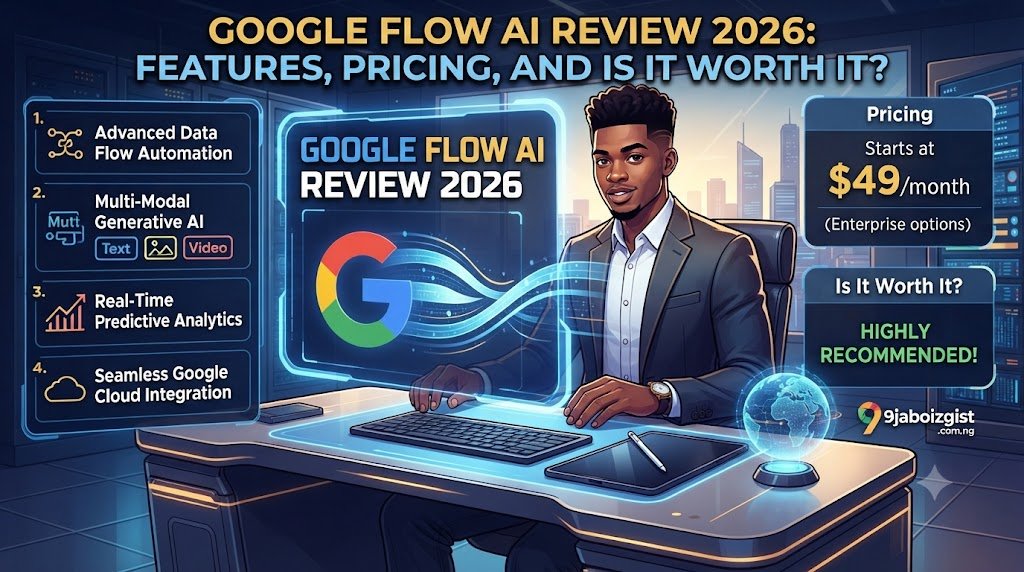
What if you could go from a simple idea to a finished cinematic video, complete with dialogue, music, and sound effects, without ever touching a video editing app? That is exactly what Google Flow AI promises. Google Flow is Google’s AI creative studio that generates video, images, and music from text prompts. It launched publicly on February 25, 2026, unifying Google’s ImageFX, Whisk, and original Flow video tool into one workspace. Since its debut, creators have produced more than 100 million videos with it. This article covers everything you need to know: features, models, pricing, how to use it, and how it honestly stacks up against Sora and Runway.
What Is Google Flow AI?
The Simple One-Paragraph Answer
Google Flow unifies Veo 3.1 for video with native audio, Imagen 4 and Nano Banana Pro for images, and a timeline editor into one creative studio at flow.google.com. Think of it as Whisk AI’s image generation, a professional video editor, and a soundtrack composer all living inside one free app. You describe what you want, and the tool handles the rest. Google Flow is the only tool explicitly designed for multi-shot narrative video, meaning it is built with storytelling in mind, not just clip generation. That single design choice makes it feel genuinely different from every other AI video tool on the market.
The Origin Story: From VideoFX to Google Flow
Google Flow did not appear out of nowhere. It grew from a much simpler experiment. Flow is the evolution of VideoFX, a Google Labs experiment that launched in May 2024. Originally focused on generating single videos from text prompts, it has grown into something significantly more ambitious.
At Google I/O 2025, Google unveiled Flow with cinematic controls, multi-shot storytelling, and professional filmmaker collaboration. Separately, Google launched Whisk AI in December 2024, which became one of the most popular Google Labs tools ever, racking up over 1.5 billion creations.
When Google Flow launched on February 25, 2026, the announcement focused on unification. Google took three separate tools, ImageFX, Whisk, and the original Flow video tool, and merged them into one workspace. That single move turned a video generator into a complete creative pipeline covering images, video, audio, and custom workflows, all without leaving one tab.
Here is the full timeline at a glance:
| Date | Event | What Changed |
|---|---|---|
| May 2024 | VideoFX launches | Basic text-to-video experiment via Google Labs |
| December 2024 | Whisk AI launches | Image remixing tool, 1.5 billion creations at peak |
| May 20, 2025 | Google Flow launches | Cinematic controls, multi-shot storytelling, I/O 2025 |
| Feb 25, 2026 | Major Unification Update | Flow + Whisk + ImageFX merged into one workspace |
| April 30, 2026 | Whisk AI retired | All Whisk features moved inside Google Flow |
| May 19, 2026 | Google I/O 2026 | Gemini Omni announced, Ultra price drops to $199.99 |
| June 2026 | Flow Agent + Flow Tools | AI assistant and custom workflow builder added |
The AI Models Inside Google Flow: What Powers It?
Google Flow is powered by Veo 3.1 for video, Nano Banana Pro for images, Lyria 3 Pro for music, and Gemini Omni for creative direction. Each model handles a different part of your creative process, and together they form a pipeline that no single competitor currently matches.
Veo 3.1: The Core Video Engine
Veo 3.1 produces footage that professional reviewers consistently describe as cinematic quality, with realistic lighting, accurate physics, skin tones that look real, and camera movement that feels intentional rather than generated. The Veo 3.1 update brought significant improvements to all of these areas. This is where Google’s training data advantage shows. Veo 3.1 was trained on an enormous dataset that gives it a deep understanding of how real-world footage actually looks, including how water moves, how shadows behave, and how faces change expression. The result is video that holds up to close inspection in a way that earlier AI video tools did not.
Veo 3.1’s native audio generation is genuinely impressive and has no equivalent in most competing tools. When you generate a video of a rainy street, you hear rain. When a character speaks, they actually speak. That synchronized audio experience is Google Flow’s single biggest competitive differentiator in 2026.
Each Veo generation creates an 8-second video maximum. For longer videos, you need to chain multiple generations. For example, a 16-second video requires 2 generations, doubling your cost or credit usage.
Gemini Omni Flash: The New Multimodal Brain
Gemini Omni was announced at Google I/O 2026 on May 19, 2026. It combines Gemini’s intelligence with generative media models inside Flow and significantly improves character consistency, preserving identity and voice across scenes compared to previous models.
Gemini Omni Flash inside Flow handles multimodal video that starts from any reference, real or generated, and handles conversational edits. It is built on a native multimodal model, one that processes all media types simultaneously within a single core engine rather than routing them through isolated steps. This matters because skipping conversion layers means the model retains richer context. When you supply a reference photo alongside a text prompt, Omni reasons across both at once, preserving visual details that a text-conversion step would typically flatten.
Exclusive Gemini Omni Flash features include the ability to generate 10-second video clips in addition to 4-second, 6-second, and 8-second clips, edit uploaded and generated videos with new prompts and ingredients, and create custom voices by selecting a preset voice and entering a prompt.
Imagen 4 / Nano Banana Pro: Image Generation
Nano Banana Pro excels at rendering text within images, so generated images can include readable signs, labels, and overlays useful for marketing visuals, informational content, and creative typography work. Those images feed directly into Veo 3.1 as reference inputs for video generation. The visual direction you establish in a static image, the character design, the lighting scheme, and the color palette all carry forward when you animate it. This pipeline eliminates the friction of switching between tools and re-uploading assets.
Lyria 3: Google Flow Music
Google Flow Music is a companion platform that arrived in April 2026 as a rebrand of ProducerAI. Lyria 3 Pro powers Flow Music and generates complete music tracks from text prompts including instrumentals, vocals, and lyrics. You can mix genres and moods, edit specific song sections individually without affecting the full track, and generate alternate versions for A/B testing. With Flow Music integration, audio and visuals live in the same environment, so you can generate your video clip and score it without leaving the workspace.
Here is a quick model comparison:
| Model | What It Does | Clip Length | Plan Required |
|---|---|---|---|
| Veo 3.1 Lite | Text-to-video, basic quality | 4s / 6s / 8s | Free (with watermark) |
| Veo 3.1 Fast | Text-to-video, faster output | 4s / 6s / 8s | AI Plus ($9.99) |
| Veo 3.1 Quality | Highest quality video | 8s | AI Pro ($19.99) |
| Gemini Omni Flash | Multimodal, edit + 10s clips | Up to 10s | All users (some features Pro+) |
| Imagen 4 / Nano Banana Pro | Text-to-image | N/A | Free + paid tiers |
| Lyria 3 | Music generation | Full tracks | Flow Music (separate) |
Google Flow AI Features: Full Breakdown
Before diving into each feature, here is an at-a-glance summary of everything Google Flow offers:
| Feature | What It Does | Plan Required |
|---|---|---|
| Text-to-Video | Generate cinematic clips from text | AI Plus+ |
| Image-to-Video | Animate your photos or Flow-generated images | AI Plus+ |
| SceneBuilder | Compose multi-shot cinematic sequences | AI Pro+ |
| Clip Extend | Chain 8-second clips into longer videos | All paid plans |
| Native Audio | Dialogue, SFX, ambient sound auto-generated | AI Plus+ |
| Flow Agent | AI assistant that plans multi-step creative projects | AI Pro+ |
| Flow Tools | Build custom production workflows in plain language | AI Pro+ |
| Whisk-Style Image Remixing | Blend subject, scene, and style references into images | All plans |
| Director’s Toolkit | Camera angle control, movement, shot composition | AI Pro+ |
| 2K / 4K Upscaling | Export in higher resolution | AI Ultra |
| Flow Music | Generate full AI music tracks and music videos | Separate |
| Object Insert / Remove | Edit elements within generated video | AI Pro+ |
| Google Workspace Integration | Connect to Drive, Docs, Gmail | AI Pro+ |
1. Text-to-Video and Image-to-Video
Powered by Veo 3.1 and Nano Banana Pro, Google Flow comes loaded with SceneBuilder for cinematic scene composition, camera angle control, object insertion and removal, video extension, and 2K/4K upscaling. You can set the first and last frames of any clip to control how the video scene starts and ends smoothly, and Flow generates four different video variations per generation so you can always pick the best creative result. If you are already producing content with tools like MTN data plans or working remotely, Google Flow is one of the most accessible ways to level up your video output without professional equipment.
2. SceneBuilder: Multi-Shot Storytelling
SceneBuilder is what separates Google Flow from a simple clip generator. Instead of generating one video and downloading it, SceneBuilder lets you arrange multiple shots, a wide opening scene, a close-up reaction, and a dramatic final shot, into a coherent sequence without ever leaving Flow. If you are creating more than a single clip, open SceneBuilder from the top navigation. Drag generated clips into the timeline. Arrange order. Adjust timing. Preview. Export. It is the closest thing to a full editing timeline that any purely generative AI video tool has built natively.
3. Native Audio Generation: The Biggest Differentiator
This is the feature that matters most when comparing Google Flow to every other AI video tool in 2026. Native audio includes dialogue with lip-sync, SFX, and music. The spatial audio feature and speech feature particularly differentiate Veo 3.1, automatically generating three-dimensional sound environments that enhance viewer immersion without requiring separate audio production workflows. It is worth being honest here: audio quality is not always broadcast-grade, and some reviewers note it lacks the professional polish needed for commercial television work. For social media, YouTube, and short-form storytelling, however, the difference between having audio and not having it is enormous.
4. Flow Agent: The AI Creative Assistant
Flow Agent is a Gemini-powered AI assistant that remembers your entire project, plans multi-step tasks, and acts alongside you at every stage of production. It was introduced in June 2026 and is available on AI Pro and higher plans. Flow is not a chatbot. It is a creative production environment where the agent knows where you are going, not just what you just typed. You describe your full creative project, Flow Agent breaks it into scenes and suggests a production plan, and you review and approve before it generates each scene.
5. Flow Tools: Build Your Own Pipeline
Flow Tools lets users build custom creative workflows in natural language, essentially letting creators build their own production pipelines without coding. A content creator could, for example, build a Flow Tool that automatically takes a blog post URL, converts the key points into a script, generates matching video scenes, and packages them into a social media clip, all triggered by a single prompt. If you already use productivity tools in your workflow, you will find Flow Tools fits naturally alongside apps you rely on. Our offline productivity app guide covers other essential tools that pair well with an AI-first creative setup.
6. Google Flow Music
Lyria 3 Pro powers Flow Music, launched in April 2026. It generates complete music tracks from text prompts including instrumentals, vocals, and lyrics. You can mix genres and moods, edit specific song sections individually without affecting the full track, and generate alternate versions for A/B testing. With Flow Music integration, audio and visuals live in the same environment, so you can generate your video clip and score it without leaving the workspace.
7. Character Consistency Across Scenes
The whole studio centers on consistency: keeping a character’s face and voice stable across clips. Elias Roman, senior director of product for Flow at Google Labs, has described consistency as the Achilles heel of AI video, and Flow’s Characters, Ingredients, and SceneBuilder tools exist to attack exactly that problem. In plain terms: if you create a character in Scene 1, Google Flow will remember what that character looks like and make sure they look the same in Scene 5, even if the background, lighting, and camera angle have all changed.
Google Flow AI Pricing: How Much Does It Cost?
Google restructured pricing at I/O 2026 in May 2026. The top Ultra plan dropped from $249.99 to $199.99 per month, a new $99.99 mid-Ultra tier appeared, and a cheaper Google AI Plus tier at $4.99 was slotted in below Pro. Here is what each plan actually gives you.
Free Plan: What Do You Actually Get?
Free with any Google account: 50 daily credits that reset every 24 hours, plus 100 starter credits, enough for 2 to 3 Veo 3.1 Fast clips per day. Google does not require a payment method to use the free tier. Free and AI Plus exports include the “Made with Veo” watermark. Be completely honest with yourself about what the free plan can do: it is genuinely useful for testing and image generation, but for regular video content creation without a watermark, a paid plan is needed.
Google AI Plus ($9.99 / month)
AI Plus at $9.99 unlocks Nano Banana Pro and higher credit counts. At 50 credits per Veo 3.1 video generation, that is about 20 video clips per month. Sounds like a lot, until you realize building one polished 60-second video can require 8 to 15 clip attempts plus scene extensions. This plan is best for hobbyists and students exploring AI video for the first time.
Google AI Pro ($19.99 / month)
Google AI Pro at $19.99 per month includes 1,000 Flow credits each month, enough for approximately 100 Veo 3.1 Lite, 50 Veo 3.1 Fast, or 10 Veo 3.1 Quality videos. AI Pro also includes full Google Workspace integration, connecting your Flow projects directly to Drive. For most individual creators making content for YouTube, Instagram, or TikTok, $19.99 per month is reasonable value, especially combined with the free image tier. College students can access the AI Pro plan free for one year through Google’s education program.
AI Mid-Ultra ($99.99 / month)
The mid-Ultra plan was announced at I/O 2026. It provides priority processing, early access to new features, dedicated support, and a credit allowance that is significantly higher than Pro’s. This plan suits content teams and agencies running heavy weekly output. At this tier, the cost-per-clip math starts to work in your favor if you are producing content at scale every single week.
Google AI Ultra ($199.99 / month)
For short, polished clips with native audio and consistent characters, Flow is the tool to beat right now, especially for storyboarding, social, or pitch reels. It gets expensive fast once you lean on Veo 3.1 Quality renders, and Google cut the top Ultra plan from $249.99 to $199.99 at I/O 2026 while adding the new $99.99 mid-tier. AI Ultra is built for studios and commercial teams that need maximum credits, watermark-free exports, and commercial use rights. Always verify current terms at one.google.com/about/google-ai-plans before publishing for clients.
API Pricing: For Developers
For 720p and 1080p output, API rates range from $0.03 per second for Veo 3.1 Lite without audio to $0.40 per second for Veo 3.1 with audio. Access is available through Gemini API, Vertex AI, fal.ai, and Replicate. For occasional users, pay-per-second API access is significantly cheaper than a monthly subscription. If you are a developer building AI-powered tools and also want to understand what Nigerian internet infrastructure can handle for live API calls, our Starlink vs fiber comparison is worth reading first.
The Credit System Explained
Credits are the part of Google Flow AI pricing that most people misunderstand until they are already out of them mid-project. Credits in Flow are not a 1:1 ratio with generations. Different types of output consume different amounts. Generating a single image with Nano Banana Pro costs fewer credits than generating a short video clip with Veo 3.1. Longer video clips, higher resolution outputs, and Pro model generations each consume more credits than their base equivalents. Credits do not roll over: daily free credits reset every 24 hours, and monthly credits reset at your billing cycle.
Pro tip: Start with Veo 3.1 Fast for all drafts. Switch to Veo 3.1 Quality only for your final intended output. This saves your monthly credits. Most creators burn through credits quickly by running Quality mode on every generation, and this is the single most common mistake.
Here is the full pricing comparison:
| Plan | Monthly Price | Credits / Month | Video Clips (Est.) | Watermark? | Best For |
|---|---|---|---|---|---|
| Free | $0 | 50/day | Limited (Lite only) | Yes | Casual image generation, testing |
| AI Plus | $9.99 | Higher | ~20 clips | No | Light creators, hobbyists |
| AI Pro | $19.99 | 1,000 | ~50 Fast clips | No | Freelancers, content creators |
| Mid-Ultra | $99.99 | High | Production volume | No | Teams, agencies |
| AI Ultra | $199.99 | Maximum | Full production | No | Studios, commercial use |
| API (Lite, no audio) | $0.03/sec | Per second | Pay-as-you-go | Varies | Developers |
| API (with audio) | $0.40/sec | Per second | Pay-as-you-go | Varies | Enterprise developers |
How to Use Google Flow AI: Step-by-Step Guide
Getting Started for the First Time
You do not need to learn any special prompt syntax to get started. Here is the exact process:
- Go to flow.google in your Chrome browser.
- Sign in with your Google account (it is free to create one).
- Choose your starting point: Text Prompt, Upload an Image, or Use a Reference.
- Select your model: Veo 3.1 Lite for free, Veo 3.1 Fast for paid, or Gemini Omni Flash.
- Type your prompt in the text box and describe what you want to see.
- Click Generate and wait (typically 30 to 90 seconds per clip).
- Review your four generated variations and select the best one.
- Use the Extend button to continue the clip beyond 8 seconds.
- Add more scenes using SceneBuilder.
- Export your video. Free users get a watermarked export; paid users get clean output.
Some tutorials filmed before the current subscription model show watermark-free exports on free accounts. This is no longer accurate. Free and AI Plus exports include the “Made with Veo” watermark. If a tutorial shows clean watermark-free exports, the creator is on Ultra and may not be telling you that.
How to Write Good Prompts for Google Flow AI
The structure that works is: Subject + Action + Setting + Mood and Lighting. That is it. Here are three real before-and-after prompt examples:
Prompt 1 (Weak): “a man walking” Prompt 1 (Better): “a middle-aged man in a gray coat walking slowly through a foggy London street at dawn, cinematic lighting, tracking shot”
Prompt 2 (Weak): “a coffee shop” Prompt 2 (Better): “interior of a cozy coffee shop in the morning, warm golden light, steam rising from a cup, soft ambient background noise, slow pan right, documentary style”
Prompt 3 (Weak): “a fire” Prompt 3 (Better): “close-up of a campfire at night in a forest clearing, crackling fire sound, embers floating upward, dark atmospheric mood, 8-second clip”
For Veo 3.1, shorter and clearer prompts often produce better results. Gemini understands intent well. You do not need to over-explain. Specify camera movement such as slow pan, close-up, bird’s eye view, or tracking shot. Mention audio cues like rain, distant traffic, or footsteps. Describe mood and lighting whenever possible.
How to Use Flow Agent
Flow Agent is available on Pro and Ultra plans. To use it:
- Open Google Flow and select Flow Agent from the sidebar.
- Describe your full creative project in plain language. For example: “I need a 90-second promo video for a coffee brand, warm and cozy tone, featuring a barista and morning scenes.”
- Flow Agent will break the project into scenes and suggest a production plan.
- Review and approve the plan, then let it generate each scene.
- Edit individual scenes using text prompts or the Director’s Toolkit.
How to Use Flow Tools (Build a Custom Workflow)
Flow Tools is available on Pro and Ultra plans. To set one up:
- In the Flow interface, go to Flow Tools in the left sidebar.
- Describe your workflow in plain English. For example: “Every time I paste a headline, generate a 6-second video clip and a matching thumbnail image.”
- Flow Tools builds the workflow and saves it for repeated use.
- Trigger the workflow with a single prompt from that point on.
Clips that end mid-movement often produce jarring or inconsistent extensions. Clips that end on a moment of stillness, such as a character stopping or a scene settling, extend much more smoothly. If you plan to extend a clip, write your initial prompt to end naturally on a pause rather than mid-action.
Who Should Use Google Flow AI?
Best For
Content Creators and Social Media Managers. For short, polished clips with native audio and consistent characters, Flow is the tool to beat right now, especially for storyboarding, social, or pitch reels.
Indie Filmmakers and Storytellers. Google Flow’s Director’s Toolkit, native audio sync, and scene extension all serve narrative video workflows better than Sora or Runway alone. If you are making story-driven content, short films, or vlogs with consistent characters, this is the tool designed with you in mind.
Marketers and Brand Teams. What once required a full production team, expensive equipment, and weeks of post-production can now be approximated in minutes with a text prompt. Google Flow brings that entire pipeline into one workspace.
Developers and Enterprise Teams. The models inside Flow, including Veo 3.1 and Nano Banana, are also available as APIs through Google Vertex AI. That makes Flow viable for building custom tools and automated video production pipelines at scale.
Complete Beginners. Google does not require a payment method to use the free tier. For casual exploration, learning the platform, or low-volume personal projects, the free tier is genuinely usable. If you are a Nigerian creator working on a tight budget and looking to understand what internet connection is best for running AI tools reliably, our guide on the best internet for remote work in Nigeria is a practical starting point.
Not Ideal For
Long-Form Video Producers. The biggest limitation is the 8-second clip limit per generation and no custom audio upload. Longer sequences are assembled by chaining clips, but native long-video generation is not available as of mid-2026. For projects requiring frame-level precision, Premiere or DaVinci Resolve is still necessary.
High-Volume Production Teams on a Budget. You are locked into one platform with no multi-model switching and a credit system that caps fast if you are a heavy user. A 60-second short film requires roughly 8 to 12 individual 8-second clips. At Veo 3.1 Quality at 100 credits each, that is 800 to 1,200 credits for one complete short film, nearly a full Pro monthly allowance on video alone.
Hyperrealistic Video Needs. Flow AI is genuinely competitive in 2026, winning on native audio and narrative video, tying on cinematic control, but losing on absolute photoreal quality to Sora’s latest generation. “Sora killer” framing from launch was overstated; “credible alternative with distinct strengths” is the honest read.
Users Outside Supported Regions. Google Flow is available in 149+ countries. EU and UK users may face restrictions due to GDPR and data privacy regulations. Check labs.google/flow for current availability in your region.
Google Flow AI vs. Competitors
Choosing the right AI video tool in 2026 is not about picking a winner. It is about matching the right tool to your specific use case. Here is the honest breakdown.
Google Flow AI vs. OpenAI Sora
Sora 2 shut down on April 26, 2026. It is no longer accessible. That single fact changes the entire competitive conversation. Google Flow is faster to start and costs less at the entry level. Sora 2 wins on raw quality for cinematic long-form projects where budget is not the constraint and every frame needs to land, but it is no longer available for new users as of mid-2026. Google Flow AI is backed by Google DeepMind, powered by Veo 3.1, with native audio that no competitor can match. For anyone evaluating the two tools today, Flow is the only one still actively shipping updates.
When to pick Flow: Native audio is essential, you want image-to-video in one pipeline, or cost matters. When to skip Sora: It is no longer recommended for new users given the April 2026 shutdown.
Google Flow AI vs. Runway Gen-4.5
Two tools dominate every serious AI video conversation in 2026. On one side is Google Flow AI, backed by Google DeepMind, powered by Veo 3.1, with native audio that no competitor can match. On the other is Runway ML, the platform that defined the AI video generation category, now on Gen-4.5, with a professional editing suite that no other AI tool has come close to building. Where Google Flow excels at speed from prompt to scene, Runway gives more control, more editing tools, and a higher output ceiling for complex productions. Flow AI wins on audio and ecosystem integration.
When to pick Flow: Native audio, image-to-video pipeline, Google ecosystem integration. When to pick Runway: You need multi-model flexibility, precise editing control, or work in professional post-production pipelines.
Google Flow AI vs. Kling AI 3.0
Kling is 2 to 5 times cheaper per video and offers 4K output on standard plans. Flow AI wins on audio quality and free image generation. For high-volume production where cost matters, Kling is worth considering. Kling is the pick for motion realism including physical action, product motion, and multi-subject scenes with fewer artifacts. It also generates longer clips than Flow’s 8 seconds.
When to pick Flow: Native audio, narrative storytelling, character consistency across scenes. When to pick Kling: Budget is tight, you need high-volume ad B-roll, or photorealistic motion is the top priority.
Google Flow AI vs. Midjourney
For pure artistic images, Midjourney still holds an edge in stylized and painterly outputs. For anyone who needs both images and video in one tool, Flow wins by default. Midjourney does not do real video at all. For price and accessibility, Flow’s free tier makes it the easier starting point for most people.
When to pick Flow: You need video, audio, and images from one tool. When to pick Midjourney: You only need still images, especially for artistic or highly stylized outputs.
Google Flow AI vs. Adobe Firefly
For commercial client work where IP clarity matters, Adobe Firefly is the safer choice. It is trained on licensed content and commercial use is clearly defined at all paid tiers. For creative output volume and video capability, Flow is significantly more powerful. Adobe Firefly’s paid access comes through Adobe Creative Cloud subscriptions starting at $54.99 per month, which is considerably more expensive than Flow’s AI Pro tier as a standalone tool. If you are already paying for Creative Cloud, Firefly is effectively included at no extra cost.
When to pick Flow: Lower cost, video capability, you are not already on Adobe CC. When to pick Adobe Firefly: Commercial IP clarity is critical, or you already pay for Creative Cloud.
Master Competitor Comparison Table
| Tool | Video? | Native Audio? | Free Plan? | Starting Price | Best For |
|---|---|---|---|---|---|
| Google Flow (Veo 3.1) | Yes, up to 8s | Yes | Yes (limited) | $9.99/mo | Narrative video, audio-sync |
| Runway Gen-4.5 | Yes, up to 5s | No | Yes (limited) | $12/mo | Multi-model editing studio |
| Kling AI 3.0 | Yes, up to 30s | Limited | Yes | $6.99/mo | Budget B-roll, physical motion |
| OpenAI Sora | Shut down April 2026 | No | No | Shut down | Legacy benchmark only |
| Midjourney | Images only | No | No | $10/mo | Artistic still images |
| Adobe Firefly | Limited | No | Yes (limited) | $54.99/mo (CC) | Commercial IP-safe images |
| Pika Labs | Yes, short clips | Limited | Yes | $8/mo | Social content, stylized FX |
| Luma Dream Machine | Yes | No | Yes | Free+ | Image-to-video, camera motion |
Google Flow AI Pros and Cons
Pros
Native synchronized audio. Native audio includes dialogue with lip-sync, SFX, and music. No competitor currently matches this at the same price point. For content creators who need sound-on video without a separate audio production workflow, this is a genuine game-changer.
Unified creative pipeline. You can go from a text idea to a finished image to an animated video clip with sound without leaving one workspace. That workflow continuity is Flow’s most distinctive feature and it genuinely works.
Best-in-class character consistency. The whole studio centers on consistency: keeping a character’s face and voice stable across clips. Gemini Omni significantly improves this further, preserving identity and voice across complex multi-scene projects.
Accessible free tier. Image generation, Gemini Omni Flash, and limited video access with no credit card required for basic use.
Wide global availability. Available in 149+ countries.
Google Workspace integration. Drive, Docs, and Gmail connectivity on Pro and above.
Backed by Google DeepMind. The largest AI research organization in the world continues pushing model improvements on a fast update cycle.
Cons
8-second clip limit per generation. The 8-second clip limit per generation and no custom audio upload remain the two most frustrating limitations for professional video creators in 2026.
Credits run out faster than you expect. A 60-second short film requires roughly 8 to 12 individual 8-second clips. At Veo 3.1 Quality at 100 credits each, that is 800 to 1,200 credits for one complete short film, nearly a full Pro monthly allowance on video alone.
Model lock-in. You are locked into one platform with no multi-model switching. If you want a specific look that Kling or Runway delivers better, Flow cannot help.
Audio quality is not broadcast-grade. Audio is impressive for social content but lacks the professional polish needed for broadcast television or commercial cinema work. Quality is also not consistent across all generations.
EU and UK restrictions. Certain features and access levels are limited in EU and UK regions due to GDPR and local data privacy regulations.
AI Ultra is expensive. At $199.99 per month, the top plan is a serious barrier without a corporate budget to support it.
Third-party integration is limited. Only Google apps are supported right now. Teams running Notion, Slack, or non-Google toolsets will find integration friction.
Is Google Flow AI Free? And Is It Worth It?
The biggest pro is the most capable free tier in AI video. The biggest con is the 8-second clip limit per generation and no custom audio upload. Those two facts summarize the free experience well.
For individual filmmakers and storytellers, Flow is now the most capable free-to-start AI creative tool available. For most individual creators making content for YouTube, Instagram, or TikTok, $19.99 per month for Google AI Pro is reasonable value, especially combined with the free image tier. The experience improves significantly once you understand prompt structure and stop expecting exact literal interpretation of complex scenes.
Here is a simple decision framework:
Use the free plan if: You want to test image generation and only need occasional clips. Use AI Plus ($9.99) if: You are a hobbyist or student making 10 to 15 clips per month. Use AI Pro ($19.99) if: You are a freelancer or creator generating content professionally. Use Mid-Ultra ($99.99) if: You run a content team with heavy weekly output. Use AI Ultra ($199.99) if: You need commercial use rights, API access, and maximum quality. Skip Google Flow if: You need videos longer than 8 seconds natively, need maximum photorealism on every frame, or need to switch between multiple AI video models.
Google Flow AI Alternatives
If Google Flow does not fit your exact workflow, these are the strongest active alternatives in 2026.
Runway Gen-4.5. Runway AI is the professional-grade pick among Google Flow alternatives for filmmakers who need output quality close to traditional post-production. Gen-4.5 handles cinematic motion, multi-scene consistency, and character continuity at a level studios trust for production work in 2026. Its built-in video editor, custom voice tools, and commercial licensing make it the go-to for professional filmmaking pipelines. Starting at $12 per month.
Kling AI 3.0. Kling is 2 to 5 times cheaper per video and offers 4K output on standard plans. Flow AI wins on audio quality and free image generation. Best for budget-conscious creators needing high volume or physically realistic motion.
Pika Labs. Pika Labs is one of the fastest and most accessible alternatives for AI filmmakers focused on short-form content. Its Pikaffects system produces stylized transformations that suit social-first content particularly well. Starting at $8 per month.
Luma Dream Machine. Luma is the most natural fit for cinematic camera movement from a keyframe. The free tier is available and the image-to-video pipeline is strong. No native audio, but the motion quality is consistently impressive.
Adobe Firefly. Best for commercial IP clarity and teams already in the Adobe ecosystem. Significantly more expensive as a standalone tool, but included within Creative Cloud subscriptions.
Midjourney v8. For pure artistic still images, Midjourney leads the market on visual quality and style range. No video capability at all, but for image-only workflows it remains a top choice.
Common Problems and How to Fix Them
Blank Screen or Canvas Not Loading
Cause: A browser extension is blocking the canvas render. Fix: Open flow.google in Chrome Incognito mode to disable all extensions by default. If it loads in Incognito, identify the conflicting extension, often an ad blocker or VPN, and whitelist the site.
“Feature Not Supported” Error
Cause: You have selected a feature not yet available on your current plan or region. Fix: Switch to Gemini Omni Flash, which is available to all users, or upgrade your plan for the specific feature. Check the official Google Flow feature restrictions page to confirm what is available in your country.
Running Out of Credits Too Fast
Start with Veo 3.1 Fast for all drafts. Switch to Veo 3.1 Quality only for your final intended output. This saves your monthly credits. Most creators burn through credits quickly by running Quality mode on every generation, and this is the single most common mistake. Run generations during off-peak hours such as early morning for shorter queue times on the free plan.
EU and UK Access Issues
EU and UK users may face restrictions due to GDPR and data privacy regulations. A VPN set to a US server is the most reliable workaround for accessing the full feature set. Always verify current regional availability at labs.google/flow before purchasing a plan.
Gemini Omni Flash Features Unavailable
Some Gemini Omni Flash features are only available in certain countries. Check the official Google Flow feature restrictions page to confirm what is available in your region. This is separate from the general country availability list.
FAQ: Google Flow AI Answered
What is Google Flow AI?
Google Flow is Google’s AI creative studio that generates video, images, and music from text prompts. It launched publicly on February 25, 2026, unifying Google’s ImageFX, Whisk, and original Flow video tool into one workspace. You describe what you want in plain language and Flow generates cinematic video clips, images, music tracks, and multi-shot sequences in response.
Is Google Flow AI free?
Yes, there is a genuinely usable free tier. Free with any Google account: 50 daily credits that reset every 24 hours, plus 100 starter credits, enough for 2 to 3 Veo 3.1 Fast clips per day. Free and AI Plus exports include the “Made with Veo” watermark. Watermark-free video requires a paid plan.
What AI models does Google Flow use?
Google Flow is powered by Veo 3.1 for video, Nano Banana Pro for images, Lyria 3 Pro for music, and Gemini Omni for creative direction. The core video model is Veo 3.1, the image model is Imagen 4 and Nano Banana Pro, and Gemini Omni Flash handles multimodal editing and longer clips up to 10 seconds.
How long can Google Flow AI videos be?
Each Veo generation creates an 8-second video maximum. For longer videos, you need to chain multiple generations. For example, a 16-second video requires 2 generations, doubling your cost or credit usage. Clips are 4 to 8 seconds and extendable to approximately 148 seconds via chaining.
What replaced Google Whisk AI?
Google Flow AI replaced Whisk AI on April 30, 2026. All Whisk features, including image generation, Subject/Scene/Style reference inputs, and Whisk FX, are now inside Google Flow at flow.google. Google took three separate tools, ImageFX, Whisk, and the original Flow video tool, and merged them into one workspace.
Can I use Google Flow AI commercially?
Based on Google’s current terms, content generated in Google Flow by paid subscribers can be used commercially. Watermark-free commercial use requires AI Ultra. For work where IP and licensing clarity is essential, verify current terms at one.google.com/about/google-ai-plans before publishing for clients.
Is Google Flow AI available in my country?
Google Flow is available in 149+ countries. EU and UK users may face restrictions due to GDPR and data privacy regulations. Check labs.google/flow for current availability in your specific country before purchasing a plan.
How does Google Flow AI compare to Sora?
Sora 2 shut down on April 26, 2026, and is no longer accessible. Flow AI wins on native audio and narrative video, ties on cinematic control, but loses on absolute photoreal quality to Sora’s latest generation. “Sora killer” framing from launch was overstated; “credible alternative with distinct strengths” is the honest read. Given that Sora is shut down, Flow is the default recommendation for new users in 2026.
What is Flow Agent in Google Flow AI?
Flow Agent is a Gemini-powered AI assistant that remembers your entire project, plans multi-step tasks, and acts alongside you at every stage of production. It was introduced in June 2026 and is available on AI Pro and Ultra plans. Flow is not a chatbot. It is a creative production environment where the agent understands your full project, not just your last prompt.
Does Google Flow AI generate audio automatically?
Yes. Veo 3.1’s native audio generation is genuinely impressive and has no equivalent in most competing tools. When you generate a video of a rainy street, you hear rain. When a character speaks, they actually speak. The spatial audio feature and speech feature particularly differentiate Veo 3.1, automatically generating three-dimensional sound environments that enhance viewer immersion without requiring separate audio production workflows.
Final Verdict: Should You Use Google Flow AI?
Google Flow is the best free AI video generator available in mid-2026, scoring 8.5 out of 10 in our testing. Two tools dominate every serious AI video conversation this year. Google Flow AI is backed by Google DeepMind, powered by Veo 3.1, with native audio that no competitor can match. The competitive landscape shifts every quarter. Sora, Runway, and Kling all released major versions through 2026. Pick by your specific need, not by “category leader” claims that do not survive contact with the latest releases.
Use Google Flow AI if:
- You need video WITH native audio in one tool.
- You are a creator, filmmaker, or marketer making short-form content.
- You want the best character consistency across multi-scene videos.
- You are a developer needing Vertex AI or API integration.
- You are a student eligible for the free 12-month AI Pro offer.
Skip it if:
- You need videos longer than 8 seconds natively.
- You need maximum photorealism on every frame.
- You need to switch between multiple AI video models.
- Your budget limits you to under $9.99 per month (use Pika Labs or Luma Dream Machine instead).
Try Google Flow AI free at flow.google. No credit card is required to start.
If you are a Nigerian creator looking to pair Google Flow with reliable internet and the right gear, check out our guides on Starlink Mini in Nigeria, the best budget laptops for coding, and 19 free AI tools that work on slow Nigerian data to build the most cost-effective AI creative setup possible in 2026.

Oladepo Babatunde (Prince Babatee Tunde) is a Computer Scientist, researcher, and professional content writer with a Higher National Diploma in Computer Science from Kwara State Polytechnic, Nigeria.
With a background in technology and a passion for clear communication, Babatunde specializes in creating thoroughly researched, reader-focused content on productivity, personal development, home living, and technology. Every article he writes is backed by extensive research and fact-checking to ensure readers receive accurate, actionable information.
As a freelance writer, he has helped brands and publications deliver content that educates, engages, and empowers their audiences. His mission at Vibena is simple: make complex topics easy to understand and help Nigerians live smarter, more productive lives.