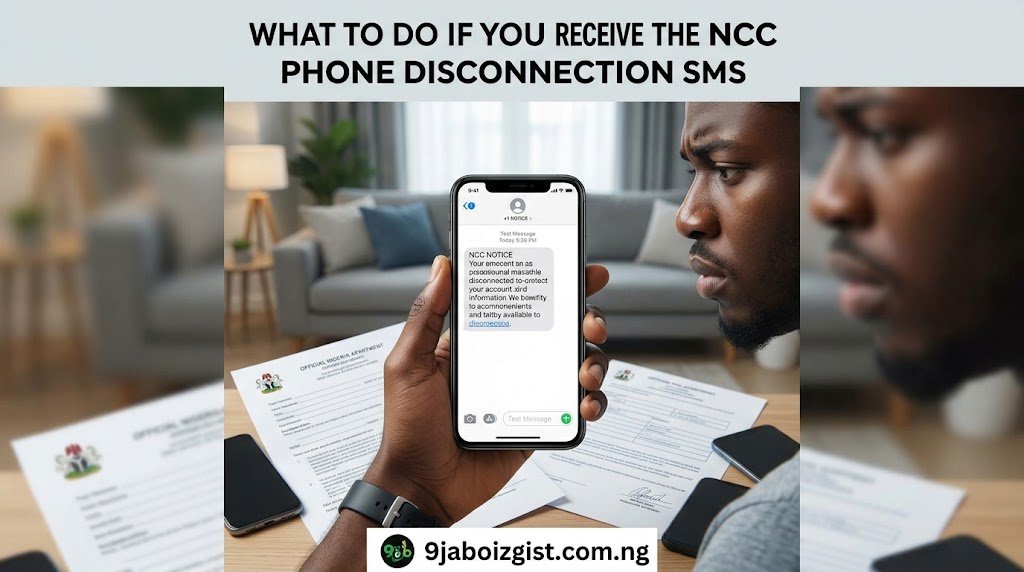
If you just got a text message warning that your phone may be disconnected from Nigerian networks, do not panic, but do act fast. Your phone may simply not be registered on the NCC’s new Device Management System (DMS). The good news is there is a clear path to fix it, and your phone most likely still works right now.
Let me walk you through exactly what this message means, why you got it, and what to do step by step.
For anyone in Nigeria who received a warning SMS about NCC phone disconnection, owns an imported phone, or bought a phone from someone who was not a licensed dealer. This is also useful for people planning to buy a used UK or US phone and want to know the risks before spending their money.
What Is the NCC Phone Disconnection SMS?
The message warns you that your device has not been verified and could be disconnected after 30 cumulative days on the network. “Cumulative” is the key word. It does not mean 30 consecutive days. It means your phone gets a total of 30 active days on the network before a potential block kicks in.
Users are advised to contact their sellers or dial 315. That short code, 315, is your first port of call.
The NCC is working to disconnect mobile phones that have not received its type approval from Nigerian telecommunications networks, and users across the country are already receiving these warning text messages. What surprised many people is that the brands affected are not limited to cheap or unknown phones. Users of iPhones, Tecno, Infinix, and Google Pixel devices have all received alerts warning of possible disconnection.
So yes, even your brand new or expensive imported phone is not automatically safe from this warning.
Why Is the NCC Doing This?
Think of it this way. The NCC is like the food standards agency, but for phones. Just as NAFDAC checks that the food you eat meets safety standards, the NCC checks that the phones connecting to Nigerian networks meet technical requirements before they are allowed to operate.
The warning messages are part of the Commission’s Device Management System (DMS), which is designed to identify and eventually restrict devices that do not meet Nigeria’s type approval requirements. An official of the Commission confirmed that the enforcement is necessary because many devices being brought into Nigeria have not gone through the required type approval process.
Under Section 132(2) of the Nigerian Communications Act 2003, communications equipment must receive type approval before it can be sold or used in Nigeria. This law has existed for years. What is new is that the NCC now has the technology to actually enforce it at scale, using a Central Equipment Identity Register (CEIR) that tracks the unique IMEI numbers of all mobile devices connecting to Nigerian networks.
In plain English, the NCC has built a database of every approved phone. If your phone’s IMEI number is not in that database, the system flags it and triggers the warning SMS to your line.
Beyond regulatory compliance, the DMS is also designed to tackle broader market problems. These include curbing the influx of black market electronics and allowing stolen phones to be blacklisted across all national mobile networks. So this exercise has real benefits for everyday Nigerians, even if the rollout has caused confusion.
What Is an IMEI and How Do You Find Yours?
Your IMEI is like your phone’s National ID number. Every phone has one, and dual-SIM phones have two. The NCC uses this number to identify your specific device on the network.
You need this number before you can do anything else, so find it right now.
How to get your IMEI:
Dial *#06# from your phone’s dial pad. Your IMEI will appear on screen immediately. This works on all Android phones and iPhones without any app or setting change.
On Android, go to Settings, then tap About Phone, then tap Status or IMEI Information.
On iPhone, go to Settings, tap General, then tap About. Scroll down until you see IMEI.
Check your original phone box. The IMEI is printed on a label on the bottom or back of the box. It is also sometimes printed on the SIM card tray slot on iPhones.
Write that number down somewhere safe. You will need it for every step that follows.
Step-by-Step: What to Do After Receiving the NCC Disconnection SMS
Here is exactly what to do, laid out in the right order.
Step 1: Confirm the Message Is Genuine Before You Act
Scammers are already exploiting this situation. They are sending fake disconnection messages to trick people into clicking dangerous links or giving out their personal details. Before you do anything, run through this quick check.
Does the message ask you to click a link? A real NCC disconnection message does not contain any clickable URL. It tells you to dial 315. If you see a strange link, that is a scam. Delete the message and report it to your network provider.
Did the message come from your network provider’s official shortcode number? Airtel, MTN, Glo, and 9mobile all have recognisable sender IDs. A message from a random mobile number claiming to be from the NCC is suspicious.
Does the text say something like “Your device has not been verified and may be blocked after 30 cumulative days of use”? That phrasing is consistent with the real NCC warning. If the message matches that pattern and came from your network, it is almost certainly genuine.
If you are regularly receiving scam calls and messages on top of all this, our guide on how to stop spam and scam calls from unknown numbers on Android will help you filter them out without downloading any extra app.
Step 2: Dial 315 From the Affected Phone
This is the official NCC short code for device management queries. Dial it from the exact phone that received the disconnection message, not from a different phone. Follow the on-screen menu prompts to check your device status or get directed to the next step.
Dialling 315 is free from all major networks. It takes less than two minutes and gives you your first clear signal about whether your specific device is flagged or not.
Step 3: Check Your IMEI Status on the DMS Portal
Once you have your IMEI, go to the NCC’s Device Management System portal. At the time of writing, the working portal linked to the NCC DMS process is dmsng.devapp.co.
On that portal, look for the “Check IMEI” or “Verify Device” option. Enter your full 15-digit IMEI number. The system will return a status for your device. The result will typically show one of the following: Registered and Approved, Pending Registration, or Non-Compliant and Not Registered.
If your status shows Registered and Approved, your device is fine. You may still want to take a screenshot as proof.
If your status shows Pending Registration or Non-Compliant, move straight to the next step.
Step 4: Register Your Device on the DMS Portal
If your device is not registered, here is how to do it:
Visit dmsng.devapp.co from your phone’s browser or a computer. Look for the “Register Device” option on the homepage. Enter your full 15-digit IMEI number in the provided field.
Enter your Nigerian phone number, either MTN, Airtel, Glo, or 9mobile. You will receive a one-time password (OTP) sent to that number. Enter the OTP to verify your identity. Complete the rest of the registration form with your details. Submit the form and wait for a confirmation message.
Keep a screenshot of every screen, especially the confirmation. You may need it as proof if your line ever gets flagged again.
Step 5: Understand If You Need to Pay a Fee
Under the NCC’s DMS framework, licensed importers are required to pay a validation fee per IMEI uploaded to the system. For individual consumers, the situation is slightly different.
Based on information published on the DMS portal, registration charges are approximately 670 naira per IMEI for standard devices and above 3,700 naira for high-end smartphones. These fees are primarily targeted at importers and dealers rather than individual phone owners.
However, if you bought your phone through unofficial channels, such as from a traveller, a WhatsApp vendor, or the grey market, you may face a fee as part of your personal registration. The NCC has indicated it will publish clearer procedures for individual consumers. Keep checking the official NCC website at ncc.gov.ng for the latest updates, as this is still evolving.
Step 6: Go Back to Your Seller
This step is important and many people skip it out of embarrassment or conflict avoidance. Do not skip it.
If you bought the phone from a vendor in Computer Village, Alaba Market, or any phone dealer, go back and confront them calmly. A legitimate seller who sold you a type-approved device should be able to provide you with proof of registration or help you complete it. A seller who refuses to help or denies any knowledge has effectively sold you an illegal product. You are within your rights to request a replacement device or a full refund under Nigerian consumer protection laws.
Ask the seller specifically: “Can you show me proof that this phone’s IMEI was registered on the NCC DMS?” If they cannot answer that question clearly, you know where you stand.
Step 7: Contact the NCC Directly If Nothing Else Works
If your seller is unhelpful and the portal is not cooperating, the NCC has consumer support channels specifically for situations like this.
Contact the NCC Consumer Portal at consumer.ncc.gov.ng. Call the NCC toll-free line on 622, which is free from all Nigerian networks. Send an email to consumeraffairs@ncc.gov.ng explaining your situation. Include your IMEI number, the network you use, and the exact message you received.
Be clear, polite, and keep records of every conversation. Having a documented trail of your attempts to comply will protect you if your line is ever wrongly blocked.
Why Did Some Type-Approved Phones Still Get the SMS?
This is probably the most common question I have seen people ask online, and it is a valid one. Many people with perfectly legitimate phones bought from authorised dealers also received the disconnection message. Here is why.
The DMS is still being rolled out across the country. Some manufacturers and licensed importers had not yet uploaded their full batch of IMEI numbers to the portal by the time the system started cross-checking devices on the network. So a phone that is genuinely type-approved and was sold legally still showed up as “unverified” simply because the paperwork on the dealer or importer’s end was not yet complete.
The deadline for compliance was actually extended after some stakeholders reported difficulties completing the registration process on the NCC’s web portal. This confirms that the system had teething problems that affected genuine users unfairly.
The bottom line is this: receiving the SMS does not automatically mean your phone is fake, stolen, or dangerous. But it does mean you need to check and verify, regardless of where you bought it.
What Happens If You Ignore the SMS?
This is not a situation where ignoring the message and hoping for the best is a realistic option.
Once the NCC’s DMS is fully enforced, devices that are not duly registered will not be permitted to operate on Nigerian networks. That means no calls, no SMS, and no mobile data on any Nigerian network, regardless of which SIM card you insert.
Unlike the NIN-SIM registration exercise, where the NCC reversed its blocking decisions multiple times due to public pressure, the NCC has been more firm about this particular policy. The official position is that once the system is fully deployed, non-compliant devices will be prevented from operating on Nigerian networks.
Take the 30-day window seriously. Use it to get your device registered rather than gambling on another extension.
Will the NCC Be Able to See Your Private Data?
Many Nigerians are worried about privacy, and that concern deserves a straight answer.
The NCC has officially stated that the DMS is designed specifically for device identification and type approval compliance tracking. It does not give the Commission access to the contents of users’ devices and does not enable it to monitor personal communications.
The system only identifies that your phone exists and is connecting to the network. It records the IMEI number. That is a device identifier, not a window into your personal data. Your WhatsApp messages, photos, banking apps, and call conversations are not accessible through the IMEI tracking system.
With that said, it is reasonable and responsible to stay informed as the system matures. The NCC’s official privacy documentation on ncc.gov.ng is the most authoritative source for updates on what data the DMS does and does not collect.
What About UK and US Used Phones Brought Into Nigeria?
This is one of the most common situations I have seen people panic about, and it deserves a detailed answer.
If your phone was bought abroad, whether by you during a trip, by a relative in the diaspora, or from someone who imported it informally, that phone may not have gone through Nigeria’s type approval process. It does not mean the phone is bad quality or dangerous. iPhones sold in the UK and Samsung phones sold in the US are often superior quality to some grey-market versions. The issue is purely regulatory. The device was not formally certified for the Nigerian market before it entered the country.
Your options in this situation are as follows. Register the phone yourself through the DMS portal at dmsng.devapp.co using your own details. Ask the person who brought the phone into the country to assist you with the registration, since they are technically the importer. Contact the NCC directly via consumer.ncc.gov.ng to ask about the individual consumer registration pathway for informally imported devices.
Going forward, if you are planning to buy a UK or US used phone through an agent or traveller, always ask for the IMEI first. Check it on the DMS portal before you pay a single naira. This one check could save you from buying a phone that will stop working on Nigerian networks within 30 days.
You can also check our guide on the best Android phones for MTN 5G bands in Nigeria to understand which imported phones are compatible with Nigerian network bands, since band compatibility and type approval are two different things you need to check before any purchase.
What Type-Approved Actually Means
“Type-approved” simply means the NCC has independently tested a specific phone model and confirmed it meets Nigeria’s technical standards. These standards cover several things including radio frequency emissions and radiation levels, compatibility with Nigerian network frequency bands used by MTN, Airtel, Glo, and 9mobile, signal quality to ensure the device does not degrade overall network performance, and basic safety standards that protect users from harmful hardware.
When a manufacturer like Samsung, Tecno, or Apple wants to officially sell a phone model in Nigeria, they submit it to the NCC for testing. If it passes, the NCC adds that model to its type approval register. Licensed importers are then required to register the IMEI numbers of every individual unit they bring into the country.
The DMS connects all of this together. It links the approved models with the actual devices on the network and flags anything that does not match.
How to Check If Your Phone Was Type-Approved Before You Bought It
According to information on the NCC’s official website at ncc.gov.ng, the NCC maintains a public register of type-approved devices. Here is how to search it:
Go to ncc.gov.ng on your browser. Navigate to the “Type Approval” section. Search for your phone’s brand and model name. Check whether your exact model appears on the approved list.
You can also use the DMS portal at dmsng.devapp.co to check your specific device’s IMEI directly. This is more accurate than checking by model alone because some brands sell different hardware variants under the same model name.
If you bought from an authorised dealer and your phone is a mainstream brand, it is likely type-approved at the model level. The registration of the individual IMEI is the second layer, and that is where problems usually arise.
Which Phones Are Most Likely to Trigger the Disconnection Warning?
Not every phone carries the same level of risk. Based on the pattern of reports from users across Nigeria, the phones most likely to receive the disconnection SMS include the following categories.
UK and US bought iPhones brought back by travellers or relatives in the diaspora are high risk because they were sold in a foreign market and were never submitted for NCC type approval in Nigeria.
Grey-market Android phones bought from street vendors, WhatsApp resellers, or roadside sellers without receipts are also high risk. These phones often entered Nigeria through informal channels with no regulatory documentation at all.
Second-hand phones bought from private sellers on platforms like Jiji, Facebook Marketplace, or Twitter DMs carry moderate to high risk depending on the original source of the device.
Some phones bought at Computer Village in Lagos or Onitsha Main Market may also be affected, particularly phones that came in through informal imports rather than through licensed importers who registered their IMEI batches properly.
Phones bought directly from official brand stores such as Slot, Pointek, Fouani Nigeria, Samsung Experience stores, and authorised Apple resellers carry the lowest risk. These sellers are expected to comply with NCC regulations and their stock should already be registered. However, given the DMS rollout issues, it is still worth verifying your IMEI even if you bought from an official store.
What to Do If Your Phone Gets Blocked Before You Can Register
If you complete all these steps but your phone still gets blocked, do not assume the situation is permanent. The NCC’s official position is that devices can be reactivated once compliance is confirmed.
The first thing to do is call 622 from another phone and report the situation. Provide your blocked phone’s IMEI number, your NIN, and the name on your SIM registration. Explain that you attempted to register and provide whatever reference number or confirmation you received from the portal.
The NCC has previously ordered telcos to reactivate blocked phone lines when mass blocking exercises caused collateral damage to compliant users. If the DMS blocks a significant number of legitimate phones by mistake, a similar reversal is possible. However, you cannot rely on that happening. Do everything you can to register before the 30-day window closes.
If you need to keep a line active while sorting this out, our guide on how to borrow airtime from Airtel Nigeria and how to borrow data from MTN can help you stay connected on a secondary device during the process.
Limitations of the Current System: When the Process May Not Work Smoothly
I want to be honest with you about the current state of things, because pretending everything is perfectly smooth would not be fair to you.
The DMS portal has experienced technical difficulties since launch. Some users have reported that the IMEI check returns errors or does not load properly, especially on mobile browsers. If this happens to you, try accessing the portal from a different browser or from a computer rather than your phone.
The consumer registration pathway for individually imported phones is not fully documented yet. The NCC has indicated it will publish step-by-step procedures for affected individual users, but at the time of writing, those detailed instructions are not yet clearly available on the official site.
The 315 short code experience varies by network. Some users on certain networks report that the short code menu does not lead to a clear resolution and simply redirects them to call customer service. If 315 does not resolve your issue, escalate directly to the NCC via 622 or the consumer portal.
Fees for individual consumer registration are not yet uniformly applied. The fee structure was designed primarily for importers and dealers. What this means for a person who personally imported a single phone for their own use is still being clarified. Do not pay any fee to any website other than the official DMS portal.
Quick Action Checklist
Screenshot this and use it as your reference:
Dial *#06# and write down your IMEI number right now.
Dial 315 from the affected phone to check your device status on your network.
Visit dmsng.devapp.co to verify or register your IMEI on the DMS portal.
Go back to your seller if you bought from a vendor and ask them to confirm proper registration.
Visit consumer.ncc.gov.ng for the official NCC consumer guidance and updates.
Call 622 for free from any Nigerian network if you need to speak to the NCC directly.
FAQs About the NCC Phone Disconnection SMS
Is the NCC disconnection SMS a scam?
Not all of them. The genuine NCC disconnection message tells you to dial 315. It does not contain any clickable link and does not ask for your bank details, NIN, or any payment information upfront. If the message you received contains a suspicious URL or asks for sensitive information, it is a scam. Delete it and do not click anything. Report it to your network provider by calling their customer service line.
Will my phone be blocked immediately after the SMS?
No. The warning message gives you 30 cumulative days of network usage before any block takes effect. That is not 30 calendar days but 30 days of actual active use on the network. You have a window to act. Use it to complete your registration rather than waiting to see what happens.
Does this affect my SIM card or my phone?
This policy targets your phone, meaning the physical device itself, not your SIM card. The NCC is checking whether your handset has been approved for use on Nigerian networks. Your SIM card registration, which requires your NIN, is a completely separate requirement that already exists. You could have a fully registered SIM in a phone that is not type-approved, and you would still receive the disconnection warning.
What if I bought my phone from an official store but still got the SMS?
This happens and it does not necessarily mean anything is wrong with your phone. Some licensed dealers and importers had not yet completed uploading their IMEI batches to the DMS when the system began cross-checking devices. Your phone may be genuinely type-approved at the model level but not yet registered at the individual IMEI level in the system. Check your IMEI on the DMS portal and contact the store to ask them to verify that your specific IMEI has been uploaded to the system. A legitimate official store should be able to confirm this.
Can the NCC read my WhatsApp messages or see my photos through this system?
No. The NCC has officially clarified that the DMS tracks device identity numbers only and does not access the contents of any device. The system records that your phone’s IMEI is connecting to the network. It does not have any visibility into your messages, photos, banking apps, call content, or any other personal data on your device.
What happens if I insert a new SIM into a blocked phone?
If your device is blocked by the NCC’s DMS via its IMEI number, inserting a different SIM card will not restore network access. The block is tied to the device, not the SIM. To restore service, you need to resolve the registration issue for that specific phone.
Final Word
Getting the NCC phone disconnection SMS feels alarming, especially if the phone cost you a lot of money or if someone sent it from abroad as a gift. But the situation is manageable if you act quickly and follow the steps in this guide.
The three most important things to do right now: get your IMEI by dialling *#06#, dial 315 to check your device status, and verify or register your IMEI on the DMS portal at dmsng.devapp.co. Do not wait to see if the enforcement gets extended again. Take care of it now while you still have the full 30-day window available to you.
The NCC consumer portal at consumer.ncc.gov.ng and the official NCC website at ncc.gov.ng are the only sources you should trust for updates on this policy as it continues to develop. Bookmark both of them.
If this article helped you, share it with anyone in your contacts who also received the SMS. Many people are confused about what to do, and a clear guide shared at the right time could save someone’s phone from being blocked.

Oladepo Babatunde (Prince Babatee Tunde) is a Computer Scientist, researcher, and professional content writer with a Higher National Diploma in Computer Science from Kwara State Polytechnic, Nigeria.
With a background in technology and a passion for clear communication, Babatunde specializes in creating thoroughly researched, reader-focused content on productivity, personal development, home living, and technology. Every article he writes is backed by extensive research and fact-checking to ensure readers receive accurate, actionable information.
As a freelance writer, he has helped brands and publications deliver content that educates, engages, and empowers their audiences. His mission at 9jaboizgist is simple: make complex topics easy to understand and help Nigerians live smarter, more productive lives.