If your Airtel phone supports 5G but keeps showing 4G or LTE, the problem is not necessarily your SIM card. Your exact location may not have usable Airtel 5G coverage, 5G may be disabled in the phone’s network settings, or the phone’s regional model may not support the frequencies used by the network.
Airtel Nigeria says existing 4G physical SIMs and eSIMs are automatically enabled for 5G when used in a compatible device. You generally do not need to replace a working 4G SIM just to access 5G. You still need a 5G-capable phone, local coverage and the correct settings.
Quick checks if Airtel 5G is not showing
| What you notice | Possible reason | What to check first |
|---|---|---|
| Phone only shows 4G everywhere | 5G setting disabled, incompatible model variant or no nearby 5G coverage | Confirm the exact model and select a 5G automatic network mode. |
| 5G appears outdoors but not indoors | Walls, roofing, tinted glass or building layout weakens the signal | Test near a window and outside the building. |
| 5G option is missing from Settings | Phone may be 4G-only, regional model differs, or software/carrier configuration is outdated | Check the full model number and install available system updates. |
| 5G appears briefly, then returns to 4G | Weak or fluctuating 5G signal, mobility between cells or network conditions | Test at a fixed outdoor location and compare at another time. |
| Another Airtel phone gets 5G nearby, yours does not | Device band support, software or SIM-slot settings may differ | Compare exact model numbers and use the same location. |
1. Check whether Airtel 5G is available where you are
Airtel 5G is not guaranteed everywhere the company provides ordinary mobile service. A phone can be fully 5G capable and still use 4G if there is no usable 5G signal at that location.
In November 2026, Airtel Nigeria launched its Open Network feature in the My Airtel Africa app. The feature displays nearby 4G and 5G sites, sites being upgraded and planned sites within a 500-metre radius, and allows subscribers to send feedback about network performance. It is a useful way to see nearby infrastructure, but a site marker does not guarantee usable 5G reception inside your building or uninterrupted service. The Guardian reported the launch on 2 November 2026, following its unveiling on 30 October. You can also read Airtel’s Open Network information page.
To check:
- Update or open the My Airtel Africa app.
- Look for the Open Network feature, if it is available in your app version.
- Allow location access if you want to view nearby sites, or use the location controls offered by the app.
- Check whether the nearby site is marked 5G and whether it is active, under upgrade or planned.
- Test your phone outside and near a window instead of relying only on the map.
Airtel’s official Get 5G support page also tells customers to check the network coverage map. If you cannot find Open Network in your app, contact Airtel through its official support channels and ask how to check 5G availability at your location.
For additional context, the nPerf Airtel coverage map uses crowdsourced measurements from users’ devices. Treat it as a secondary reference, not an official Airtel guarantee.
2. Make sure your exact phone model supports 5G
Check the complete model number, not just the marketing name printed on the phone box. Some manufacturers sell different regional versions of the same phone name, and their supported radio bands can differ.
On Android, open Settings and look under About phone, About device or Model information. Search the exact model code on the manufacturer’s official website and confirm that the specifications list 5G connectivity and the relevant bands for the Nigerian network. If the phone was imported or refurbished, ask the seller for the exact variant and verify it against the manufacturer’s specification sheet.
Do not rely on the phone’s marketing name or a generic online list of 5G bands. Airtel’s public 5G support page does not provide a complete band-by-band compatibility list for every handset variant. Check the exact model’s official specification and ask Airtel to confirm compatibility if the supported frequencies or carrier configuration are unclear.
If your phone is 4G-only, no app, SIM replacement or software update can add the missing 5G modem hardware.
3. Check that 5G is enabled on your Android phone
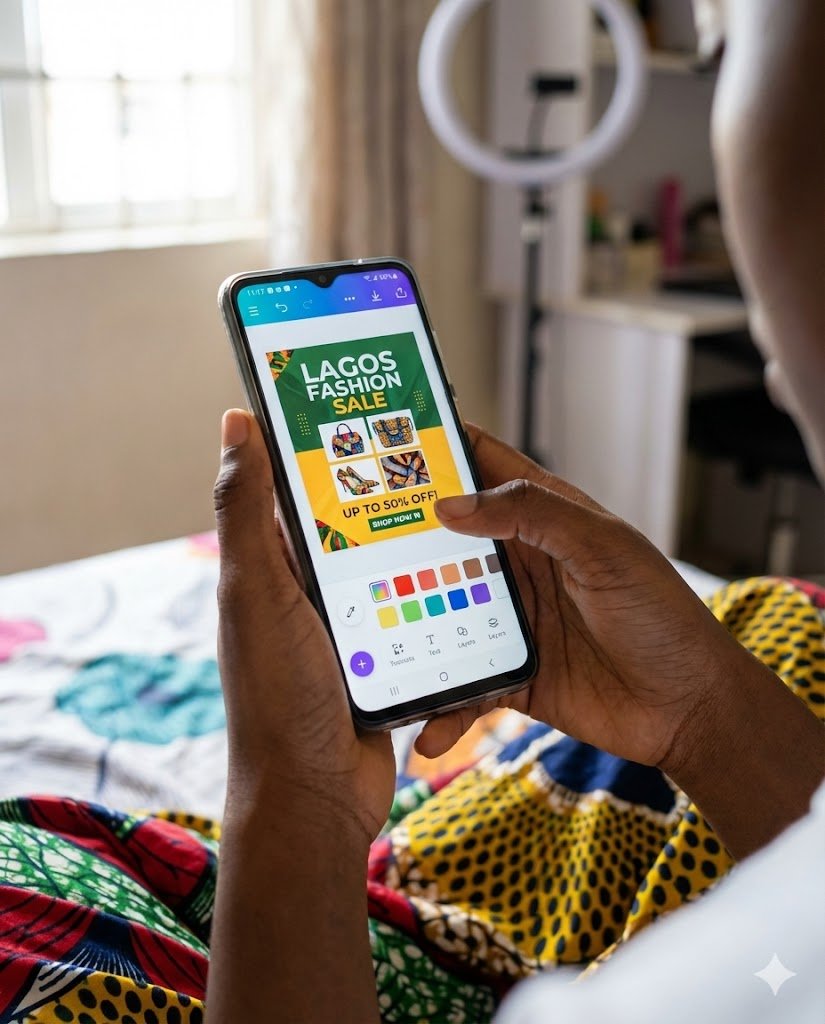
Menu names vary across Samsung, Tecno, Infinix, Xiaomi, Google Pixel and other Android phones. On Android, the exact route depends on the manufacturer and software version. Samsung, Tecno, Infinix, Xiaomi and Pixel devices may use different labels. If you cannot find the option, search Settings for “Preferred network type” or “Network mode”.
- Open Settings.
- Tap Connections or Mobile Network.
- Choose SIM Manager or select the Airtel SIM under Mobile Networks.
- Open Network Mode or Preferred network type.
- Select an option that includes 5G/4G/3G/2G (Auto), if your phone offers it.
Do not select 5G-only mode as a first troubleshooting step. Automatic mode allows the phone to use 4G where 5G is unavailable and can be more practical when coverage is inconsistent.
4. Check 5G settings on an iPhone
On a supported iPhone, Apple documents this route (menu wording can vary by iOS version and carrier):
- Open Settings.
- Tap Mobile Data or Cellular.
- Select Mobile Data Options or Cellular Data Options.
- Tap Voice & Data.
- Select 5G Auto for normal use, or temporarily choose 5G On while testing in a confirmed coverage area.
Only iPhone 12 models and later support 5G. If you use an older iPhone, a software update cannot add 5G hardware. If the 5G option is missing on a supported model, check for an iOS or carrier settings update. Apple also explains an important detail about 5G Auto: it can switch to LTE when 5G does not provide a noticeably better experience, to save battery. If you are testing in a confirmed 5G area, you can temporarily select 5G On under Voice & Data, then return to 5G Auto afterwards because 5G On may use more battery. Apple also recommends toggling Airplane Mode off and on when 5G does not appear. See Apple’s guide to using 5G with an iPhone.
5. Do you need to change or upgrade your Airtel SIM?
Usually, no. Airtel Nigeria says existing 4G physical SIMs and eSIMs are automatically enabled for 5G. The SIM still needs to be used in a compatible 5G device and within Airtel 5G coverage.
If your SIM is very old, damaged, frequently loses network or cannot register reliably, visit an Airtel shop for a SIM check or replacement. That is different from buying a special “5G SIM”. Do not pay a third party who claims they can convert a 4G-only phone or SIM into 5G through a secret code.
6. Update your phone and restart it
Outdated system software or carrier configuration can sometimes affect network features. Connect to Wi-Fi, install available official system updates, then restart the phone. On iPhone, check Settings > General > Software Update and Settings > General > About for a carrier settings prompt. On Android, check System Update or Software Update; the exact location varies by brand.
After restarting, confirm that the Airtel SIM is selected for mobile data and that the preferred network mode still includes 5G. You can also switch Airplane Mode on for about 15 seconds, then turn it off to make the phone register on the network again. Do not install unofficial firmware or random “5G enabler” apps.
7. Test outside, then compare another Airtel 5G phone
Building materials, metal roofing, tinted glass, basements and distance from a cell site can weaken indoor reception. Try a test near a window and outdoors in the same neighbourhood. Turn off Wi-Fi so you know the phone is using Airtel mobile data.
If another known-compatible Airtel 5G phone connects at the same spot but yours does not, compare the exact model codes, software versions, SIM slot and network mode. If neither phone connects, local coverage or a network issue is more likely. This comparison does not prove the cause, but it helps narrow the fault.
8. Reset network settings only after the basic checks
If your phone previously connected to 5G but no longer does, a network-settings reset may help after checking coverage, compatibility and software updates. This reset can remove saved Wi-Fi networks, Bluetooth pairings, VPN settings and mobile-network preferences, depending on the phone. Make sure you know your Wi-Fi passwords before proceeding.
Use the reset option in your phone’s Settings and follow the manufacturer’s instructions. Do not factory-reset the entire phone just because the 5G icon is missing; that is a much more disruptive step and is rarely the first thing to try.
9. Use Airtel Open Network to report a local problem
If the phone is compatible and 5G should be available but the connection remains on 4G, report the location and symptoms to Airtel. The Open Network feature in the My Airtel Africa app lets customers view nearby 4G/5G sites and send feedback about network performance. Use the feedback option if available, but remember that the map is an information and reporting tool; it does not itself fix a weak signal or guarantee coverage.
When reporting, include your neighbourhood or nearby landmark, phone model, whether the problem occurs indoors or outdoors, the dates and times, and whether the phone shows 4G, LTE or no service. Do not post your full home address, IMEI, OTP or account PIN in a public comment.
Do you need a special Airtel 5G data plan?
Airtel’s public 5G support page confirms that you need a 5G-compatible device and coverage, but it does not clearly set out a complete current list of eligible bundles or charges. Check your specific plan and account with Airtel before buying an extra “5G” package. If you have no internet on either 4G or 5G, use our separate Airtel data not working after subscription troubleshooting guide.
When to contact Airtel instead of changing more settings
- Your phone supports 5G and the same location is shown as having 5G service, but it never connects.
- Several compatible Airtel phones lose 5G in the same neighbourhood.
- Your phone suddenly stopped registering on Airtel after a software or SIM change.
- The My Airtel app’s Open Network feature shows a nearby fault or upgrade and the issue continues.
Give Airtel the phone model, approximate location, date and time, indoor/outdoor result and screenshots of the network mode. Avoid repeatedly resetting the phone or buying a new SIM before the operator checks the line and local network.
Frequently asked questions
Do I need a new Airtel SIM for 5G?
Airtel says existing 4G physical SIMs and eSIMs are automatically enabled for 5G. You still need a 5G-compatible phone and coverage at your location.
Why does my Airtel 5G phone show 4G?
The common reasons are no usable 5G coverage at that location, 5G disabled in network settings, an incompatible regional phone variant, weak indoor signal or temporary network conditions.
How do I know if my phone supports Airtel 5G?
Check the exact model number in the manufacturer’s official specifications. iPhone 12 models and later support 5G; look under Settings > Mobile Data or Cellular > Mobile Data Options or Cellular Data Options > Voice & Data. Remember that 5G Auto may use LTE when 5G is not noticeably better. On Android, check the preferred network mode and confirm the supported frequencies for the exact model.
Does Airtel 5G work in every part of Lagos or Abuja?
No. Being in a large city does not guarantee 5G coverage on every street or inside every building. Use Airtel’s Open Network feature in the My Airtel Africa app if available, then test at the actual location. The map’s nearby site indicators are not a promise of indoor signal.
Do I need a special data plan to use Airtel 5G?
Apple says a 5G cellular plan is required and advises iPhone users to confirm plan support with their carrier. Airtel’s public 5G page confirms compatible devices and coverage but does not provide a complete current list of eligible bundles or charges. Check your specific plan with Airtel before paying for an additional package.
Can I force my Airtel phone to stay on 5G?
Some phones expose a 5G-only setting, but it is not recommended as the first fix. If the signal is weak or unavailable, the phone may lose connectivity rather than fall back to 4G. Use 5G Auto or the manufacturer’s recommended automatic network mode.
Will a software update turn my 4G phone into a 5G phone?
No. A software update can enable supported features on a phone that already has 5G hardware, but it cannot add a 5G modem to a 4G-only phone.
Related Airtel and 5G guides
- Airtel SmartConnect 5G ODU: Device, plans and installation
- Airtel ODU connected but no internet? Troubleshooting guide
- 5G router slow in Nigeria? How to improve signal and speed
- MTN 5G coverage in Nigeria: how to check your area
Official sources and further reading
- Airtel Nigeria: Get 5G — SIM eligibility, device and coverage requirements.
- Airtel Nigeria: Network coverage map — official 4G and 5G coverage view.
- Apple Support: Use 5G with your iPhone — supported models and settings.
- nPerf: Airtel Nigeria coverage map — crowdsourced coverage observations.
- The Guardian: Airtel Nigeria launches Open Network — launch date, app feature and coverage-map limitations (2 November 2026).
Menu names can differ by phone model and software version. Airtel coverage and network sites change over time. Check the current app and test at the location where you need service before buying a new phone or router.

Oladepo Babatunde (also known as Prince Babatee Tunde) is a Computer Scientist, researcher, professional content writer and SEO content strategist with more than eight years of experience. He holds a Higher National Diploma (HND) in Computer Science from Kwara State Polytechnic, Nigeria, and is based in Ilorin, Kwara State. As a freelance writer, he creates research-led, practical content on technology, Nigerian internet services, AI tools, gadgets and solar power. His work combines research, source checking, technical understanding and SEO strategy. Where an article includes hands-on testing, the product, method and relevant conditions are described in the article; research-based guides are identified as such.