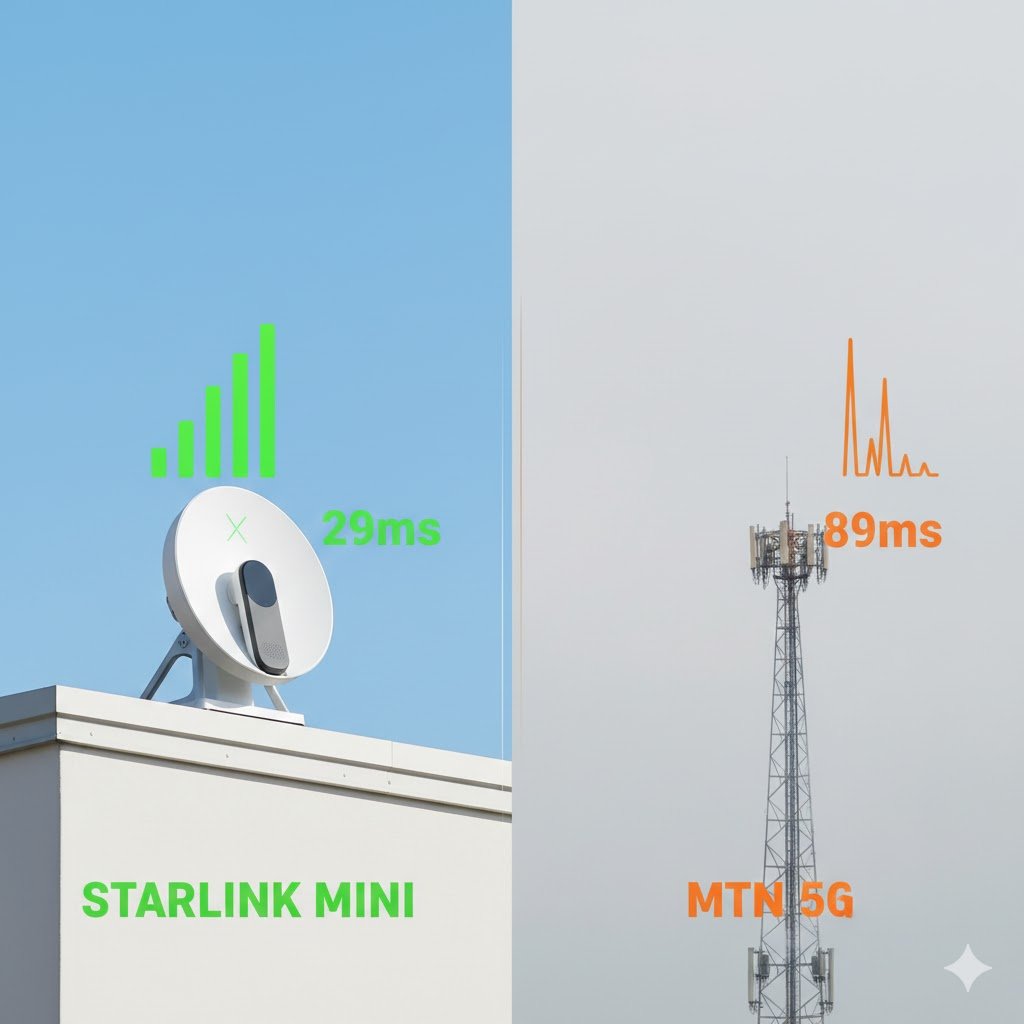
MTN 5G is available in parts of Nigeria, but coverage is not nationwide or continuous across every city. Living in Lagos, Abuja, Port Harcourt or another major city does not automatically mean your street has a usable 5G signal. The most reliable way to check is to search your exact address on MTN’s official coverage locator before buying a 5G phone or router.
You also need a 5G-capable device and an MTN 4G-enabled SIM. MTN says customers can use an existing 4G SIM to access its 5G network; a 5G SIM replacement is not listed as a general requirement. Your phone or router must still support the relevant network bands and be configured to use 5G.
Check the official map for your address, understand what its signal indicator means, and use the troubleshooting steps below if a compatible phone stays on 4G.
Does MTN Have 5G Coverage in Nigeria?
Yes. MTN Nigeria offers 5G service in selected locations. Its official 5G page directs customers to a coverage locator to check whether a particular area is covered. MTN does not promise that every neighbourhood in a listed city has 5G, so a city name alone is not enough to confirm availability.
Use the official MTN Nigeria Coverage Locator to check a street, estate, landmark or address. The map includes separate layers for 5G, 4G, 3G, 2G and FibreX.
National 5G statistics provide useful context, but they cannot tell you whether MTN reaches your particular street. The NCC and Ookla’s March 2026 Device Model Adoption & Performance Benchmarking report found that only 3.7% of active devices nationally were using 5G in its measurements. It also reported an average 561% speed increase among MTN users switching from 4G to 5G devices. These are national device and performance findings, not an MTN coverage percentage or a promise of the same speed at your address.
The NCC’s wider network performance reports also distinguish network deployment from real-world service quality. That is why checking the map and testing at the location matter more than relying on a nationwide headline.
How to Check MTN 5G Coverage in Your Area
Check the map before buying a 5G phone, MiFi or home broadband router. MTN says its locator lets customers search an address and view network coverage layers, including 5G, 4G, 3G, 2G and FibreX.
- Open the MTN Coverage Locator.
- Open the Coverages view.
- Search for your street, estate, landmark or address. If the map asks for location permission, you can allow it, but you can also search manually.
- Find the 5G Network layer and switch it on. You can compare it with the 4G Network layer.
- Check the mapped coverage around the exact place where you plan to use the phone or router, not just the city centre.
- Repeat the check for your home, workplace or other places where you need reliable internet.
Open the map here: Check MTN 5G coverage by address.
MTN describes the locator as a tool for searching addresses, viewing signal levels and reporting weak or missing coverage or network outages. Its coverage locator user guide explains the map controls. Treat the result as an estimate: a mapped coverage area does not guarantee a particular indoor signal or download speed.
What the Latest NCC Data Says About 5G in Nigeria
The NCC’s March 2026 device benchmarking report helps explain why a 5G-capable phone alone does not guarantee a 5G experience. In the report’s national measurements, 3.7% of active devices were using 5G. The report also found a 561% average speed increase for MTN users switching from 4G to 5G devices.
Those figures describe device adoption and measured performance across the study, not the percentage of Nigeria or any particular city covered by MTN. They should not be used to claim that all of Lagos, Abuja, Port Harcourt or another city has MTN 5G. Coverage can vary from one neighbourhood to the next, and indoor reception can differ from outdoor reception.
For a buying decision, use the MTN coverage locator for your address, then test with an MTN 5G device at the actual location if possible. The NCC report is useful context; it is not a substitute for a local coverage check.
1. A 5G-compatible phone or router
Your device must support 5G on the network bands used by the Nigerian operator and the exact model variant must be compatible. Two phones with the same retail name can have different model numbers and band support, especially when one is imported from another market.
Check the manufacturer’s specification page for the full model number and supported 5G bands, not just the name on the box. Also check whether the device is NCC type-approved and verified for Nigerian networks: MTN’s NCC Device Checker guidance says customers can dial *315# or use the NCC Device Checker. Type approval is a separate check from 5G band compatibility. For examples of compatible Android models, see our MTN 5G phone compatibility guide.
2. An MTN 4G-enabled SIM
MTN’s published 5G requirements specify a 5G-capable smartphone or router and a 4G-enabled SIM card. It does not list a separate 5G-only SIM as a general requirement. If your SIM cannot connect to 4G, is damaged or is very old, ask MTN to check it rather than assuming that a SIM swap alone will create 5G coverage.
3. 5G enabled in your device settings
On many Android phones, open Settings → Network & Internet or Connections → Mobile Networks, select your MTN SIM and choose a network mode that includes 5G, such as 5G/4G/3G/2G (Auto). Menu names differ between Samsung, Tecno, Infinix, Xiaomi and other manufacturers.
On a supported iPhone, open Settings → Mobile Data → Mobile Data Options → Voice & Data, then select a 5G option if it is available. Keep iOS updated and check Apple’s device and carrier support guidance if the option is missing.
See MTN Nigeria’s 5G requirements and device information, including its guidance for Android and iPhone users.
Why Your MTN 5G Phone May Still Show 4G
A 5G icon is not guaranteed just because your phone supports 5G. Check these common causes before assuming the network is faulty.
Your exact location is outside the 5G footprint
Start with the coverage locator. If the map does not show 5G at your address, your phone may correctly remain on 4G. Move to a confirmed coverage area and test again before changing phone settings or buying another SIM.
Your phone variant does not support the required band
Imported phones can have different radio specifications depending on the region and model code. A device advertised as 5G may not support every 5G band used by MTN. Check the full model number against the manufacturer’s official specifications and do not rely only on a seller’s description or the words “Global Version”.
5G is switched off or restricted by a setting
Check that your preferred network mode includes 5G, mobile data is enabled and the MTN SIM is selected for data. If you use dual SIM, temporarily test with the MTN SIM as the active data SIM. Restart the phone after changing network settings.
Indoor signal is weaker than outdoor signal
Thick walls, metal roofing, tinted glass, basements and the layout of a building can weaken mobile signals. Test near a window and outdoors in the same general area. If 5G appears outside but not inside, the issue may be indoor signal penetration rather than a completely absent network.
The network is congested or temporarily affected
Coverage does not mean every user will receive the same speed at every hour. Network demand, maintenance, power problems and local faults can affect performance. Test at different times and contact MTN if the problem persists in a location shown as covered.
Practical point: If the phone shows 5G outdoors but drops to 4G inside your home, test near different windows and in the rooms where you actually use the internet. A coverage map cannot account for every wall, roof or building layout.
How to Test MTN 5G Properly
Once the map indicates coverage and your device is compatible, run a simple test rather than relying on the 5G icon alone.
- Turn off Wi-Fi so the test uses MTN mobile data.
- Confirm that the phone is connected to 5G, not just set to 5G Auto.
- Run a speed test using the same app and server for each comparison.
- Record download speed, upload speed and latency.
- Repeat the test outdoors, indoors and at a different time of day.
- Check whether the connection stays on 5G or repeatedly falls back to 4G.
Do not treat one speed test as the speed everyone in your area should receive. Your result depends on the phone, signal conditions, network load, test server and time. If you want to compare MTN with another provider, test both SIMs at the same place and time using the same device where possible.
How to Report Weak or Missing MTN 5G Coverage
MTN says customers can use the coverage locator to report weak or missing coverage and network outages. Search the affected area, check the relevant coverage layer and submit a report through the locator if the map or service does not match what you experience.
When contacting MTN, provide your neighbourhood or nearby landmark, phone or router model, the date and time of the problem, whether the device shows 4G or 5G, and whether the issue happens indoors, outdoors or both. Avoid posting your full home address or IMEI publicly.
Should You Buy an MTN 5G Router?
Consider an MTN 5G router if the places where you need internet have confirmed 5G coverage and several people or devices will share the connection. It may be useful for a home or small office, but buying the router before checking coverage can leave you paying for equipment that mostly connects to 4G.
Before purchasing, confirm the router’s exact model number, supported 5G and 4G bands, 4G fallback capability, warranty, data bundle terms and return policy. MTN currently lists both a standard 5G router and its FlyX broadband offer, so compare the actual product terms and check that your address is covered before paying. Do not assume every 5G router supports the same fallback bands or has the same price and data limits.
If you mainly need mobile data on a phone, compare current MTN data plans and prices in Nigeria before choosing a bundle. 5G does not automatically mean you need a special data plan; check the current terms of the product you intend to use.
Frequently Asked Questions About MTN 5G Coverage
How do I check if MTN 5G is available in my area?
Open MTN’s official Coverage Locator at https://coverage.mtn.ng/, choose Coverages, search your address or landmark, and open the 5G Network layer. The map shows predicted coverage; test at the exact place where you plan to use the service.
Which Nigerian cities have MTN 5G?
MTN says 5G is available in several locations nationwide, but it does not mean every neighbourhood in a listed city is covered. Check your exact street or estate on MTN’s live coverage locator rather than relying on a city list.
Do I need a new SIM card to use MTN 5G?
MTN says you need a 5G-capable phone or router and a 4G-enabled SIM. If your SIM already connects to MTN 4G, MTN’s published 5G requirements do not say you must replace it with a special 5G SIM. Ask MTN to check a faulty or older SIM if necessary.
Why is my 5G phone showing 4G on MTN?
Your exact location may be outside 5G coverage, the phone variant may not support the required band, 5G may be disabled, or indoor signal and congestion may affect the connection. Check the coverage map and full model number first.
Can I use an MTN 5G phone where 5G is unavailable?
Yes. MTN says 5G phones automatically use available lower-generation networks, including 4G LTE, in non-5G zones. Your connection depends on the local network and device support.
Does MTN 5G coverage on the map guarantee fast internet?
No. A coverage map is a planning estimate, not a promise of a particular speed indoors or at every hour. Signal strength, building materials, network load, device capability and backhaul can affect real performance. Test at your address before buying equipment.
Is MTN 5G faster than 4G?
5G can be faster under suitable conditions. The NCC’s March 2026 device benchmarking reported an average 561% speed increase for MTN users switching from 4G to 5G devices in its measurements. That is a study result, not a speed guarantee for every user or location.
Can an MTN 5G router work on 4G?
MTN says 5G phones fall back to 4G, but router support depends on the exact model. Check the router’s official specifications for supported 4G bands and fallback before purchasing.
How can I check whether a phone is approved for Nigerian networks?
The NCC Device Checker lets you check a device’s type-approval and verification status. MTN’s help page says you can dial *315# or use the NCC Device Checker website. This check is separate from confirming that the phone supports the 5G bands used by MTN.
Conclusion
MTN 5G is available in selected Nigerian locations, but the important question is whether it reaches the exact place where you plan to use it. Check your street on MTN’s official coverage locator, confirm that your device variant supports the network, and make sure your SIM and phone settings are ready.
If you are considering a new phone or router, test the connection at home or work before spending money. A 5G label on a device and a citywide coverage claim are not enough; a reliable connection at your own location is what matters.
Coverage note: MTN’s coverage map and network footprint can change. The map should be checked again before purchase or installation. Last reviewed: November 17, 2026.

Oladepo Babatunde (Prince Babatee Tunde) is a Computer Scientist, researcher, and professional content writer with a Higher National Diploma in Computer Science from Kwara State Polytechnic, Nigeria.
With a background in technology and a passion for clear communication, Babatunde specializes in creating thoroughly researched, reader-focused content on productivity, personal development, home living, and technology. Every article he writes is backed by extensive research and fact-checking to ensure readers receive accurate, actionable information.
As a freelance writer, he has helped brands and publications deliver content that educates, engages, and empowers their audiences. His mission at 9jaboizgist is simple: make complex topics easy to understand and help Nigerians live smarter, more productive lives.