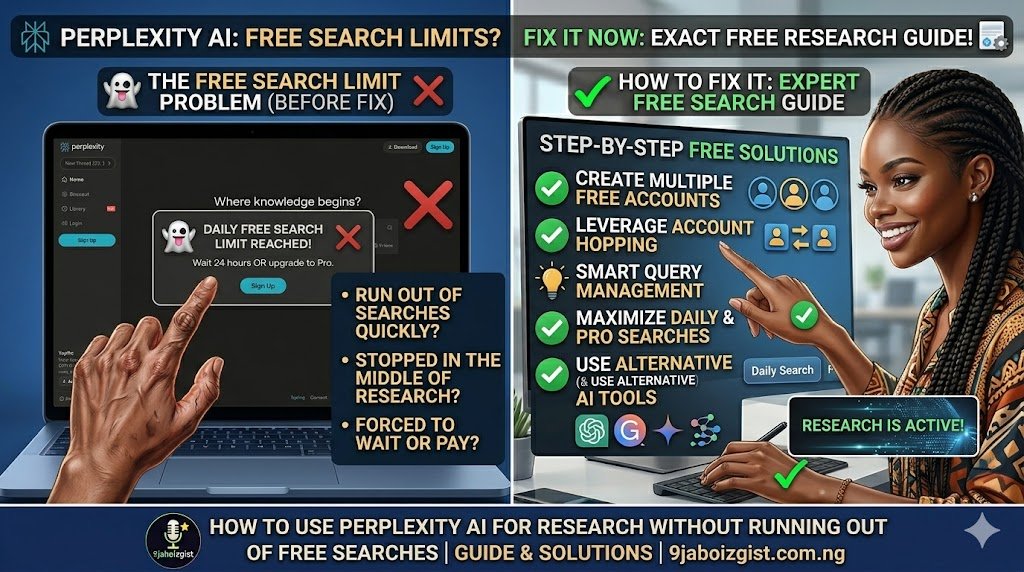
You were in the middle of a research session. Perplexity had already given you three well-cited, thoughtfully synthesized answers that would have taken an hour to compile manually. Then the limit hit. “You have reached your Pro search limit.” Still three questions left to answer, and the session is over.
If this sounds familiar, you are not misusing the tool and you are not doing anything wrong. You are hitting a specific, manageable limit that most Perplexity users do not fully understand. And because they do not understand it, they burn through it faster than they need to.
This guide explains exactly how Perplexity’s limit system works, which searches consume credits and which do not, and how to structure your research sessions so you get significantly more done within the same free plan. No upgrade required for most research needs.
The Limit Is Not What Most Users Think It Is
Here is the misunderstanding that drives most of the frustration. Most Perplexity users assume all searches are equal and that the daily limit applies to everything. It does not.
Perplexity has two fundamentally different search modes operating under the hood, and only one of them is limited on the free plan.
Standard search uses a single pass through web results and a standard AI model to generate an answer. It is fast, well-cited, and genuinely useful for most research queries. Standard search is completely unlimited on the free plan. You can run as many as you want.
Pro search uses multiple search passes, a more powerful AI model, and a deeper synthesis process. It produces more comprehensive, nuanced, and thorough answers. This is the credit-limited mode. Free plan users get a limited number of Pro searches per day, currently around five, though Perplexity adjusts this periodically based on server capacity and plan structure.
The core efficiency problem is that most users have Pro search enabled by default and use it for everything. They burn their five credits on simple factual questions, basic definitions, or quick lookups that standard search handles just as well. By the time they reach the complex analytical research questions that genuinely benefit from Pro search’s deeper synthesis, they have nothing left.
The toggle between standard and Pro search appears in the Perplexity interface when you type a query. Making a deliberate choice about which mode to use for each query, rather than defaulting to Pro for everything, is the single most impactful efficiency change most free users can make.
When the Limit Resets and How to Work Around It
When you hit the Pro search limit mid-session, the first thing you want to know is when it resets. The answer matters for planning.
Perplexity uses a rolling 24-hour window, not a fixed daily reset at midnight. This is the same structure that Claude and several other AI tools use, as explained in the guide on how Claude’s usage limits work. The reset point is approximately 24 hours after you used your first Pro search of the current cycle, not at a fixed time each day.
The practical implication: if you used your first Pro search at 9am and hit your limit at 11am, your credits reset around 9am the following morning. If you did not use Perplexity at all yesterday, you have a full set of credits available today regardless of what time it is.
For research projects that genuinely require more than a single session’s worth of Pro searches, the most straightforward planning approach is to split the work across two days. Do the broad, context-building research today. Do the deep, specific, analytical research tomorrow when credits refresh. Standard searches fill the gap because they are unlimited.
The Thread Strategy: Do More Research in Fewer Searches
This is the technique that makes the biggest practical difference for free users, and it is the one most articles about Perplexity never mention.
Perplexity is built around threaded conversations. When you ask a follow-up question within an existing thread, Perplexity already has the full context of everything discussed in that thread. It does not need to re-establish the topic, re-confirm the scope, or re-run preliminary searches to understand what you are asking. It builds directly on what was already found. This shared context makes follow-up questions within a thread significantly more efficient than starting a new search on the same topic.
The strategic implication is significant. Instead of running five separate searches on related aspects of a topic, each consuming a Pro search credit, you can structure the research as a single well-built thread. The first question establishes the broad context. Follow-up questions drill into specifics. Each follow-up benefits from everything the thread already knows.
Here is what a well-structured research thread looks like in practice. Say you are researching the business model of a specific industry sector.
Start with a comprehensive opening question: “Give me a thorough overview of how the electric vehicle battery supply chain works, including key players, raw materials required, main bottlenecks, and how the supply chain has changed over the past three years.” This first question, run as a Pro search, produces a rich foundational answer.
Then follow up within the thread: “Which part of that supply chain is currently experiencing the most disruption, and what are the specific companies most exposed to that risk?” The thread already knows what supply chain you are discussing. Perplexity does not start from scratch.
Then: “What do industry analysts predict will happen to battery raw material prices over the next two years, and what sources should I read to go deeper on this?” Same thread. Same shared context. Building toward a complete research picture.
By the end of a structured thread, you might have ten substantive research questions answered, with full citations throughout, for the cost of one or two Pro searches rather than ten separate ones. Saving the thread keeps all of that work accessible for future sessions.
Matching the Focus Mode to the Task
Perplexity has several focus modes, each designed for a different kind of research. Using the wrong one for a given task means the search does less useful work than it could, which often leads to a follow-up search to get the missing piece. That follow-up is a wasted credit.
Web focus is the default. It searches the general web and synthesizes from news sites, company pages, forums, and general information sources. Use it for: current events, product information, general overviews, company research, and any query where recency matters. This is the right starting mode for most research sessions.
Academic focus searches scholarly databases and returns answers sourced from peer-reviewed papers, academic journals, and research publications. It is dramatically better than Web focus for finding credible primary sources. Use it for: any research that requires citation-quality sources, scientific or medical topics, literature reviews, and any topic where you need to understand what researchers have actually established versus what popular sources claim. If you are a student or researcher and you are not using Academic focus for academic work, you are missing Perplexity’s most powerful research feature.
Reddit focus surfaces results from Reddit discussions and community threads. The answers feel completely different from Web or Academic focus because they represent authentic user experience rather than edited, polished content. Use it for: understanding how real people experience a product or service, finding genuine troubleshooting advice from users who have solved the same problem, getting community consensus on subjective questions, and discovering what people actually complain about regarding a topic.
YouTube focus finds video content related to your query. Use it when your topic is best explained visually, when you need to reference specific videos, or when you are researching content creators or trends in video format.
Writing focus does not conduct web research at all. It uses the AI model’s own knowledge and writing capabilities. Use it for drafting, summarizing text you provide, grammar assistance, or rewriting. Do not use it when you need current or cited information, because it will not search for any.
The practical rule: before running a Pro search, take five seconds to ask what kind of source you actually need. Academic for citation quality. Reddit for community perspective. Web for general current information. Matching the mode to the purpose means the first search usually does the full job.
Prompting for Completeness: One Search That Replaces Three
The way most users phrase their research questions produces answers that require follow-up searches to complete the picture. Changing how you ask produces more comprehensive first answers, which means fewer searches to reach the same level of understanding.
The core shift is from narrow, single-dimension questions to broader, multi-dimension questions that request the full picture in one pass.
Compare these two approaches to the same research goal.
Narrow approach (three searches):
- “What is CRISPR gene editing?”
- “What are the applications of CRISPR in medicine?”
- “What are the ethical concerns about CRISPR?”
Comprehensive single-search approach: “Explain CRISPR gene editing including how it works technically, its most significant current and near-term medical applications, the main ethical debates in the scientific community, and where the current regulatory landscape stands. Include key sources I should read to go deeper.”
The second prompt covers the same ground in one search. The answer will be longer, but it will require no follow-up searches for the basic research picture.
Here are prompting techniques that consistently produce more complete answers:
Request multiple dimensions explicitly. Include what you want covered in the prompt itself. “Explain X including how it works, its advantages and disadvantages, and the main situations where it is used” will produce a structured, comprehensive answer rather than a single-focus reply.
Ask for a structured overview. “Give me a structured overview of X suitable for someone who needs to understand it thoroughly before writing a 2,000-word analysis” tells Perplexity the depth and purpose you need.
Ask what to research next. Adding “Based on this answer, what are the three most important follow-up questions I should research?” at the end of a prompt is one of the most efficient techniques available. Perplexity identifies your next research directions so you can plan the rest of your thread or session without guessing. This uses your Pro search credit to plan the next two or three steps rather than discovering them one at a time.
Specify comparisons in a single question. Instead of asking about A, then asking about B, then asking how they compare, combine it: “Compare A and B across cost, ease of implementation, scalability, and common failure points. Use real-world examples where possible.”
The research prompt templates that produce the most complete answers tend to follow a simple structure: topic + dimensions to cover + depth required + source type needed. Build that structure into the way you ask questions and the average number of follow-up searches drops significantly.
Using Spaces and Collections to Build Research That Compounds
Most Perplexity users treat every session as a fresh start. They do not realize the tool is designed to support ongoing, organized research that builds on itself across multiple sessions.
Collections allow you to save individual Perplexity threads. When you finish a productive research session on a topic, save the thread before closing it. The next time you return to that subject, you can review your previous thread and pick up exactly where you left off. This alone eliminates the redundant searches that happen at the start of every session when users re-establish context they already gathered before.
Spaces allow you to group related Collections by project, topic, or research area. Think of them as project folders that contain all your research threads on a subject. A student writing a research paper might have a Space for that paper containing five or six saved threads covering different aspects of the topic. A content creator might have a Space for each content series they are developing.
The practical efficiency gain is significant. If you spent yesterday researching the history of a topic and saved that thread, you do not need to re-research it today when you continue with the next phase. You start from where the previous session ended. Over the course of a research project, this can eliminate a third or more of the searches you would otherwise run.
Spaces also give you a natural home for the “ask what to research next” output described in the previous section. When Perplexity tells you what to research next, save that recommendation in the relevant Space so you have a structured research agenda ready for your next session rather than starting each session by figuring out where you left off.
Is Perplexity Pro Worth It? An Honest Look for Different Users
If you apply the strategies in this guide and still regularly hit the free limit, it is worth asking honestly whether Pro makes sense for your situation.
For casual researchers who look up a handful of topics per week, the free plan with good prompting and threading is almost certainly enough. Five Pro searches per day is actually quite a lot when each one produces the depth of a well-structured thread.
For students doing coursework, the free plan covers most research needs throughout a semester. Academic focus is available on the free plan, threading is available, and the depth of individual Pro searches is sufficient for most academic research tasks at the undergraduate level.
For professional researchers, analysts, and consultants doing multiple research projects every day, Pro is likely worth it. The daily volume alone justifies the cost when research is billable or mission-critical work. The time saved compared to manual research represents many times the subscription cost.
For content creators and writers who research multiple topics daily, it depends on workflow. Writers producing one or two pieces per week may find the free plan with good threading sufficient. Writers producing daily content research will hit the free limit regularly and Pro becomes a practical investment.
What Pro actually adds beyond the search count: access to more powerful AI models for Pro searches, a higher daily Pro search limit, and early access to new features as Perplexity rolls them out. The quality difference between a free-plan Pro search and a paid-plan Pro search is meaningful for complex analytical topics.
When You Have Genuinely Hit the Limit for the Day
Sometimes the limit is genuinely exhausted and the research still needs to happen. Here is what to reach for:
Google NotebookLM is the best alternative if your research is document-based. Upload your PDFs, research papers, or notes and NotebookLM lets you ask questions directly about those sources. It is completely free and does not have the kind of query limit that Perplexity’s Pro searches impose.
Google Scholar remains the most comprehensive free database for peer-reviewed academic research. It lacks the synthesis layer that makes Perplexity so useful, but as a source-finding tool it is unmatched and completely unlimited.
You.com has its own AI-powered research layer that works similarly to Perplexity and provides a useful gap-filler when Perplexity credits are exhausted.
Phind is specifically optimized for technical and developer research. If your research topic is coding, software architecture, or technical documentation, Phind covers this area well with its own free research layer.
ChatGPT with web search provides a different synthesis approach using a different search engine. The output feels different from Perplexity because it uses different source prioritization, but for many topics it covers the gap effectively. For getting more out of ChatGPT during these sessions, the guide on making ChatGPT remember your research preferences is worth reading.
None of these are full replacements for Perplexity’s specific combination of cited synthesis and research threading. But as gap-fillers for a day when credits are exhausted, any of them keep research moving forward.
Frequently Asked Questions
How many free searches does Perplexity AI give you per day?
Perplexity distinguishes between standard searches, which are unlimited on the free plan, and Pro searches, which are limited to approximately five per day on the free plan. The exact number can vary as Perplexity adjusts its plan structure. Standard searches handle most general queries well. Pro searches provide deeper synthesis using more powerful AI models.
What is the difference between Perplexity AI free and Pro?
The free plan includes unlimited standard searches, limited Pro searches per day (around five), and access to all focus modes including Academic. The Pro plan offers significantly more Pro searches per day, access to more advanced AI models, and priority features. Both plans provide cited sources and thread-based research conversations.
When do Perplexity AI Pro searches reset?
Perplexity uses a rolling 24-hour window rather than a fixed midnight reset. Your credits reset approximately 24 hours after you used your first Pro search of the current cycle. The reset time shifts based on when you start using the tool each day.
Do follow-up questions in Perplexity count as new searches?
Follow-up questions within an existing thread are handled more efficiently than fresh searches because Perplexity already has the thread’s context established. Building research within a single thread rather than starting multiple separate searches is one of the most effective ways to get more research done with fewer Pro search credits.
Which Perplexity AI focus modes use Pro search credits?
The focus mode itself does not determine whether a search uses a Pro or standard credit. The mode determines where Perplexity searches. The Pro vs standard toggle determines the depth of processing. You can use Academic, Reddit, or any other focus mode with either standard or Pro search depending on how deep you need the answer to go.
Is Perplexity AI good for academic research?
Yes, particularly when using Academic focus mode, which pulls from peer-reviewed sources and scholarly databases rather than general web results. The combination of cited answers and threading makes it significantly faster than manually searching databases for related papers.
Can I use Perplexity AI without an account?
Yes, but without an account you cannot save threads to Collections or Spaces, and your search history does not persist between sessions. Creating a free account is worth doing simply for the ability to save research threads and pick up where you left off.
What is Perplexity AI Spaces and is it free?
Spaces is a feature that allows you to organize saved research threads by project or topic, similar to folders. It is available on the free plan. Using Spaces to save research sessions means you build a compound research library rather than starting from scratch each time.
How does Perplexity AI compare to Google for research?
Perplexity synthesizes information from multiple sources into a single cited answer, which is fundamentally different from Google returning a list of links. For research that requires understanding and synthesis rather than just finding a link, Perplexity is significantly faster. For finding specific pages or resources, Google remains the more direct tool.
What AI tool should I use when Perplexity hits its daily limit?
Google NotebookLM for document-based research, Google Scholar for academic papers, You.com for general web research with an AI layer, and Phind for technical topics. ChatGPT with web search is also a solid general-purpose alternative for the gap period.
Build the Research Session Before You Open Perplexity
The strategies in this guide work best when applied as a deliberate workflow rather than a collection of independent tips. Before you open Perplexity for a research session, take two minutes to plan.
Know what you actually need to find out. Structure your research as a sequence of related questions that build on each other, rather than a set of unrelated lookups. Identify which focus mode matches the type of sources you need. Draft your opening question to be comprehensive enough to establish full context in one Pro search. Save the thread when you finish.
Perplexity is one of the most genuinely useful research tools available at any price point. The free plan is more capable than most users realize. The limit that frustrates people most is largely a result of using Pro search for everything rather than matching the search depth to the actual need.
Apply the standard vs Pro distinction, build your research in threads, match your focus mode to your source needs, and front-load your questions for completeness. Those four habits, applied consistently, will take most free users well past their previous daily research ceiling without spending a cent.