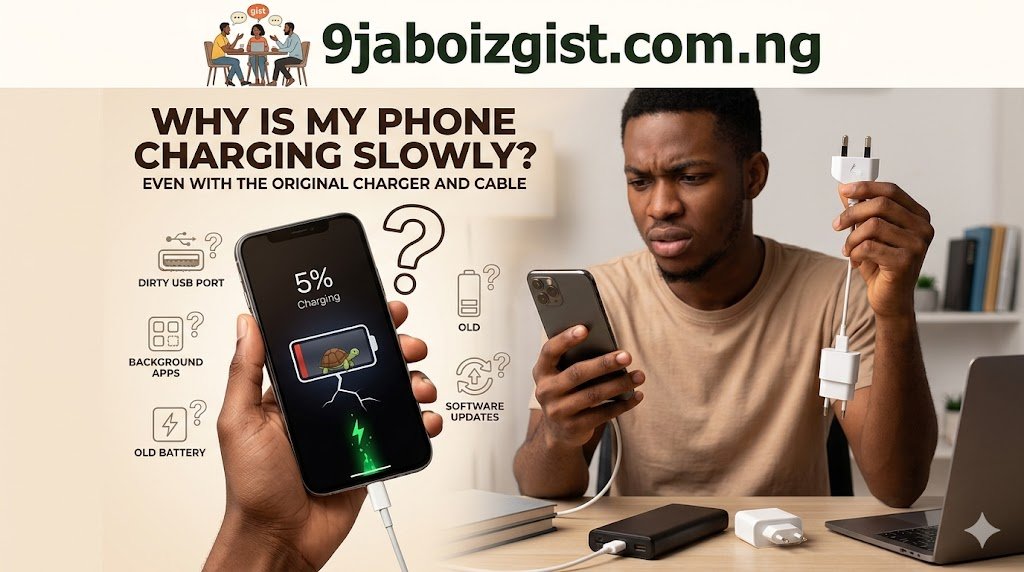
You plugged in your phone an hour ago using the same charger that came in the box. You come back expecting a full battery and find it barely moved from 20 percent. No error message. No warning. Just an inexplicably slow charge that makes no sense when you’re using the original equipment.
This is one of the most common phone complaints people search for, and the frustrating part is that it has a surprisingly long list of possible causes. The original charger and cable being present rules out one set of problems, but it opens the door to several others that most people never think to check.
The good news is that most slow charging problems are fixable without buying anything new or visiting a repair shop. This guide walks through every real cause in order, starting with the fastest things to check and moving toward deeper issues if the simple fixes don’t solve it.
Check the Charging Port First, It’s the Most Overlooked Cause
Before assuming there’s something wrong with your charger, adapter, or battery, take a close look at your phone’s charging port. This is the single most common cause of slow or unreliable charging, and it’s the one most people skip right past.
Lint, dust, pocket debris, and fabric fibers pack into the charging port over time. Because the cable still connects and charging still technically starts, most people assume the port is fine. But even a small amount of compacted debris can push the cable connector away from the internal contacts, reducing the quality of the electrical connection and cutting charging speed significantly.
Get a flashlight and look directly into the port. If you see gray or dark material packed inside, that’s your culprit. Use a wooden or plastic toothpick very gently to loosen and remove the debris. Do not use metal objects, cotton swabs, or anything that could damage the internal pins or leave cotton fibers behind. Work slowly and carefully around the edges. After cleaning, plug the cable in again and check whether it now seats more firmly than before.
This single step fixes slow charging for a surprising number of people. If the cable goes in noticeably further after cleaning, you’ve found the problem.
The Cable Might Be the Problem Even if It Looks Fine
USB cables are more fragile than they appear. The original cable that came with your phone is better than a cheap third-party replacement, but it is still a cable with wires inside that bend, flex, and stress every single time you use it.
The most vulnerable spots are the two ends, right where the cable meets the connector housing. Inside that flexible outer sleeve, the individual wires can fray or break partially while the cable still looks perfectly intact from the outside. A cable with an internal break in its data or power wires will still allow some charge to pass through but at a fraction of the normal rate.
Run your fingers along the full length of the cable and feel for any kinks, soft spots, or areas where the rubber seems to have separated from the connector housing. These are physical signs of internal damage.
To test whether the cable is the issue, try a different cable if you have access to one. Even an older cable from the same manufacturer works for this test. If your phone suddenly charges at normal speed with a different cable, your original cable needs replacing. Genuine replacement cables from your phone’s manufacturer or certified MFi cables for iPhone are worth paying for to ensure you get full charging speeds.
Your Charging Adapter May Have Degraded Over Time
The small block that plugs into the wall is called a charging adapter or wall adapter, and it does the actual work of converting AC power from your outlet into the DC power your phone needs. These adapters can degrade over time even when they appear physically fine.
Charging adapters have internal components that wear out, particularly with heat cycles. An adapter that spent two years charging your previous phone may not be putting out the same wattage it did originally. This is especially relevant if you’ve used the same adapter for multiple years or if it’s gotten hot regularly during use.
The wattage rating on your adapter matters more than most people realize. Newer phones support fast charging, which requires an adapter capable of delivering higher wattage. If you’re using an older adapter with a newer phone, you might be getting standard 5W charging when your phone supports 18W, 25W, 33W, or more depending on the model. Even if the adapter is original, it may simply be too old or too low-powered for your current device.
Check the wattage printed on your adapter. Then look up your phone model’s charging specification. If your adapter’s rated output is significantly lower than what your phone supports, the adapter is the bottleneck even though it’s technically the original one.
Your Phone Is Too Hot and Throttling the Charge Intentionally
Modern smartphones have built-in thermal management systems that deliberately slow down or pause charging when the device temperature gets too high. This is a protective feature, not a malfunction. Charging generates heat, and if the phone is already warm from use or a hot environment, the system reduces charging speed to prevent battery damage.
This happens most commonly when you’re using your phone heavily while it charges, when it’s sitting in direct sunlight, when it’s in a case that traps heat, or when it’s charging in a warm room during summer.
If your phone feels warm to the touch during charging, take the case off and move it to a cooler spot. Give it ten to fifteen minutes to cool down and see if charging speed picks up. Stopping active use of the phone while it charges makes a meaningful difference since apps running in the foreground generate heat that compounds the charging heat.
You’ll also notice that phones placed on wireless charging pads tend to charge slower and get warmer than those connected by cable, since wireless charging is less efficient and produces more heat as a byproduct.
Background Apps Are Consuming Power Faster Than It Charges In
This one catches a lot of people off guard. If your phone is actively using more power than the charger is supplying, the battery level barely rises or rises painfully slowly even though charging is technically happening.
Think about what’s running while your phone charges. Streaming a video, running navigation with GPS active, having multiple apps syncing in the background, screen brightness set to maximum, and mobile data or hotspot active can collectively consume enough power to nearly match what a charger is delivering. The net result is a phone that charges at a crawl.
The simplest test is to turn on Airplane Mode while charging. Airplane Mode cuts off all radios including cellular, Wi-Fi, Bluetooth, and GPS. With those energy consumers shut off and no active apps pulling data, your phone’s charging speed should increase noticeably. If it does, the problem was power consumption fighting against the charger rather than the charger itself.
For faster everyday charging, make a habit of locking your screen and leaving the phone face-down while it charges. The screen off, apps quiet, radios on but idle approach significantly reduces consumption and lets the charger gain ground faster.
Enabling Airplane Mode or Powering Off Speeds Things Up Dramatically
Building on the point above, Airplane Mode is one of the most effective and underused charging tricks available on any smartphone. It doesn’t require any special settings or accessories.
When you enable Airplane Mode, your phone stops constantly searching for cell towers, maintaining Wi-Fi connections, checking for Bluetooth devices, and processing push notifications. These background radio activities draw a steady stream of power that most people never account for.
The difference is measurable. A phone charging in Airplane Mode can charge noticeably faster than the same phone on the same charger with radios active and a few apps running. If you need your phone charged quickly before heading out, Airplane Mode is one of the first things to enable.
Powering off entirely is even more effective since it eliminates all background processing completely. If you have the time and don’t need to monitor notifications, powering off during a charging session consistently produces the fastest possible charge.
The USB Port You’re Plugging Into Makes a Big Difference
If you’re charging from a USB port on a laptop, desktop computer, power bank, or car charger rather than a wall adapter, the available output power varies enormously between sources.
Standard USB-A ports on older computers and laptops typically output 0.5W to 2.4W. That is far below the 15W to 45W that modern fast chargers deliver. Charging from a computer USB port might take five or six hours to charge a phone that a proper wall adapter charges in under an hour.
USB-C ports on newer laptops and computers can output significantly more power, sometimes matching a dedicated charger, but only if the computer and the connection support USB Power Delivery (USB PD). A regular USB-C data port without PD support may still only deliver minimal charging power.
Car chargers vary just as widely. A cheap two-dollar car charger with a USB-A port might output 5W. A quality USB-C car charger supporting fast charging protocols can deliver 18W or more. If your car charger is old or low quality, that’s why your phone barely charges during drives.
The fix is to use a proper wall adapter with the appropriate wattage for your phone’s fast charging capability whenever speed matters. Save the laptop USB and car charging for situations where speed isn’t critical.
Your Battery Health May Have Declined
Lithium-ion batteries degrade with every charge cycle. After one to two years of regular charging, a smartphone battery may retain only 80 to 85 percent of its original capacity. As battery health declines, the charging behavior can change, sometimes resulting in slower charging speeds or the phone being unable to accept high-wattage fast charging reliably.
On iPhone, go to Settings, then Battery, then Battery Health and Charging. The percentage shown here tells you directly how much of the original capacity your battery retains. Apple will flag the battery as degraded and show a service recommendation when it drops below 80 percent. When battery health is significantly degraded, the phone’s charging management system may limit charging speed to protect what remains of the battery’s life.
On Android, battery health information varies by manufacturer. Samsung devices show it under Settings > Battery and Device Care > Battery. Many Android phones don’t expose battery health directly in settings, but apps like AccuBattery can measure and track it over time. If your phone is two or more years old and you charge it frequently, battery degradation is a legitimate candidate for why charging has slowed down compared to when the phone was new.
A degraded battery that also charges slowly is usually a sign that a battery replacement is due. Most manufacturers offer battery replacement services, and third-party repair shops handle this routinely at reasonable prices.
Wireless Charging Is Slower By Design, Not a Defect
If you’ve switched to a wireless charger and are comparing the speed to your cable charger, the slowness you’re experiencing is expected behavior rather than a problem. Wireless charging is inherently less efficient than wired charging due to the energy lost in the inductive transfer process.
Standard Qi wireless charging delivers 5W to 7.5W for most phones. Even phones that support faster wireless charging speeds, like Samsung’s 15W wireless fast charging or Apple’s 15W MagSafe, require specific pads that support those speeds rather than generic Qi chargers.
The case you’re using also matters for wireless charging. Thick cases, wallet cases with cards inside, or metal cases can reduce wireless charging efficiency or stop it entirely since metal blocks inductive charging.
If wireless charging speed bothers you, the solution is simple: switch to a cable for times when you need to charge quickly and use wireless for overnight or casual top-ups when speed is not critical.
Software Issues Can Interfere With Charging Speed
This is less common than the hardware causes above but worth checking if everything physical seems fine. Certain software bugs, rogue background apps, or pending OS updates can affect charging behavior, including charging speed.
A misbehaving app that is stuck in a processing loop and consuming high CPU power will generate heat and drain power even while the phone is plugged in. This can make the charger appear ineffective when the real problem is a software process eating power as fast as it comes in.
Restart your phone while it’s plugged in and watch whether charging speed improves immediately after the restart. If it does, a background app or process was consuming power excessively before the restart.
Keeping your phone’s operating system updated is also relevant here. Both Android and iOS release updates that include charging optimizations and bug fixes. If your phone is several versions behind, updating may resolve charging behavior that changed after a previous buggy update.
On iPhone, the Optimized Battery Charging feature in iOS may intentionally slow charging to preserve long-term battery health. It learns your daily charging patterns and slows charging past 80 percent when it predicts you won’t need the phone immediately. This is working as intended but can surprise people who don’t know it’s active. You can check and manage this setting under Settings > Battery > Battery Health and Charging.
Fast Charging Requires the Right Cable, Not Just the Right Adapter
This is a detail that trips up many people. Fast charging protocols like Qualcomm Quick Charge, USB Power Delivery, Samsung Super Fast Charging, and Apple Fast Charge all require both a compatible adapter AND a cable that can handle the higher power delivery.
Not all USB-C cables are equal. A USB-C cable rated only for USB 2.0 data speeds may only support standard 2.5W to 5W charging even when paired with a high-wattage fast charger. The cable needs to support the power delivery standard your phone uses. For iPhone, a USB-C to USB-C cable capable of USB PD is required for fast charging. For Samsung’s highest fast charging speeds, a cable rated for that power level is necessary.
If your original cable was lost or damaged and you replaced it with a generic USB-C cable, that replacement cable may not support your phone’s fast charging protocol even if the adapter is correct. Genuine manufacturer cables or certified third-party cables from reputable brands specify their power delivery ratings.
This combination requirement, right adapter plus right cable for the protocol your phone uses, is one of the reasons phone manufacturers include both together in the box. Mixing a genuine adapter with a generic replacement cable often produces standard charging speeds regardless of how capable the adapter is.
When to Take It to a Professional
If you’ve worked through every fix above and your phone still charges abnormally slowly, the issue may be hardware that needs physical inspection or repair.
A faulty charging port that has bent or damaged internal pins, a swollen battery that is both unsafe and unable to charge normally, or a damaged charging IC (the chip on the motherboard that manages charging) are all hardware-level problems that cannot be fixed through settings or accessories.
Signs that hardware repair is needed include the phone only charging at certain angles, the cable falling out easily when it used to stay in firmly, visible damage inside the port, the back of the phone feeling warm even when not in use, or the phone charging normally one day and barely at all the next with no pattern.
For phones under warranty, contact your manufacturer’s support. For out-of-warranty devices, a reputable local repair shop can diagnose and often fix charging port and battery issues at a fraction of the cost of a new phone. Ask them specifically to check the charging port condition and battery health before agreeing to any work.
Good Charging Habits That Prevent This Problem in the Future
Once your charging speed is back to normal, a few habits will help keep it that way.
Don’t let your phone regularly discharge below 20 percent before charging. Lithium-ion batteries handle the middle ranges of charge much better than repeated deep discharge cycles. Charging from 20 to 80 percent more frequently is gentler on battery health than running to zero and then charging to 100.
Remove your case while charging in warm weather or during fast charging sessions. Trapped heat is one of the accelerators of battery degradation and can trigger thermal throttling regularly if you charge with a thick case every time.
Avoid charging on soft surfaces like beds, pillows, or couches that block the phone’s ventilation. Hard flat surfaces allow heat to dissipate more effectively.
Clean your charging port gently every few weeks if you carry your phone in a pocket or bag. A quick visual check and a careful clean with a toothpick prevents the kind of compacted debris buildup that causes poor connections to develop slowly over time.
For people who manage multiple devices and often troubleshoot tech problems, slow charging is the kind of gradual issue that sneaks up without warning. Much like Windows 11 installing updates at the worst possible moment, small annoyances that get ignored tend to compound into bigger problems. Staying ahead of them with simple habits is always easier than fixing them after the fact.
Frequently Asked Questions
Why does my phone charge slowly at night but fast during the day?
Temperature plays a major role. If your room is warmer at night, heat buildup during charging causes the phone to throttle its charging speed. Also, if you use your phone actively before bed and it’s warm when you plug it in, the thermal management system slows charging until the device cools down. iPhone users may also have Optimized Battery Charging active, which intentionally slows charging past 80 percent overnight based on your habits.
Does using my phone while charging actually make it charge slower?
Yes, measurably so. Active use while charging consumes power simultaneously, reducing the net charging gain. Heavy use like gaming, video streaming, or GPS navigation can consume as much or more power than the charger delivers, causing the battery level to stay flat or rise very slowly despite being plugged in.
Can a bad outlet cause slow charging?
Yes. Outlets with loose connections or wiring issues can deliver unstable or reduced power to your adapter, which then affects charging performance. Try a different outlet in a different room and see if the charging speed changes. Power strips and extension cords can also introduce resistance that slightly reduces the power delivered to your charger.
Why does my phone charge faster in some USB-C ports than others?
USB-C ports vary widely in their power output. Ports that support USB Power Delivery (USB PD) can charge at high wattages, while standard USB-C data ports may only output 5W. The physical connector looks identical, but the power capability differs entirely. Always check whether a USB-C port is rated for PD if charging speed matters.
Is it bad to charge my phone overnight?
Modern smartphones are designed to handle overnight charging. They stop actively charging and switch to trickle mode once the battery reaches 100 percent. Features like Optimized Battery Charging on iPhone and Adaptive Charging on Android Pixel devices intentionally delay reaching 100 percent until just before you typically wake up, which reduces time spent at maximum charge and benefits long-term battery health.
Why does my phone show fast charging sometimes but not others?
Fast charging often requires specific conditions including a compatible adapter, a compatible cable, and the phone not being too warm. If any of those conditions aren’t met, the phone falls back to standard charging. Temperature is the most variable factor since a phone that’s warm from use may start on standard charging and switch to fast charging once it cools down.
Can a software update change how fast my phone charges?
Yes. OS updates can modify charging behavior, sometimes intentionally to improve battery longevity and sometimes introducing bugs that affect charging performance. If slow charging started immediately after an update, that’s a strong signal. Check community forums for your phone model to see if others experienced the same issue after the same update. Manufacturers typically release follow-up patches for charging-related bugs when they’re widespread.
Does fast charging damage the battery faster?
Fast charging does generate more heat than standard charging, and heat is the primary enemy of lithium-ion battery health. However, modern fast charging implementations are designed with this in mind and manage temperature carefully. Using fast charging for every single charge session over years will degrade the battery somewhat faster than always charging slowly, but the convenience trade-off is reasonable for most people. Avoiding heat buildup during fast charging (by removing the case and keeping the phone in a cool spot) minimizes the impact.
Why does wireless charging seem to have stopped working but cable charging is fine?
Wireless charging is sensitive to alignment, case thickness, and debris between the phone and the pad. Check that the phone is properly centered on the charging pad, that there’s no foreign object between them, and that your case isn’t too thick or metallic. Also try a different wireless charger if one is available since the pad itself may have failed. Cable charging works independently of all this, which is why it can be fine while wireless charging is not.
How do I know if my charging IC chip is damaged?
Signs of a damaged charging IC include charging that only works intermittently with no pattern, the phone getting abnormally hot near the charging port during charging, charging that stops at a specific percentage every time, or the phone not recognizing when a charger is connected even with a known-good cable. These symptoms combined with normal behavior in other areas point to the charging management chip rather than the battery, cable, or adapter. This requires professional diagnosis and repair.
The Bottom Line
Slow charging with the original charger and cable is almost never a single obvious problem. It’s usually one of several compounding factors: a debris-filled port reducing contact quality, a degraded cable with internal wire damage, an adapter that’s too old or too low-wattage for your current phone, thermal throttling from heat buildup, background apps consuming power as fast as it comes in, or a battery that has lost enough health that it can no longer accept fast charging reliably.
Work through the checks in order. Clean the port first. Test a different cable. Verify your adapter’s wattage against your phone’s fast charging spec. Get the phone cooler during charging. Turn on Airplane Mode and see if the speed improves. Each step either solves the problem or tells you something useful about what’s actually happening.
For most people, the port cleaning, cable test, and adapter wattage check resolve the problem completely. For older devices showing multiple signs of battery degradation, a battery replacement is often the most cost-effective solution short of getting a new phone entirely.
If you want to get more from your devices overall, small fixes across the board add up. Slow charging, sluggish browsers, and unexpected system behavior are all solvable with the right information. If you’ve been dealing with a slow or unresponsive laptop on top of this, the detailed breakdown of why Chrome consumes so much memory and how to fix it without extensions covers practical fixes that make a real difference in everyday use.