If your solar inverter is running but the battery percentage is not increasing, do not assume the battery is faulty. The problem could be a solar-input issue, an inverter that does not support the charging source you are using, an AC charging setting, a battery protection limit or simply appliances consuming most of the solar power.
Start by finding out which source is failing: solar panels, NEPA/grid electricity, generator or all three. This matters because an inverter that charges from NEPA but not from solar needs a different diagnosis from one that refuses every charging source. The checks below use information shown on the inverter display or monitoring app; electrical testing and internal repairs should be left to a qualified solar technician.
Quick diagnosis: what exactly is happening?
Before changing a setting or buying a battery, match what you see to the situation below. These are clues, not proof that a particular component has failed.
| What you notice | Possible explanation | Best first step |
|---|---|---|
| No charging from solar, grid or generator | Battery protection, incorrect configuration, connection issue or inverter/charger fault | Record the battery status, warning and equipment models |
| Grid or generator powers appliances, but the battery does not charge | AC charging may be unsupported, disabled, limited or not recognising the supply | Check AC input status and whether the exact inverter model has an AC charger |
| Grid charges the battery, but solar does not | PV input, sunlight, shading, protection device or MPPT issue | Record PV voltage, PV power and any solar warning |
| Solar is available, but the battery percentage barely rises | Appliances may be using most of the generation; charging current may also be limited | Compare PV power, load power and battery charge/discharge power |
| Charging stops at a similar percentage each time | Charge target, battery settings, BMS limits or normal charge-stage behaviour | Record the percentage, charge stage and warning shown |
| Battery percentage jumps or disagrees with the battery app | State-of-charge estimate or inverter/battery communication may be inaccurate | Photograph both displays at the same time and note the model numbers |
1. Confirm that your inverter can actually charge a battery
Not every inverter includes a battery charger. A basic inverter may only convert battery DC power into AC electricity. Another system may use a separate solar charge controller, while a hybrid inverter or inverter/charger may accept solar and utility or generator input.
Find the exact model number on the inverter label and check its official manual. Look for separate specifications or instructions for PV charging, utility/AC charging and generator input. Do not assume that every product advertised as a solar inverter supports all three. A kVA rating alone does not tell you which charging functions are built in.
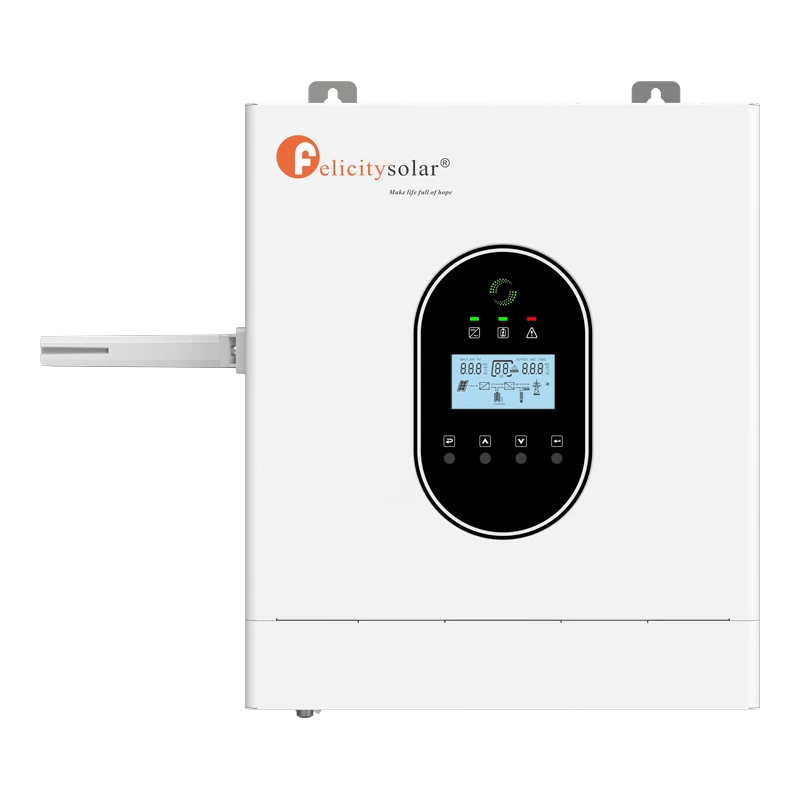
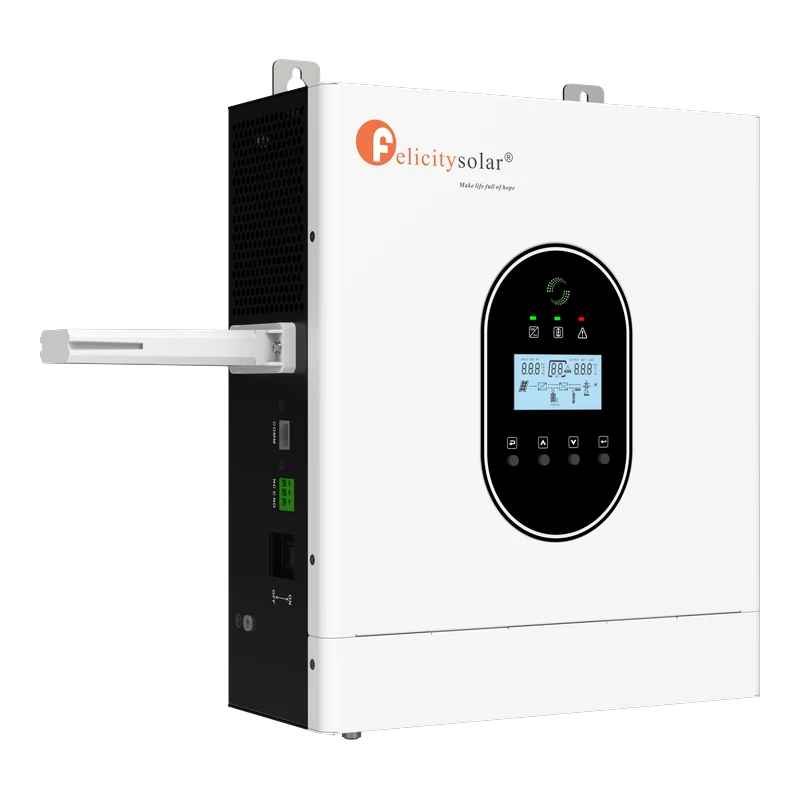
For example, Felicity Solar describes its IVCM PRO range as an inverter/charger with a built-in MPPT solar charger and configurable AC/solar charging priority. That describes that product family, not every inverter sold under every brand. Check the documentation for your own model before concluding that a charger is faulty.
2. If the inverter is not charging from solar, check the PV readings
During daylight, open the inverter display or its monitoring app and note the PV input voltage, solar power and charging status, if those readings are available. Take another reading later when sunlight is stronger. A zero or unusually low PV reading may point to poor sunlight, shading, a protection state or a fault on the solar-input side; it does not identify the failed part by itself.
From the ground, look for obvious shading from trees, buildings or new obstructions, and note whether the panels look heavily covered with dirt. Do not climb onto the roof to inspect them. Do not open a combiner box, touch wiring or unplug MC4 connectors. Solar panels can produce dangerous DC voltage whenever light reaches them, even if the inverter has been switched off.
What the readings can tell you: if the inverter shows no PV input at all in good daylight, tell your installer the reading and any displayed fault. If PV power is present but the battery is not receiving charge, record the load and battery-power readings too. A technician may need to check the panel-string voltage, polarity, isolators, fuses, wiring and MPPT input with suitable test equipment.
3. If NEPA is available but the battery is not charging
First look at the inverter’s AC-input status. Does it recognise utility power and display an input voltage or frequency, or does it remain in battery mode? If the supply is not being accepted, its voltage or frequency may be outside the range allowed by that particular inverter, or an upstream protection device may have operated.
If the inverter recognises grid power but the battery still does not charge, utility charging may be disabled, the charging-source priority may favour solar, or the maximum AC charging current may be limited. Some models also have operating modes or schedules that affect when AC charging is allowed.
Do not open the inverter, remove covers or attempt to reset internal breakers. Photograph the screen and ask your installer to compare the displayed status and settings with the manual for your exact model. Menu numbers and accepted input ranges are not universal, even between products from the same manufacturer.
4. If a generator runs the house but does not charge the battery
A generator may supply the inverter’s output loads while the battery charger rejects its AC input. Possible reasons include voltage or frequency outside the inverter’s accepted range, an overloaded or unstable generator, or AC charging being disabled or limited in the inverter settings.
Note any warning on the generator or inverter display and whether the inverter identifies the generator as an accepted AC source. Do not change generator wiring, neutral/earth arrangements, input limits or protection devices yourself. Ask a qualified installer to measure the generator output and confirm compatibility with the inverter manual.
5. Check battery and charging settings carefully
The selected battery type, charging voltage, maximum charging current and source priority all affect charging. The correct values depend on the battery chemistry, the battery manufacturer’s specifications, the system voltage and the inverter model. A setting that is suitable for one 24V battery is not automatically safe for another 24V battery.
Some inverter manuals provide separate settings for solar and AC charging current or let the user choose which source has priority. Felicity Solar’s IVCM documentation is one example. Its settings are specific to that product range; do not copy its menu values into a MUST, itel, Luminous, VDM or other inverter simply because the menus look similar.
If you do not understand a setting, take a clear photo of the screen and ask the installer or manufacturer support team to interpret it. Do not increase charge voltage or current just to make the battery percentage rise. Incorrect settings can damage a battery or cause its protection system to stop charging.
6. A lithium battery’s BMS may have stopped charging
Many lithium batteries have a battery management system (BMS). Depending on the battery design, it can restrict or stop charging when it detects a condition outside the permitted limits, such as cell voltage, temperature, current or a communication problem between the battery and inverter.
Record the battery brand and model, the exact inverter warning and any status shown in the battery’s official app. If the battery uses a communication cable, do not unplug or reconnect it while the system is operating unless the manufacturer’s procedure specifically tells you to do so. Never bypass the BMS, bridge battery terminals, open the battery casing or attempt to force-charge a protected battery.
If the battery is unusually hot, swollen, leaking, making unusual noises or giving off an unusual smell, keep clear and contact the supplier or a qualified technician. Do not continue experimenting with charging settings.
7. Solar power may be running your appliances instead of charging the battery
A solar system can be generating electricity without having much surplus left to store. During the day, a refrigerator, freezer, water pump, television, fans or air conditioner may consume most of the available solar output. The battery percentage may therefore rise slowly or remain almost unchanged even though the panels are working.
Compare the PV power, household load and battery charge/discharge power at the same time. If the inverter shows that solar generation is close to the load, little power may be left for charging. You can briefly switch off optional appliances using their normal switches and see whether the battery begins charging faster. Do not switch off medical equipment or anything essential to safety.
If charging improves when optional loads are off, the problem may be a shortage of surplus solar energy rather than a failed battery. The longer-term answer may involve reviewing daytime usage or having a technician assess whether the system is appropriately sized; do not add panels or change wiring without checking the inverter’s PV limits first.
8. Why does the battery stop charging at 80%, 90% or another fixed level?
If charging repeatedly slows or stops around the same percentage, record the exact level and the status shown by the inverter: for example, “bulk”, “absorption”, “float”, “full”, “standby” or a warning. Some systems deliberately reduce charging current as the battery approaches its target. A BMS limit, configured charge target or inaccurate state-of-charge estimate can also affect the percentage you see.
Do not raise the charge voltage to force the display to 100%. Ask the installer to compare the inverter settings with the battery manufacturer’s specifications and check whether the battery monitor is communicating and calibrated as intended. The displayed percentage alone is not enough to diagnose battery health.
9. A safe step-by-step check before calling the installer
- Identify the failed source: does charging fail from solar, NEPA, generator or all sources?
- Read the display: note PV input, AC input, battery percentage, charging status, load and any warning that the inverter makes available.
- Check the obvious conditions: daylight and visible panel shading from the ground; whether grid or generator supply is present; whether optional household loads are unusually high.
- Check the model documentation: confirm that the inverter supports the charging source you are testing. Do not change technical settings if you are unsure.
- Record the battery details: brand, model, chemistry, system voltage and any BMS warning or app message.
- Send the evidence: share photos of the displays and equipment labels with your installer instead of guessing which component needs replacement.
When to stop and call a qualified solar technician
Stop using the affected equipment and keep people away if you notice smoke, sparks, a burning smell, melted insulation, unusual heat, a swollen or leaking battery, or exposed or damaged cables. Do not touch terminals or attempt a repair. If there is smoke or fire, move people away and contact emergency services.
Do not remove inverter covers, test live DC wiring, bypass fuses or breakers, reverse battery connections or unplug solar connectors as a troubleshooting shortcut. Manufacturer manuals warn that installation and internal service work must be carried out by qualified personnel. Switching an inverter off does not necessarily make solar wiring safe while the panels are in daylight.
Frequently asked questions
Why is my solar inverter not charging the battery even when there is sunlight?
The inverter may not be receiving usable PV input because of shading, low solar production, a PV-side protection issue, configuration or an MPPT fault. Check the displayed PV readings and warnings; if they are abnormal, send them to a qualified technician rather than testing the solar cables yourself.
Why is my inverter not charging the battery from NEPA?
Your inverter may not support AC charging, may not recognise the incoming supply, or may have utility charging disabled or limited. Confirm the exact model’s AC-charger capability and ask an installer to check its input status and settings against the manual.
Can a bad battery stop an inverter from charging?
Yes. A damaged battery or a lithium battery whose BMS has entered protection can prevent or interrupt charging. But the fault may also be in the inverter, solar input, AC source or configuration. Have the system diagnosed before buying a replacement battery.
Why does my inverter charge from solar but not from a generator?
The generator’s voltage or frequency may be outside the inverter’s accepted range, or AC charging may be disabled or limited. A qualified installer should verify the generator output and inverter compatibility.
Should I leave my inverter on while the battery is charging?
There is no universal answer. Some inverter/chargers can charge while supplying household loads, while other models have operating-mode or source-priority conditions. Follow the instructions for your exact inverter and battery.
Should I replace the battery if it is not charging?
Not before the cause is identified. A charger setting, rejected grid or generator input, solar-input fault or BMS protection can all look like a failed battery. Ask a technician to test the charging system and battery before spending money on a replacement.
Find the failed charging source before replacing anything
When a solar inverter is not charging its battery, first establish whether the problem affects solar, grid, generator or every source. Record the readings, warnings and equipment model numbers, then compare them with the correct manuals. This gives your installer a much better starting point and reduces the risk of replacing a part that is still working.
If your concern is long-term battery care rather than a current charging fault, read our inverter battery maintenance guide. If you are planning a new home system, see our solar inverter setup cost guide.
Manufacturer references: Felicity Solar IVCM1–3kW PRO product documentation and its official user guide. These references explain features and safety guidance for that product range only; always use the manual supplied for your own inverter and battery.

Oladepo Babatunde (Prince Babatee Tunde) is a Computer Scientist, researcher, and professional content writer with a Higher National Diploma in Computer Science from Kwara State Polytechnic, Nigeria.
With a background in technology and a passion for clear communication, Babatunde specializes in creating thoroughly researched, reader-focused content on productivity, personal development, home living, and technology. Every article he writes is backed by extensive research and fact-checking to ensure readers receive accurate, actionable information.
As a freelance writer, he has helped brands and publications deliver content that educates, engages, and empowers their audiences. His mission at 9jaboizgist is simple: make complex topics easy to understand and help Nigerians live smarter, more productive lives.