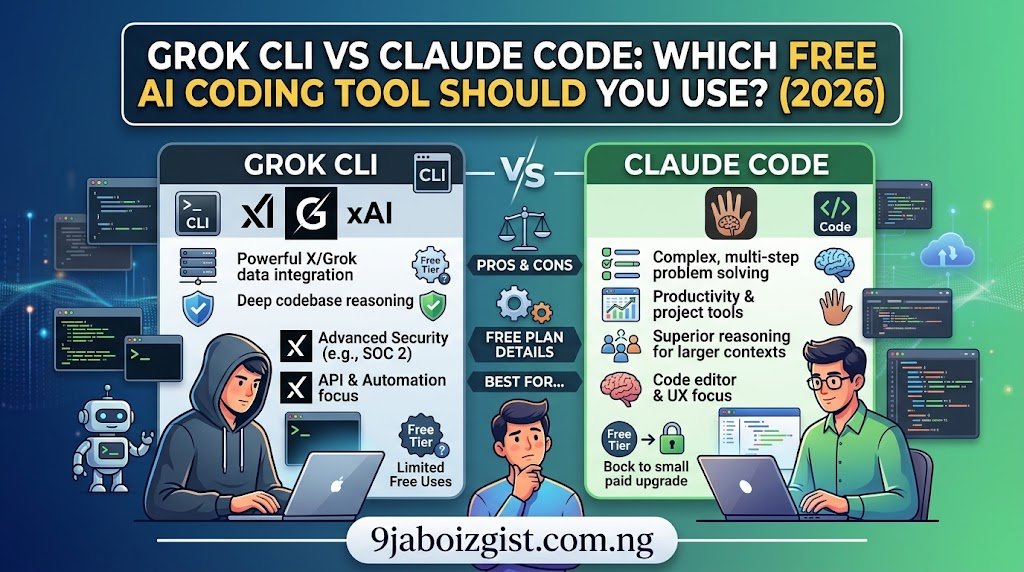
Grok CLI vs Claude Code is the right comparison to run right now in August 2026, and the answer changes depending on one thing: whether “free” means free to install or free to run. Grok CLI (the community open-source project at superagent-ai/grok-cli) is fully free to download, modify, and use, but it charges per API token. Claude Code is free to install but locked behind a $20/month Claude Pro subscription with no free tier at all. Cursor sits in the middle as an IDE rather than a terminal agent, and it runs Grok models inside it, which makes all three of these tools more intertwined than their marketing suggests.
This article is not a feature tour. Every existing comparison already covers what these tools do. This one covers what they actually cost, where the billing traps are, who each one is genuinely right for, and why the freshest entrant in the power rankings, the Grok CLI, entered at the right moment.
One naming note worth making immediately: there are two things called Grok CLI in August 2026. The superagent-ai/grok-cli project on GitHub is the community-built, open-source terminal agent, not affiliated with xAI, that this article leads with. Grok Build is xAI’s official coding CLI (the grok command), also covered below. If you install the wrong one expecting the other’s behavior, nothing in any comparison article will apply correctly. That disambiguation takes five seconds and saves an hour of confusion.
What Just Changed: Why Grok CLI Entered the August 2026 Power Rankings
Grok CLI entered the August 2026 AI coding agent power rankings as a free, open-source CLI agent powered by Grok 4.6, displacing Antigravity from the top five. That is not a small thing. Antigravity had a real user base and a legitimate footprint in the CodeAgentSwarm ecosystem. The fact that a community project running on a two-week-old flagship model moved it out of the top five in a single month’s update says something about how fast this specific corner of the AI tooling market is moving.
The timing is meaningful beyond the rankings. Grok 4.6 was released on August 12, 2026, exactly two weeks ago as of this article. It is xAI’s current flagship, built specifically for long-running agents and complex multi-step coding workflows, and xAI describes it as matching GPT-5.6 Sol on the Artificial Analysis Intelligence Index, a composite of nine benchmarks. The community built the open-source CLI around the Grok API before xAI even shipped its official CLI for public use. That grassroots timing is why the project has the momentum it does right now.
Grok Build, xAI’s official CLI, launched in early beta on May 14, 2026, restricted initially to SuperGrok Heavy subscribers only ($300 per month). Ten days later, on May 24, xAI opened it to SuperGrok ($30 per month) and X Premium+ ($40 per month). That access expansion is what put the entire Grok coding ecosystem on the map for non-enterprise developers. The community Grok CLI project was already there waiting.
This is an early-stage story. Both the community Grok CLI and Grok Build are weeks to months old. Features are shipping fast, pricing has already changed once, and anything in this article verified today may be different by the time you read it. The angle is not “here is the settled answer.” The angle is “here is what the math looks like right now, and here is how to think about it as things shift.”
Is Grok CLI Free? The Honest Answer
The superagent-ai/grok-cli project is completely free to download, modify, and distribute. It is fully open-source, community-driven, and hosted on GitHub under an open license. Installing it costs nothing. Running it is a different question.
Grok CLI requires an xAI API key from x.ai. Every generation, every tool call, every sub-agent action draws against that API key at standard xAI token rates. As of August 2026, Grok 4.6 costs $2 per million input tokens and $6 per million output tokens for standard requests, with a fast variant at double those rates ($4 input, $12 output). The grok-build-0.1 model, which is the dedicated coding model behind Grok Build rather than the full Grok 4.6 flagship, runs at $1.00 per million input tokens and $2.00 per million output tokens with a 256K context window.
For most solo coding sessions, those API rates are reasonable. A focused hour of work across a medium-sized repository might consume a few hundred thousand tokens at most, which at Grok 4.6 standard rates translates to well under a dollar. But agentic sessions scale differently than single-shot prompts. A sub-agent that iterates on a failing test suite, runs commands, reads error output, and tries again across 15 rounds is generating far more tokens than a simple question. This is the same cost dynamics problem that catches Claude Code users on API billing, just with a different rate card.
The practical “free” threshold: if you have an xAI API key and your coding sessions are focused and bounded, Grok CLI is functionally free for most individual developers most of the time. If you’re running long autonomous agents on large codebases, the API bill becomes real. The free tier on the consumer Grok side (x.com/i/grok and grok.com) includes daily message limits and does not include API access. The API has its own separate billing regardless of any consumer subscription you hold.
What Does Grok CLI Actually Do That Other Tools Don’t?
Most of the feature set overlaps with Claude Code and Grok Build at a high level: reads your repository, edits files, runs commands, runs tests, iterates. The differentiators in the community Grok CLI are worth naming specifically because they’re what moved it up the rankings.
Real-time X search and web search built in. The CLI connects to both Grok’s real-time X/Twitter data and standard web search, which means it can pull live documentation, check for recent API changes, or search Stack Overflow mid-session without you breaking context. Claude Code doesn’t do this. Cursor does via its model integrations but it’s not native to the agent layer in the same way.
Sub-agents on by default. Grok CLI ships with sub-agents active as the default configuration, not as something you opt into. The sub-agents handle parallelizable tasks automatically inside the session. This is the same parallel agent architecture that makes Grok Build notable, but in the open-source project you get it without needing a SuperGrok subscription.
Telegram remote control. Pair your phone to the session once and you can drive the CLI agent from your phone while it runs on your machine. This is a feature nobody else in this comparison has. If you’ve ever wanted to kick off a refactor from a meeting room or check on an agent run from your phone while commuting, this is the only free tool that supports it out of the box.
Computer vision sub-agent. The desktop automation sub-agent can take screenshots of your host environment, identify UI elements by stable refs, click, type, and scroll. The primary workflow is snapshot, then refs, then action, then snapshot. On macOS this requires Accessibility permission for your terminal app in System Settings, but once it’s on, you have an agent that can operate your desktop, not just your codebase.
Headless scheduling. Ask for a recurring schedule in plain English. “Run every weekday at 9am and update CHANGELOG.md from the latest commits” is a literal example from the project’s documentation. This makes Grok CLI function as a lightweight CI-adjacent tool for low-stakes automation without any pipeline configuration.
What it doesn’t have: the maturity of Claude Code on large multi-file refactors, the IDE-integrated visual experience of Cursor, or the production track record of either. It is weeks old. You will feel that in edge cases. That’s the honest tradeoff.
Claude Code in August 2026: What “Free” Actually Means Here
Claude Code has no free tier. The Anthropic free plan explicitly does not include Claude Code or Opus model access. The minimum entry point is Claude Pro at $20 per month billed monthly, or $17 per month billed annually ($200 per year). Claude Code is bundled into that Pro subscription at no additional per-use charge. Max 5x at $100 per month gives five times Pro capacity per session. Max 20x at $200 per month gives twenty times that.
This needs to be stated clearly because a meaningful number of developers have discovered Claude Code, seen “open source” or “free to install” language, and then hit either an access wall or an unexpected bill. The Claude Code CLI is installable without a subscription, but it authenticates against your Anthropic account on launch, and without an active paid plan it will not run meaningfully.
There is a second billing trap that is more dangerous than the subscription wall. If you have an ANTHROPIC_API_KEY environment variable set on your machine from a previous project or integration, Claude Code will authenticate via that API key instead of your subscription, and every session bills at per-token rates against your API account rather than drawing from your subscription’s included usage. Claude Sonnet 4.6 API rates run $3 per million input tokens and $15 per million output tokens. Claude Opus 4.7 runs $5 per million input and $25 per million output.
An intensive afternoon on a large refactor can generate a meaningful API bill this way before you realize what’s happening. The fix is one command: run “claude logout” and re-authenticate using only your subscription credentials. If you specifically want API billing as a fallback when subscription limits hit, leave the environment variable set intentionally. But know which mode you’re in.
Claude Code’s strengths are real and not contested. Deep multi-file refactoring across large repositories is where it has built its reputation. “Change this pattern across forty files” is the use case it was built for, and it handles it better than anything else in this comparison. Complex architectural reasoning, strict instruction adherence over long sessions, and structured agentic workflows that require sustained coherence over hours are where Claude’s underlying models (currently Sonnet 4.6 as default, Opus 4.8 on Max plans) outperform Grok 4.6 for most users. The tool is the most mature of anything in this article. You will feel that maturity in the edge cases where the others stumble.
The usage cap behavior is worth knowing for planning purposes. Claude Pro limits reset on a rolling five-hour session window and weekly, with the exact token count varying by model selection. Most light-to-moderate Claude Code users (a few hours per day, primarily Sonnet) stay within Pro limits. Heavy Opus users on large repositories hit the cap consistently and need Max. One developer framing that captures it well: for daily development, Pro’s shared limits bind fast enough that interruptions mid-refactor cost more in frustration than the $80 jump to Max 5x costs in money. If you’re using Claude Code seriously as a daily driver, budget for Max from the start rather than discovering the wall mid-sprint.
Grok CLI vs Claude Code: The Real Cost Comparison
Here is the cost math for the three most common developer profiles, based on August 2026 pricing. All numbers should be verified against current pricing before committing.
| Developer Profile | Grok CLI (API) | Claude Code (Subscription) | Cursor Pro |
|---|---|---|---|
| Light user (few sessions/week, focused tasks) | ~$0-3/month API | $20/month Pro (minimum) | $20/month |
| Daily developer (3-5 hours/day, Sonnet-equivalent) | ~$5-15/month API | $20/month Pro (fits) | $20/month |
| Heavy agentic user (long autonomous runs, Opus-equivalent) | ~$20-50/month API (Grok 4.6) | $100/month Max 5x | $20/month (model budget varies) |
| Team (5 developers, daily use) | ~$75-150/month API | $100/month Claude Team Standard | ~$100/month |
The table shows where Grok CLI wins and where it loses. For light to moderate individual use, Grok CLI’s API costs land well below Claude Code’s minimum $20/month subscription floor. That is a real advantage for developers who work in focused bursts rather than sustained daily sessions. For heavy, daily agentic use on complex codebases, the Claude Code Max subscription structure becomes more cost-efficient than per-token API billing, often by a significant margin at the high end.
The “free” framing in the primary keyword is most accurately applied to Grok CLI for light-to-moderate use by a developer who already has an xAI API key and works in bounded sessions. For that profile, the monthly API cost will frequently be $0 to $5. Claude Code is not free under any realistic definition for any meaningful use. It is $20 minimum and scales from there.
Cursor in August 2026: It’s Not Just an IDE Anymore
Cursor sits in a different category from Grok CLI and Claude Code. It’s an IDE (a VS Code fork) rather than a terminal agent, but calling it just an editor in 2026 undersells what it’s become. Cursor ships with Composer 2.5 as its default model, plus access to Claude Opus 4.8, GPT-5.5, Gemini 3.1 Pro, and Grok 4.3 on the Pro plan. The Grok integration is particularly relevant here: Grok 4.5 was trained on real-world Cursor coding workflow data, which means the Grok models have structural familiarity with Cursor’s task framing that no other IDE relationship has.
One developer ran a direct speed test: using Grok through Cursor took about 20 seconds for a task that took Claude Code about two minutes. That’s a real timing difference in a real project, not a benchmark number. The caveat is that the task was a repository comprehension exercise (understanding data flow across Go packages and replaying it back), not a complex multi-file rewrite. Cursor with Grok wins on speed for comprehension and iteration tasks. Claude Code wins on depth for tasks that require sustained agentic reasoning across many files.
Cursor Pro costs $20 per month. It recently moved to a dollar-based usage model with a monthly API budget charged at model-provider prices plus a first-party models pool for Composer and Grok work. Composer 2.5’s low per-token cost means the same dollar budget goes significantly further on Composer-based work than on frontier-model requests. The practical implication is that using Grok 4.3 inside Cursor is cheaper per task than using Claude Opus 4.8 inside Cursor for the same dollar budget.
The most senior engineers in this space have landed on a hybrid: Claude Code runs in the terminal on the same repository Cursor is editing. Fast in-editor changes, auto-completion, and everyday navigation happen in Cursor. Larger autonomous refactors, cross-file migrations, and anything that benefits from an hour-long uninterrupted agent run go to Claude Code in the terminal. Anthropic ships an official Claude Code extension for Cursor that lets you trigger Claude Code from inside the IDE, so the two tools share the same repository without any project setup changes. Grok CLI fits into that workflow as a third option for tasks where real-time web context or desktop automation matters.
Where Does Antigravity Fit Now?
Antigravity held a spot in the top five AI coding CLI rankings for several months before Grok CLI displaced it in August 2026. It’s worth naming it explicitly because if you’ve been following this space for more than two or three months, you may have set it up or recommended it to your team.
Antigravity is still functional and still in active use, particularly within the CodeAgentSwarm ecosystem where multiple CLI agents run in parallel under one supervision surface. CodeAgentSwarm explicitly lists Antigravity alongside Claude Code, Codex, opencode, Grok Build, and Cursor Agent as supported agents. The displacement from the top five is a ranking signal, not an end-of-life announcement.
The practical question is whether to switch or stay. If you’re already running Antigravity and it’s working, the Grok CLI’s advantages (Grok 4.6 backbone, sub-agents by default, Telegram remote control, computer vision) are genuinely new capabilities rather than incremental improvements. If those specific features match a need you have right now, the switch is worth the setup time.
If your current workflow is stable and the missing piece isn’t one of those specific features, watching for another month of stability in Grok CLI before migrating is reasonable. It’s a two-week-old community project running on a two-week-old model. That’s not a reason to dismiss it. It is a reason to validate it on a non-critical project before depending on it for client work.
Grok CLI vs Claude Code: Which Should You Actually Install?
The decision tree is shorter than most comparison articles make it look.
Install Grok CLI if: you want a genuinely free-to-try open-source terminal agent for light-to-moderate use, you’re already experimenting with the xAI API ecosystem, you want sub-agents and X/web search access built in without a subscription, or you’re specifically interested in desktop automation via the computer vision sub-agent. Budget for API costs and treat this as an early-stage tool with the rough edges that implies.
Install Claude Code if: your primary workflow is deep, sustained, multi-file refactoring on production codebases, you want the most mature and production-tested terminal agent available, and you’re willing to pay at least $20 per month as the real entry point. Set up your subscription credentials first and confirm your ANTHROPIC_API_KEY environment variable situation before your first session to avoid the hidden API billing trap.
Use Cursor if: you think visually, prefer an editor experience over a terminal workflow, want model flexibility (including Grok 4.3, Claude Opus 4.8, GPT-5.5) inside one interface, or your use case is primarily fast in-editor iteration rather than long autonomous agent runs. Most developers who run Cursor Pro end up using Claude Code or Grok CLI alongside it in the terminal rather than instead of it.
Use all three if: you’re a senior developer building a hybrid workflow. Cursor for daily editing. Grok CLI for fast, lightweight agent tasks with live web context. Claude Code for the big autonomous refactors you kick off and leave running. They operate on the same local files with no project setup conflicts, and the Anthropic-official Claude Code extension for Cursor means you can trigger Claude Code from inside the IDE.
For more AI tool cost-and-value breakdowns, our Fathom AI free plan limit explainer covers the same “what does free actually mean” analysis applied to meeting AI. Our Higgsfield AI credit cost per video breakdown runs the same credit math on AI video generation. And if you’ve hit AI tool connection or quota errors while working, our Wispr Flow connection lost fix guide covers the same network-and-limit dynamics in a different tool context.
One More Thing: Grok 4.6 Is Brand New and That Matters
Grok 4.6 was released on August 12, 2026, twelve days before this article was published. The community Grok CLI project is running on this model right now. The model is specifically positioned as built for long-running agents and ambitious agentic coding work, which is exactly the use case a CLI agent serves.
According to xAI’s own benchmarks, Grok 4.6 matches GPT-5.6 Sol on the Artificial Analysis Intelligence Index across nine benchmarks. That’s a significant claim for a model that was outperformed by Claude and GPT models on many coding benchmarks as recently as early 2026. xAI trained Grok 4.5 (the predecessor) on a large corpus of real-world coding workflows sourced through Cursor. Grok 4.6 built on that foundation. The model has structural familiarity with real developer workflows that earlier Grok versions didn’t have.
The honest caveat on all of this: two weeks of production data on a new model is not enough to validate benchmark claims. Rankings and real-world performance often diverge significantly in the first month after a model release. The August 2026 power ranking that put Grok CLI in the top five is meaningful, but it’s an early signal, not a settled verdict. Revisit this comparison in October 2026. The landscape will have moved.
For broader AI model quality context, our comparison of GPT-5.5, Claude Sonnet 5, and Gemini covers the underlying model competition that directly determines how tools like Grok CLI and Claude Code perform. Our Grok 4.5 vs ChatGPT vs Claude breakdown gives earlier context on how xAI’s coding model trajectory has developed over 2026.
Summary: Grok CLI vs Claude Code in Plain Terms
The grok cli vs claude code decision in August 2026 comes down to cost structure and maturity. Grok CLI is free to install and cheap to run on light usage, backed by the newest Grok 4.6 model, open-source, and genuinely capable in ways that justify its power rankings jump. Claude Code is the production-tested standard for serious multi-file agentic work, not free at any meaningful usage level, and worth the $20/month if that’s your primary workflow.
Neither tool is the wrong answer. They solve different problems at different price points at different stages of maturity. The developers getting the most out of this category in 2026 are the ones running both, not picking one and being done with it.
Install Grok CLI this week. Spend the API cost on a real project, not a hello world. If it holds up on something that matters, that’s your signal. If it stumbles on complexity, you know which tool to reach for when the task gets serious.
Check pricing directly at x.ai for Grok API rates and Anthropic’s pricing page for Claude Code subscription details before committing to either tool for a team workflow. Both change their rates and terms faster than any third-party article can track.
FAQ
Is Grok CLI free to use?
The Grok CLI community project (superagent-ai/grok-cli) is free to download and open-source, but it requires an xAI API key and charges per token at Grok API rates. Standard Grok 4.6 costs $2 per million input tokens and $6 per million output tokens as of August 2026. Light users may spend $0 to $3 per month in API costs. Heavy agentic users can spend significantly more. It is not free to run at unlimited scale.
Does Claude Code have a free plan in 2026?
No. Claude Code has no free tier. The Anthropic free plan explicitly excludes Claude Code. The minimum entry point is Claude Pro at $20 per month or $17 per month billed annually. Claude Code is bundled into that subscription with no additional per-use charge.
What is the difference between Grok CLI and Grok Build?
Grok CLI (superagent-ai/grok-cli on GitHub) is a community-built, open-source terminal agent using the public Grok API. It is not affiliated with xAI. Grok Build is xAI’s official coding CLI (the grok command), launched May 14, 2026, bundled into SuperGrok ($30/month) and X Premium+ ($40/month) subscriptions. Both run Grok models but they are different projects with different access models.
What happened to Antigravity AI coding agent?
Antigravity was displaced from the August 2026 AI coding CLI power rankings top five by Grok CLI. It remains functional and still supported in the CodeAgentSwarm ecosystem alongside Claude Code, Codex, and other agents. Its displacement is a ranking shift, not an end-of-life event.
Is Grok CLI better than Claude Code for production work?
Not yet, for complex multi-file refactoring. Claude Code is the more mature tool for sustained agentic work across large repositories. Claude Code excels at deep codebase understanding, multi-file refactoring, and complex multi-step tasks. Grok CLI has advantages in speed, built-in web search, sub-agents by default, and API cost for light sessions. The honest answer is they serve different use cases, and senior developers increasingly run both on the same repository.
How do I avoid accidental API billing in Claude Code?
If you have an ANTHROPIC_API_KEY environment variable set on your machine, Claude Code will authenticate via the API instead of your subscription and bill per-token at standard API rates. To prevent this, run “claude logout” and re-authenticate using only your subscription credentials. Only leave the environment variable set if you specifically want API billing as a fallback when subscription limits are reached.
What is Grok 4.6 and does it power Grok CLI?
Grok 4.6 was released by xAI on August 12, 2026. It is the current flagship Grok model, built specifically for long-running agents and complex agentic coding work. It is accessible via the xAI API at $2/$6 per million input/output tokens. The community Grok CLI project can run on Grok 4.6 via the API. The official Grok Build CLI uses the grok-build-0.1 dedicated coding model at $1.00/$2.00 per million tokens. You specify which model your Grok CLI sessions use through your API configuration.
Can you use Cursor with Grok CLI and Claude Code together?
Yes, and most senior developers do exactly this. Cursor runs as your IDE on the repository. Claude Code and/or Grok CLI run in separate terminal windows on the same local files. Anthropic ships an official Claude Code extension for Cursor that lets you trigger Claude Code from inside the IDE. Because all three tools operate on your local filesystem, there are no project setup conflicts from running them simultaneously.
Oladepo Babatunde is a tech writer and SEO content strategist with 8-plus years of experience covering AI tools, developer tooling, and internet technology. He tests every tool he writes about on real workflows and real codebases before a word goes on the page. Every comparison on 9jaBoizGist.com.ng is built from direct tool experience, official documentation, and verified pricing sources, not press release summaries or affiliate-first recommendations.

Oladepo Babatunde (Prince Babatee Tunde) is a Computer Scientist, researcher, and professional content writer with a Higher National Diploma in Computer Science from Kwara State Polytechnic, Nigeria.
With a background in technology and a passion for clear communication, Babatunde specializes in creating thoroughly researched, reader-focused content on productivity, personal development, home living, and technology. Every article he writes is backed by extensive research and fact-checking to ensure readers receive accurate, actionable information.
As a freelance writer, he has helped brands and publications deliver content that educates, engages, and empowers their audiences. His mission at 9jaboizgist is simple: make complex topics easy to understand and help Nigerians live smarter, more productive lives.