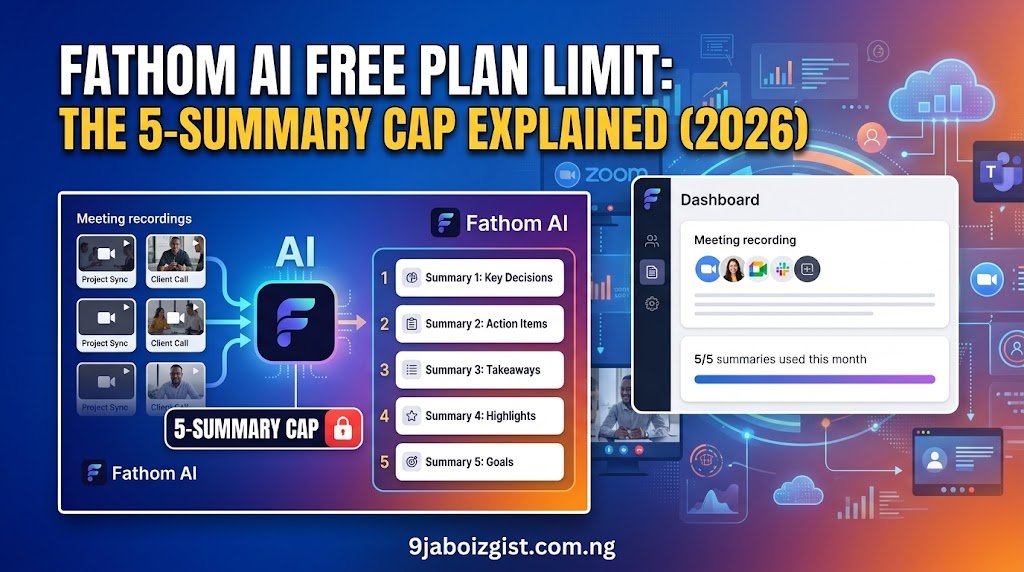
The fathom ai free plan limit is real and specific: you get 5 advanced AI summaries per month, not unlimited. Fathom’s Free plan includes unlimited recording and transcription, but advanced AI summaries are capped at 5 calls a month. Once you burn through those 5, the smart structured notes stop, and you’re left with a raw transcript until your billing cycle resets.
If you signed up expecting the old “unlimited everything” Fathom you heard about in YouTube reviews and Reddit threads from 2023 and 2024, this article explains exactly what changed, what you still get for free, and where the actual line is between the free experience and the paid one. I’m going to be specific about where the pain points are, because the way most sites describe this cap, you’d think it’s barely noticeable. It isn’t, for certain types of users.
Why Is Fathom Capping My AI Summaries All of a Sudden?
If the cap feels like it came out of nowhere, there’s a very specific reason, and it’s one Fathom doesn’t exactly shout from the rooftops. New signups get 30 days of Premium first, so the wall is a day-31 experience, not day-1. That’s precisely why it catches people off guard.
Think about what that means in practice. You spend your entire first month getting beautiful, structured summaries with action items, follow-up email drafts, and Ask Fathom chat responses. Every meeting produces this clean, organized output that makes you feel like you finally solved the “I forgot what we agreed on” problem. You tell your colleagues about it. You might even cancel Otter. Then sometime in week five, you finish a meeting, click over to your notes, and instead of the formatted summary you’ve come to rely on, you get a flat chronological list of what was said. No action items. No follow-up draft. Just text.
Nothing broke. You just ran out of free advanced summaries and didn’t know there was a clock running.
This is a meaningful change from Fathom’s earlier positioning where the free tier was far more open with advanced AI features. In 2026, advanced summaries are metered. The 30-day trial creates a window where you form habits around Premium-level output, then the cap hits right as those habits are most entrenched. Whether that’s brilliant product design or a frustrating bait-and-switch depends on who you ask. Either way, knowing it in advance changes how you should approach the tool from day one.
A practical workaround: during your trial month, save your most important call templates, bookmark the summary format you like best, and decide early whether you’ll upgrade or ration your 5 monthly calls. Don’t let the trial month fool you into thinking that’s the baseline free experience.
Fathom AI Free Plan Limit: Exactly What Gets Cut Off at 5
This is the part most explainers gloss over, so let’s be precise. The 5-call cap does not cut off recording or transcription. It cuts off the AI layer on top, and that distinction matters more than it might sound on paper.
The 5 advanced AI calls per month covers advanced AI meeting summaries, AI-generated action items, AI-generated follow-up emails, and Ask Fathom conversational AI queries. Once you exhaust those 5 monthly calls, you can still record and transcribe unlimited meetings. You just cannot access those advanced AI capabilities until the cycle resets.
Here is the exact split, stated plainly:
What stays free, forever, no cap:
- Unlimited meeting recordings with no storage limit
- Unlimited transcription (full text of every call, in 38 languages)
- Basic chronological summary (a plain recap of what was discussed, in sequence)
- Slack and basic CRM integrations
- Searchable recording archive across your full meeting history
What stops after 5 calls per month on the free plan:
- Advanced AI summaries including the 15-plus formatted templates and sales frameworks like MEDDPICC and SPICED
- AI-generated action items pulled and organized automatically
- AI-generated follow-up email drafts written based on what was discussed
- Ask Fathom conversational chat, which lets you query your entire meeting library in natural language
The wall you hit is specifically the AI reasoning layer. A raw transcript of a 60-minute client call is genuinely useful. You can search it, copy from it, and share it. But it’s not the same as a structured summary that automatically pulls out who owns each action item and drafts the follow-up email in your tone. Those features are the ones that make Fathom feel like a productivity multiplier rather than a fancy recording app. And those are exactly what you lose past call 5.
One thing worth knowing: the cap resets monthly on your billing cycle, not on a rolling 30-day basis. So if you blow through 5 summaries in the first week of a cycle, you’re waiting until the reset date, not 30 days from your first summary. This catches people who front-load a heavy meeting week at the start of the month.
Is the Fathom Free Plan Still Worth Using in 2026?
Yes, with a clear-eyed understanding of who it works for and who it doesn’t.
If you record a handful of meetings a month, you may genuinely never notice the cap. A therapist scheduling 4 client video sessions per week and needing notes mostly for compliance? Five AI summaries might stretch across their most important calls just fine. A freelance designer with one weekly client check-in? They could easily stay free indefinitely.
But if you’re in back-to-back calls professionally, five summaries will feel like a joke. One independent tester hit the summary cap by day nine of their first paid-down month. If you’re a freelancer with three client calls per week, that’s 12 or more meetings per month. You’ll hit the AI limit by the second week and coast on raw transcripts for the back half of the month, which effectively turns Fathom back into a basic recorder for two weeks out of every four.
Here is the profile of someone who does well on the free plan: a solopreneur who has a couple of important external calls per week, uses Fathom’s unlimited transcription as their searchable archive, and reserves their 5 AI summaries for the meetings where automated action items genuinely save them time. If you’re intentional about it, 5 summaries can carry you a long way.
Here is the profile of someone who will be frustrated within weeks: a sales rep, account manager, recruiter, product manager, or anyone whose calendar is structured around a high volume of similar meetings every week. For these users, hitting the cap isn’t a rare edge case. It’s a bi-weekly reality. The good news is Fathom’s paid tiers are priced reasonably, and the tool earns its keep faster for high-meeting-volume users than almost any competitor.
For light users, the Fathom free plan remains genuinely one of the best in the AI meeting note-taker category. Unlimited recording and transcription with no minute or storage caps is a real differentiator. No competing tool in the same category offers truly unlimited recording storage at the free tier. That alone keeps Fathom relevant even when the AI cap kicks in.
Fathom AI Pricing 2026: All Four Plans at a Glance
Here is a clean reference table pulled from Fathom’s official pricing page, confirmed for 2026:
| Plan | Monthly Price | Annual Price (per user/mo) | AI Summary Cap | Key Additions |
|---|---|---|---|---|
| Free | $0 | $0 | 5 calls/month | Unlimited recording and transcription |
| Fathom Premium | $20/user | $16/user | Unlimited | Advanced summaries, Ask Fathom, follow-up emails, bot customization |
| Fathom Team | $19/user | $15/user | Unlimited | Shared workspace, SSO, keyword alerts, team-wide search (2-seat min) |
| Fathom Business | $34/user | $25/user | Unlimited | CRM field sync for Salesforce and HubSpot, Deal View, AI Scorecards (2-seat min) |
A few things about this pricing table worth calling out. First, Team Edition is actually cheaper per user than Premium at the annual rate ($15 vs $16), which makes it worth considering for two-person businesses or partnerships. The 2-seat minimum is the only real barrier. Second, the basic CRM sync on Free, Premium, and Team plans is limited to 3 users per email domain.
If your whole sales team wants CRM logging, you’re looking at Business, and that’s a significant jump to $25 per user per month. Third, the annual discount is meaningful: Premium at $16 annual vs $20 monthly adds up to $48 saved per year per user, which is worth committing to if you’ve tested it and know it works for your workflow.
The 90-day money-back guarantee on Premium, Team, and Business is also genuinely unusual in this category. Most competitors, including Otter.ai, Fireflies.ai, Granola, and tl;dv, offer no meaningful refund window. Three months of real usage before you risk losing money is a rare offer, and it should factor into your decision to try a paid plan.
Is Fathom Premium Worth $16 a Month?
For anyone attending more than 5 meaningful meetings per month where AI output matters, the honest answer is yes, but with a caveat about what “meaningful” means.
If your meetings mostly result in decisions and action items that someone needs to own and follow up on, then the jump from free to Premium pays for itself in recovered time quickly. Think about what it actually costs you to spend 15 minutes after each meeting manually writing up action items and drafting a follow-up email. For most professionals, that’s a conservative estimate. If you have 20 meetings per month, you’re spending 5 hours doing work Fathom Premium does automatically. At any reasonable hourly value of your time, $16 a month is not the biggest line item in that calculation.
Fathom Premium at $16 per month (annual billing) unlocks advanced AI summaries across 15-plus templates, AI-generated action items, AI-generated follow-up email drafts, bot customization, Zapier integration, and fully unlimited Ask Fathom conversational AI with no monthly cap.
The case for staying free is also real, though. If you primarily need searchable transcripts and the structured AI output is a nice-to-have rather than a workflow dependency, you can game the free plan pretty effectively. Identify your 5 most important call types each month and reserve your summaries for those. Use the raw transcript search for everything else. It’s a slightly more intentional workflow than most people want, but it works.
One honest caveat: if you’re evaluating Fathom on a budget, use the 90-day guarantee properly. Don’t just sign up and forget about it. Set a reminder at day 80 and genuinely evaluate whether the tool is earning its keep in your specific workflow. That’s the point of the guarantee. Use it.
For a wider lens on how AI tool subscriptions stack up and when they’re worth paying for, our guide on how to pay for ChatGPT Plus walks through the value-per-dollar calculation in detail.
Ask Fathom: What It Is and Why the Free Limit Hits Hardest Here
Ask Fathom is Fathom Notetaker’s built-in conversational AI assistant. Think of it as a search and synthesis layer on top of your entire meeting archive. You can ask it things like “What did James say about the Q3 budget in our last three calls?” or “Summarize all the objections we heard from enterprise prospects this month” and it pulls the answer from your recorded meetings rather than the open internet.
This is the feature that separates Fathom from a simple transcription tool and puts it in a different category from Otter.ai’s basic offering. It’s closer to what you’d get from Fireflies’ AskFred feature, where your meeting history becomes a queryable knowledge base rather than a pile of text files you search manually.
The issue on the free plan is that Ask Fathom usage counts against your 5-call monthly AI limit. So every meeting where you use the chat feature to generate a follow-up or query a previous discussion is one of your 5. This is the piece of the cap that catches power users hardest because the feature is so naturally embedded in the post-meeting workflow that it’s easy to forget it’s metered.
Here’s a scenario that plays out more often than you’d think. You finish a meeting, open Ask Fathom to pull the action items, it works perfectly, you get your follow-up drafted in 45 seconds. That’s call 1. You do the same thing the next day. That’s call 2. By day four, you’ve used three of your five, and you’re only a week into the month. On Premium, Ask Fathom is fully unlimited, and for users who build their post-meeting workflow around it, that alone is often the single biggest argument for upgrading.
If you’re the kind of person who hits free-tier limits across multiple AI tools and you’re trying to build a sustainable workflow without stacking subscriptions, our piece on how to use Perplexity AI for research without running out of free searches covers strategies for rationing and working around usage caps that apply directly here too.
Can You Upload Videos to Fathom AI?
No, and this is a hard limit that applies to every plan, free or paid. Fathom cannot transcribe existing audio or video files. It only works with live meetings on supported platforms.
This surprises a lot of people because the tool is so good at capturing live calls that users naturally assume they can point it at a recorded webinar or a podcast interview and get a summary. You cannot. If you have an existing library of recorded content, whether it’s past webinars, sales calls recorded through another tool, or video interviews, Fathom will not process them.
If you need to transcribe and summarize pre-recorded content, Otter.ai handles file uploads and has no limits on the size of the audio or video files you submit. Fireflies.ai also supports uploads directly. For live-meeting-only workflows, this isn’t a limitation you’ll ever notice. But if uploading existing recordings is part of why you’re evaluating Fathom, know this upfront before you commit to any paid plan.
Can I Use Fathom AI for In-Person Meetings?
Not in any meaningful way, and this is a more important limitation than the AI summary cap for certain teams.
Fathom Notetaker is built specifically around virtual meeting platforms: Zoom, Google Meet, and Microsoft Teams desktop. It does not offer a mobile recording mode for capturing in-person conversations the way Otter.ai does with its phone-based ambient recording. There is no Fathom app feature that lets you hold your phone in a conference room and have it transcribe the discussion.
This matters for a few reasons. Hybrid teams where some meetings happen in a physical conference room and others happen on Zoom will find that Fathom covers exactly half their meeting surface. If your most important strategic conversations happen in person, Fathom will miss them entirely. There is no workaround for this unless you pipe the in-person audio through a virtual meeting somehow.
If your workflow includes in-person meetings, board rooms, or physical team sessions, Otter.ai is the stronger choice. Otter’s mobile app handles ambient in-person recording, live captions, and real-time sharing across the room. For purely virtual teams, especially remote-first companies where Zoom and Meet are the default, this is not a limitation you’ll ever encounter. But for anyone with a mixed physical and virtual meeting diet, it’s worth knowing clearly before you build your workflow around Fathom.
Fathom vs Otter.ai: Which Free Plan Is Actually Better in 2026?
This question consistently surfaces alongside searches for the fathom ai free plan limit, and it deserves a direct, honest answer because the tools are more different than their marketing suggests.
Fathom’s free tier gives you unlimited recordings and transcriptions with no minute cap, and advanced AI summaries are limited to 5 calls per month after which a basic chronological template takes over. Otter.ai’s free Basic tier limits you to 300 transcription minutes per month and caps individual meetings at 90 minutes per session.
Here is the practical comparison:
| Feature | Fathom Free | Otter.ai Free |
|---|---|---|
| Recording cap | Unlimited, no minute limit | 300 minutes per month |
| Single meeting limit | No cap | 90 minutes per session |
| AI Summaries | 5 advanced per month | Basic only |
| AI Chat | 5 calls per month cap | Included free, cross-meeting |
| In-Person or Mobile | No support | Yes, full mobile app |
| File Upload | Not supported | Yes, no file size limit |
| Languages | 38 | 6 |
| Storage | Unlimited | Limited on free tier |
The headline verdict: for individual users and remote workers who live on Zoom and Google Meet, Fathom is the stronger free plan in 2026. The unlimited recording and transcription with no minute caps is a genuine advantage over Otter’s 300-minute monthly ceiling. A user with daily 1-hour calls will burn through Otter’s free tier in two weeks. They’ll never hit a recording cap on Fathom.
But choose Otter if your team runs in-person meetings or hybrid sessions, if you need to upload existing audio or video files for transcription, if you need collaborative live editing of transcripts across multiple participants, or if your enterprise requires detailed admin controls. Otter’s collaboration infrastructure carries more weight for teams running large meeting volumes across both remote and physical environments.
Neither tool is universally better. The right answer depends entirely on how your meetings actually run. For broader comparisons of free AI tools and where each one’s limits become dealbreakers, our roundup of 19 free AI tools that work on slow data breaks down the landscape usefully.
What Is the Best Free AI Meeting Note Taker in 2026?
If your meetings are all virtual, on Zoom, Google Meet, or Microsoft Teams desktop, and you want the most generous raw recording and transcription plan at zero cost, Fathom Notetaker wins by a meaningful margin. The unlimited recording and storage with no minute restrictions is the most generous free tier among the major AI meeting assistants currently active in 2026.
But here’s the uncomfortable truth about the broader category: if you need AI summaries for more than 5 meetings per month without paying anything, no major tool currently delivers that. The category has collectively moved away from unlimited free AI processing. Fathom, Otter.ai, Fireflies.ai, and tl;dv have all introduced usage caps on AI features at the free tier in 2024 and 2025. The era of truly unlimited free AI meeting notes ended quietly, and most reviews haven’t caught up with that reality yet.
The honest answer heading into 2026 is that Fathom free is the best free plan for volume of raw recording and transcript access, but no free plan anywhere gives you unlimited AI summaries. If AI-generated notes are genuinely core to your workflow, meaning you rely on structured outputs rather than occasionally appreciating them, budget for at least one paid tier. Fathom Premium at $16 per month is one of the more reasonably priced options in the category, and the 90-day guarantee removes most of the financial risk from trying it.
Granola is also worth a mention here as a wild card. Unlike Fathom, Otter, and Fireflies, Granola operates without a visible bot joining your call, which some users prefer for sensitive client meetings. Its AI note-taking works locally on Mac and processes audio without a participant bot. The trade-off is that it’s Mac-only and its free tier is even more restricted than Fathom’s. But if the bot-in-the-room issue is a dealbreaker for you, it’s worth exploring.
For additional context on how AI tool limits and pricing work across the broader landscape, our comparison of GPT-5.5, Claude Sonnet 5, and Gemini covers the underlying AI models powering tools like these and what their tier differences actually mean for everyday users.
Is Fathom AI Safe to Use?
Safety questions about Fathom generally fall into two categories: data privacy and meeting etiquette. Both are worth addressing plainly.
On data privacy, Fathom stores recordings and transcripts on its servers. The company is SOC 2 Type II certified, which means its security practices have been independently audited. Your meeting data is encrypted in transit and at rest. For most business use cases, this is a reasonable baseline. If your organization handles highly regulated data, like medical records or legal privileged communications, check with your compliance team before using any cloud-based meeting recorder, Fathom included.
On meeting etiquette, Fathom Notetaker joins as a visible participant bot in your call. This is not a stealth tool. Every participant in the meeting will see the Fathom bot listed as an attendee, and in most jurisdictions, recording a conversation without consent is illegal. Fathom’s bot-based approach actually helps you stay on the right side of consent laws because the visible participant signals that recording is happening. That said, some clients and interviewees find the bot disruptive or off-putting. It can create a slightly formal atmosphere in conversations that were meant to feel casual.
A practical tip: mention the bot proactively before the call starts rather than letting people discover it in the participant list. Something like “I use Fathom to take notes, hope that’s okay” takes three seconds and eliminates most friction. Most people say yes without hesitation once they understand what it does.
Summary: The Fathom AI Free Plan Limit in Plain Terms
The fathom ai free plan limit comes down to this: recording and transcription are unlimited forever, but the AI that turns those transcripts into structured notes, action items, and follow-up emails is capped at 5 meetings per month. The 5-call advanced summary limit is the critical constraint you need to plan around in 2026, and the 30-day Premium trial means most users don’t encounter it until they’re already attached to the workflow it supports.
If 5 AI summaries a month genuinely covers your meeting load, Fathom free is one of the best free tools in the meeting space, full stop. The unlimited recording and transcription alone is worth setting up the tool even if you never pay. But if your calendar is packed and AI-generated notes are part of how you actually run your work, Premium at $16 per month billed annually is a reasonable investment with an unusually generous trial window behind it.
The smartest approach for new users is to use the 30-day Premium trial intentionally. Test every feature. Run your highest-priority meeting types through it. Then at day 30, you’ll know with actual data whether the $16 monthly cost earns its place in your workflow or whether the free 5-summary cap is enough to get by on. Don’t let the trial month happen to you passively. Make it a deliberate evaluation.
For more AI tool explainers, comparisons, and troubleshooting guides, explore our Claude AI usage limit breakdown, our Google Flow AI 2026 review, and our Grok 4.5 vs ChatGPT vs Claude comparison for a wider picture of where AI tools are heading and which free tiers are still genuinely worth your time.
FAQ
Why is Fathom capping my AI summaries?
Fathom introduced a 5-advanced-AI-summary cap on the free plan as part of its 2026 tiered pricing model. You still get unlimited recording and transcription, but structured AI notes, action items, and Ask Fathom chat are limited to 5 meetings per month. The reason it feels sudden for most users is that new signups receive a full 30-day Premium trial, so the cap only kicks in after that trial ends. Upgrade to Fathom Premium at $16 per month on the annual plan to remove the cap entirely.
Is Fathom AI free to use?
Yes. Fathom is free to start and stays free indefinitely for recording and transcription. There is no minute cap, no storage limit, and no time limit on the free tier. The limitation is on advanced AI features: summaries, action items, follow-up email drafts, and Ask Fathom chat are capped at 5 meetings per month on the free plan.
How much does Fathom AI cost per month?
As of 2026, Fathom has four plans. Free is $0. Premium is $20 per user per month billed monthly, or $16 per user per month billed annually. Team Edition is $19 per user per month billed monthly, or $15 per user per month annually with a 2-seat minimum. Business is $34 per user per month billed monthly, or $25 per user per month annually with a 2-seat minimum and includes full CRM field sync for Salesforce and HubSpot.
Is Fathom or Otter.ai better for free users?
Fathom wins on volume. Unlimited recordings and transcriptions with no minute cap is a stronger free offering than Otter’s 300-minute monthly ceiling and 90-minute single-session cap. However, Otter is the better choice for in-person meetings, file uploads, and collaborative transcript editing. If your meetings are all virtual, Fathom’s free plan goes further. If you have a mix of in-person and remote meetings, Otter’s mobile recording support is hard to replace.
Can Fathom AI record and take notes automatically?
Yes. Fathom Notetaker joins your Zoom, Google Meet, or Microsoft Teams call as a visible bot participant, records the full meeting, transcribes it in real time, and generates summaries after the call ends. On the free plan, advanced AI summaries are available for the first 5 calls per month. Recording and transcription remain fully unlimited regardless of plan.
Can you upload videos to Fathom AI?
No. Fathom does not support file uploads of any kind. It only processes live meetings on supported virtual platforms. If you need to transcribe and summarize pre-recorded videos, audio files, or past webinar recordings, Otter.ai and Fireflies.ai both support file uploads without restrictions on file size.
Can I use Fathom AI for in-person meetings?
Not natively. Fathom is built exclusively for virtual meeting platforms and does not have a mobile ambient recording mode for capturing in-person conversations. If your workflow includes physical conference rooms or hybrid meetings, Otter.ai’s mobile app is the more appropriate tool. For fully remote and virtual teams, this limitation will never come up.
What happens after I hit the 5-summary limit on Fathom free?
After the 5-call monthly AI limit is exhausted, Fathom stops generating advanced summaries and falls back to a basic chronological summary for the rest of the billing cycle. You continue recording and transcribing every meeting normally. The AI-generated action items, follow-up drafts, and Ask Fathom conversational queries are unavailable until your monthly cycle resets. The reset happens on your billing cycle date, not on a rolling 30-day basis from your last summary.
Oladepo Babatunde is a tech writer and SEO content strategist with 8-plus years of experience covering AI tools, productivity software, and internet technology. He tests every tool he writes about on real workflows before putting words on a page. Every article on 9jaBoizGist.com.ng is built from direct experience, not press releases.

Oladepo Babatunde (Prince Babatee Tunde) is a Computer Scientist, researcher, and professional content writer with a Higher National Diploma in Computer Science from Kwara State Polytechnic, Nigeria.
With a background in technology and a passion for clear communication, Babatunde specializes in creating thoroughly researched, reader-focused content on productivity, personal development, home living, and technology. Every article he writes is backed by extensive research and fact-checking to ensure readers receive accurate, actionable information.
As a freelance writer, he has helped brands and publications deliver content that educates, engages, and empowers their audiences. His mission at 9jaboizgist is simple: make complex topics easy to understand and help Nigerians live smarter, more productive lives.