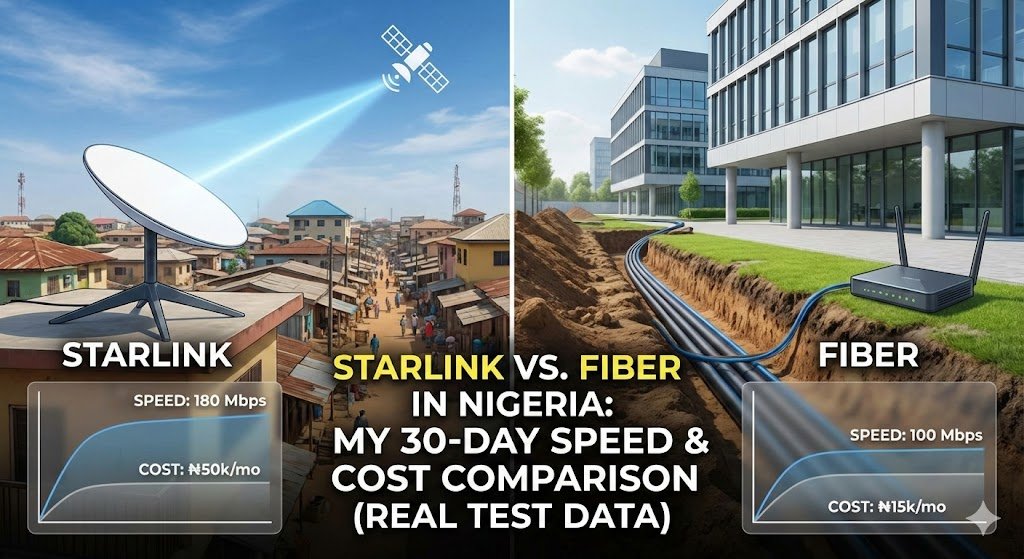
Choosing the best internet for remote work in Nigeria is not just about the highest speed-test number. Upload performance, latency, consistency, data limits, electricity, installation and availability at your exact address all matter. This comparison looks at four setups used during a four-week Lagos work test: an MTN phone hotspot, an MTN 4G MiFi, Spectranet Elite10 fixed broadband and Starlink Residential.
The practical test took place across February and March 2026, with approximately one week spent using each setup. I used them for research, document editing, social media uploads, video calls and file transfers. The Spectranet setup was on its Spectra Elite10 plan; I have not independently verified whether the installation used fibre-to-the-home or another fixed-broadband access technology, so I do not describe it as a confirmed fibre test.
Important about the test: The phone hotspot and MiFi were used in my usual work setup. The Spectranet test took place at a friend’s apartment in Gbagada, while the Starlink test took place at a content creator’s home in Ikeja, with permission. These were real-world observations at different addresses, not a controlled laboratory comparison. The figures are the readings recorded during those test weeks; they are not guaranteed speeds, independently certified measurements or a ranking of every provider across Lagos or Nigeria.
Author: Oladepo Babatunde (Prince Babatee Tunde) is a Computer Scientist, researcher, professional content writer and SEO content strategist with more than eight years of experience. He is based in Ilorin, Kwara State. The Lagos locations and testing experiences described here relate to the period when the comparison was carried out.
Quick verdict: which internet option suits remote work?
The recorded results point to different strengths rather than one universal winner. Starlink had the highest average download and upload figures in this comparison. The Spectranet Elite10 connection recorded the lowest average latency. The MTN MiFi performed better than the phone hotspot in the particular setups tested. These are observations from four separate test weeks at different addresses, not a controlled head-to-head test.
| Test setup | Mean download of listed readings | Mean upload of listed readings | Mean latency of listed readings | Main consideration |
|---|---|---|---|---|
| MTN phone hotspot | 9.7 Mbps | 3.6 Mbps | 66 ms | Uses your phone battery and mobile data |
| MTN 4G MiFi | 12.6 Mbps | 4.9 Mbps | 57 ms | Separate device; still depends on mobile coverage and data |
| Spectranet Elite10 fixed broadband | 9.1 Mbps | 4.0 Mbps | 19 ms | Lowest recorded latency in this test; check exact-address availability |
| Starlink Residential | 54.1 Mbps | 12.9 Mbps | 42 ms | Higher recorded throughput, equipment cost and power needs |
The averages above are the arithmetic means of the three time-of-day readings displayed in each setup’s table. The article does not publish a complete raw log for every individual test during each seven-day period, so these figures should not be interpreted as statistically weighted weekly averages. The four setups were also tested at different addresses and with different equipment; use the results as a record of those experiences, not as a prediction for your own home.
How the four-week comparison was conducted
I followed a repeatable work routine during the test period. It included writing and research in Google Docs, browsing with several Chrome tabs, managing social media, WhatsApp calls, Canva design work, video meetings on Zoom or Google Meet, file transfers through Google Drive and some YouTube research.
Speed tests were recorded at approximately 8:00 AM, 11:30 AM and 4:00 PM using the Ookla Speedtest app. I noted download speed, upload speed and ping. I also recorded connection interruptions, subjective video-call quality and the time taken to upload a 45MB Canva export. The tables show the three time-of-day readings available for each setup; the summary means are calculated from those displayed values. The file-upload times are separate real-world observations and are not calculated from the speed-test results.
The test routine was intended to reflect normal work, not to reproduce a network laboratory’s controlled conditions. The test locations, equipment, signal environment, network load and service plans were not identical. That limitation is important when interpreting the differences.
Week 1: MTN 4G phone hotspot
The first setup used an MTN 4G SIM in a Tecno Camon 20, sharing the phone’s connection with a laptop over Wi-Fi. The test-period bundle recorded in my notes was the ₦6,500 16.5GB monthly plan.
The ₦6,500 price and 16.5GB allowance are the package details recorded in my test notes for that period. They should not be treated as a guaranteed current offer. MTN changes its bundle lineup, eligibility and allowances; check the live MTN Nigeria data-plan catalogue or dial *312# before subscribing. Also check whether any bonus or app-specific allowance is restricted to particular services or hours.
Recorded speed-test results
| Test time | Download | Upload | Ping |
|---|---|---|---|
| 8:00 AM | 14.2 Mbps | 5.1 Mbps | 48 ms |
| 11:30 AM | 8.7 Mbps | 3.2 Mbps | 67 ms |
| 4:00 PM | 6.3 Mbps | 2.4 Mbps | 82 ms |
| Mean of three listed readings | 9.7 Mbps | 3.6 Mbps | 66 ms |
In this test week, the morning results were better than the afternoon results. The recorded 45MB upload took about 3 minutes 12 seconds in the morning and 6 minutes 48 seconds in the afternoon. Two of four scheduled video calls had noticeable quality problems, and the recorded subjective call-quality rating averaged 2.5 out of 5.
I also recorded an average of 3.4 connection interruptions per day, using a disconnection of more than ten seconds as the threshold. These observations describe the tested SIM, device, location and period. They do not establish that MTN slows down at the same times in every Lagos neighbourhood.
Practical advantage: A phone hotspot is convenient because you may not need another device. Disadvantages: tethering uses phone battery, creates additional heat and consumes the same data allowance you use for other phone activities. Heavy video meetings and large uploads can exhaust a small bundle quickly.
Week 2: MTN 4G MiFi router
For the second week, I used an MTN 4G LTE MiFi router. It connected the laptop and other devices to the mobile network without making the Tecno phone act as the hotspot. The test-period data plan recorded in my notes was the ₦5,500 12.5GB monthly plan.
The ₦5,500 price and 12.5GB allowance are the test-period package details recorded in my notes, not a promise that the same bundle is currently available to every line. MTN’s offers and eligibility can change. Confirm the current allowance, validity and any bonus restrictions on the official MTN data-plan page or through *312# before buying.
Recorded speed-test results
| Test time | Download | Upload | Ping |
|---|---|---|---|
| 8:00 AM | 18.4 Mbps | 6.8 Mbps | 42 ms |
| 11:30 AM | 11.2 Mbps | 4.5 Mbps | 58 ms |
| 4:00 PM | 8.1 Mbps | 3.3 Mbps | 71 ms |
| Mean of three listed readings | 12.6 Mbps | 4.9 Mbps | 57 ms |
The MiFi recorded higher average download and upload speeds than the phone hotspot in these test weeks. The 45MB upload took about 2 minutes 28 seconds in the morning and 4 minutes 51 seconds in the afternoon. One of four video calls had a minor interruption, and the recorded call-quality rating averaged 3.5 out of 5. I noted an average of 1.8 disconnections per day.
A MiFi can be more convenient for a dedicated work connection and leaves your phone free for calls and messages. However, a MiFi does not automatically guarantee faster internet than a phone hotspot. Results depend on the exact model, supported network bands, antenna design, signal strength, placement, SIM and local network conditions. A well-positioned phone can outperform a poorly positioned or older MiFi.
Best suited to: People who regularly connect a laptop or several devices and want to keep their phone separate from the internet-sharing task. Remember to budget for the router and data, and protect the MiFi with a new Wi-Fi password.
Week 3: Spectranet Elite10 fixed broadband in Gbagada
The third test took place at a friend’s apartment in Gbagada, where I used a Spectranet connection on the Spectra Elite10 plan. The plan price recorded during the test was ₦20,000 per month, with a stated speed tier of up to 10 Mbps. I refer to this setup as Spectranet fixed broadband rather than assuming it was a fibre-to-the-home connection: Spectranet currently lists its Spectra Elite plans separately from its Home Fiber Unlimited product. The exact access technology at the test address was not independently documented.
Recorded speed-test results
| Test time | Download | Upload | Ping |
|---|---|---|---|
| 8:00 AM | 9.4 Mbps | 4.2 Mbps | 18 ms |
| 11:30 AM | 8.8 Mbps | 3.9 Mbps | 21 ms |
| 4:00 PM | 9.1 Mbps | 4.0 Mbps | 19 ms |
| Mean of three listed readings | 9.1 Mbps | 4.0 Mbps | 19 ms |
The most noticeable result in this week was consistency. The recorded download results stayed between 8.8 and 9.4 Mbps across the three daily test times. Average latency was 19 ms. The four video calls I recorded during this test week had no reported freezes or audio drops, and the subjective call-quality score was 5 out of 5. The 45MB upload averaged 1 minute 38 seconds.
That does not mean fixed broadband is immune to congestion, outages or poor installation. Performance can still be affected by the provider’s network, router, Wi-Fi interference, local wiring and the number of devices using the connection. This result describes one Spectranet installation and plan, not every Spectranet customer or every fibre service.
Current Spectranet plan details
Current Spectranet plan snapshot (checked 20 November 2026): Spectranet’s published catalogue lists Spectra Elite10 at ₦20,000 per 30 days with speeds up to 10 Mbps, Spectra Elite20 at ₦25,000 with speeds up to 20 Mbps, and Spectra Elite40 at ₦35,000 with speeds up to 40 Mbps. The same catalogue lists Home Fiber Unlimited separately at ₦38,500, with speeds up to 100 Mbps. These are different product listings, so do not assume that an Elite plan is the same as a fibre-to-the-home connection. Plan availability, fair-use conditions and prices can change; check Spectranet’s current plan catalogue and confirm the service technology and terms for your exact address before paying.
Main limitation: Fixed broadband is tied to service availability at an installation address. Before choosing it, confirm that your exact building can be connected, ask whether the proposed service is fibre or fixed wireless, and check installation charges, equipment requirements, contract terms, fair-use rules and support arrangements. Availability in one part of Gbagada does not prove availability throughout the neighbourhood.
Week 4: Starlink Residential in Ikeja
The Starlink test took place at a content creator’s home in Ikeja, where I was allowed to use a Starlink Standard Kit on a Residential subscription. The test-period subscription recorded was ₦57,000 per month. The dish had a rooftop position with a clear view of the sky.
Recorded speed-test results
| Test time | Download | Upload | Ping |
|---|---|---|---|
| 8:00 AM | 68.3 Mbps | 14.2 Mbps | 38 ms |
| 11:30 AM | 42.7 Mbps | 11.8 Mbps | 45 ms |
| 4:00 PM | 51.4 Mbps | 12.6 Mbps | 42 ms |
| Mean of three listed readings | 54.1 Mbps | 12.9 Mbps | 42 ms |
Starlink recorded the highest average download and upload speeds among the four setups in this comparison. The 45MB upload took about 32 seconds on average during the test. The four video calls recorded during the week had no reported freezes or audio drops, and the subjective call-quality rating was 5 out of 5.
These results were obtained at one Ikeja property with a rooftop dish position. Obstructions, weather, network load, service-plan conditions, equipment placement and local capacity can change performance. Starlink itself explains that advertised speeds are not guaranteed and can be slower during congestion.
What does Starlink cost now?
Current subscription reference: The Nigerian Communications Commission’s approved-operator bundle listing shows Starlink Residential Unlimited at ₦57,000 for 30 days, with a stated speed range of 20–100 Mbps. Treat this as a published regulatory listing, not a guarantee of the final checkout price or availability at every address. Hardware prices, promotions and service eligibility can change. Check the Starlink Nigeria order page with your service address before buying.
Do not compare the monthly subscription alone with a mobile data bundle. Include the current equipment price, delivery or installation costs where applicable, power backup and any accessories needed for your setup. Starlink also needs electricity to run; a generator, inverter or suitable solar system may be necessary where grid supply is unreliable.
All four options compared
| Factor | Phone hotspot | MTN MiFi | Spectranet Elite10 | Starlink |
|---|---|---|---|---|
| Mean download of listed readings | 9.7 Mbps | 12.6 Mbps | 9.1 Mbps | 54.1 Mbps |
| Mean upload of listed readings | 3.6 Mbps | 4.9 Mbps | 4.0 Mbps | 12.9 Mbps |
| Mean latency of listed readings | 66 ms | 57 ms | 19 ms | 42 ms |
| 45MB upload observation | 3m 12s morning; 6m 48s afternoon | 2m 28s morning; 4m 51s afternoon | 1m 38s average | 32s average |
| Portability | High | High | Low; address-based installation | Check current service and portability terms |
| Data model | Mobile bundle | Mobile bundle | Plan-specific allowance, speed and fair-use terms | Residential plan; check current terms |
| Power consideration | Phone battery | MiFi battery | Router/terminal needs power | Dish and router need power |
| Biggest trade-off | Phone battery and data allowance | Device cost and mobile coverage | Address availability and installation | Equipment cost, power and service price |
These figures compare the four test setups, not equivalent commercial packages. Mobile bundles have defined data allowances, while fixed broadband and satellite plans have their own speed, fair-use and service conditions. The Spectranet test was on Elite10; it should not be presented as a verified fibre-to-the-home result. Check each provider’s current terms and the technology available at your address before comparing monthly costs.
Which internet option should you choose?
Choose a phone hotspot for occasional work and backup
If you mainly send messages, browse, edit lightweight documents and need a connection occasionally, using your existing phone can be the cheapest way to get online. It is also useful as a backup when your main broadband service fails. For a full day of video calls and large uploads, check your data allowance and battery needs first.
Choose a MiFi if you need a separate portable connection
A MiFi makes sense if you regularly connect a laptop or several devices and do not want your phone to handle hotspot duty. Before buying, check its 4G or 5G support, network-band compatibility, battery condition, Wi-Fi capacity and whether it is locked to a particular operator. Compare the total cost of the device and the data you expect to use.
Choose fibre or fixed broadband if it is available at your address
For a fixed home office, a suitable fibre or fixed-broadband service can be a good choice when the provider can connect your exact building and the plan meets your upload, download and reliability needs. Ask the provider to confirm whether the connection is fibre-to-the-home or fixed wireless; the product name alone may not tell you. Check installation costs, fair-use limits, support response times and what happens during a power outage. The Spectranet Elite10 setup in this comparison had low recorded latency, but its last-mile technology was not independently confirmed.
Consider Starlink where terrestrial broadband is unsuitable
Starlink may be a useful option where fibre is unavailable or where the available fixed and mobile services do not meet your needs. Its recorded performance was strongest in this comparison, but the total cost includes the kit, subscription and electricity. Check the current price and service availability for your address before committing.
How to improve your internet connection for remote work
- Test the exact place you work. Run several speed tests at different times of day. Record upload speed and latency as well as download speed.
- Position mobile devices carefully. Try a window or another open position, then compare results. Do not assume a window will improve every building’s signal.
- Secure your MiFi Wi-Fi. Change the default password and check which devices are connected so unknown users do not consume your data.
- Reduce unnecessary video use. Turn off your camera when a meeting does not require it, and avoid streaming high-resolution video while uploading work on a limited bundle.
- Prepare a backup connection. A second SIM or a different access technology can help if your main provider has an outage. A backup on the same mobile network may not help during a network-wide problem.
- Plan for electricity. Routers, fibre terminals and satellite equipment need power. Check the power requirements of the equipment and size your backup supply accordingly.
- Check your data use. Use your phone or router’s data monitor and the provider’s app to identify unexpected usage and background downloads.
Frequently asked questions
Which internet is best for Zoom calls in Nigeria?
A stable connection with adequate upload speed and low latency matters more than the provider name alone. The Spectranet Elite10 connection recorded the lowest average latency in this particular comparison, while Starlink also handled the recorded calls well. A well-performing 4G or 5G connection can work too. Test the service at your own address before relying on it for client meetings.
Is Starlink worth it for remote work in Nigeria?
It may be worth considering if terrestrial broadband is unavailable or unreliable and the total equipment, subscription and power costs fit your budget. It is not automatically the best-value choice for everyone. Compare the current Starlink offer with fibre and mobile alternatives available at your address.
How much data does remote work consume per month?
It depends on meeting hours, camera quality, streaming, cloud backups, file sizes and the number of connected devices. In this test, the phone-hotspot work routine was recorded at approximately 2.8–3.5GB per day. Treat that as an observation from this particular routine, not a universal allowance. Check your own data meter for a week and multiply your typical workday use by the number of days you work.
Is a MiFi better than a phone hotspot?
A MiFi separates internet sharing from your phone and may offer better placement, battery and connection features depending on its model. In this test, the MiFi recorded higher average speeds than the phone hotspot. That does not guarantee the same result everywhere; compare the devices using the same SIM, location and time where possible.
Is Spectranet Elite10 available throughout Lagos?
Do not assume that a plan is available throughout Lagos just because it is listed for the city. Confirm your exact building and installation address with Spectranet. Ask whether the service offered there is Elite10 fixed broadband, Home Fiber or another access product, and confirm the installation cost, speed tier and fair-use terms before paying.
Can I use fixed broadband or Starlink during a power outage?
The equipment at your premises still needs electricity. A provider’s network may remain active during a grid outage, but your home router and any optical terminal or other access equipment need power. Starlink’s dish and router also need power. A suitable UPS, inverter or generator can keep equipment running if it is correctly sized for the load.
What should I check before buying a MiFi?
Check supported LTE bands, operator compatibility, battery health, Wi-Fi capacity, charging options, warranty and whether the device is locked. Confirm that the operator has usable coverage where you work. A 5G label alone does not guarantee 5G service or better performance at your address.
Official sources and current plan information
- MTN Nigeria: current data plans and allowances
- Spectranet: current plans, speed tiers and fair-use information, including separate Home Fiber listings
- Starlink Nigeria: Residential service and address availability
- Nigerian Communications Commission: approved operator bundle plans
- Ookla Speedtest: connection testing tool
Final verdict
There is no single internet option that is best for every remote worker in Nigeria. In this four-week comparison, Starlink recorded the highest average throughput, while the Spectranet Elite10 connection recorded the lowest average latency among the four setups. The MTN MiFi was a more convenient dedicated mobile connection than using the phone as a hotspot in the tested setup. These are local observations, not a nationwide provider ranking, and the Spectranet installation was not independently verified as fibre-to-the-home.
Start by checking which providers can actually serve your address. Then compare upload speed, latency, data limits, fair-use conditions, installation and equipment costs, electricity needs and customer support. If possible, test the service during the hours you normally work before making a long-term commitment.
By Oladepo Babatunde (Prince Babatee Tunde), Computer Scientist, researcher, professional content writer and SEO content strategist. Based in Ilorin, Kwara State, Nigeria.

Oladepo Babatunde (also known as Prince Babatee Tunde) is a Computer Scientist, researcher, professional content writer and SEO content strategist with more than eight years of experience. He holds a Higher National Diploma (HND) in Computer Science from Kwara State Polytechnic, Nigeria, and is based in Ilorin, Kwara State. As a freelance writer, he creates research-led, practical content on technology, Nigerian internet services, AI tools, gadgets and solar power. His work combines research, source checking, technical understanding and SEO strategy. Where an article includes hands-on testing, the product, method and relevant conditions are described in the article; research-based guides are identified as such.