Last updated on December 4, 2025
Introduction: Navigating Updates for Your Older Samsung Flagship in 2025
If you’re still happily using your Samsung Galaxy S21, S21+, S21 Ultra, S21 FE, or even the innovative Galaxy Z Flip 5G in late 2025, you’re likely wondering about its future. It’s a common question for many of us who hold onto our devices: “What’s the software update status for my phone now?”
As Android versions and security patches continue to evolve, understanding where your few-years-old device stands in terms of software support is crucial. This guide aims to provide a clear picture of what to expect in December 2025 regarding major Android updates, security patches, and when official support might be winding down or has already ended. We’ll also explore what this means for your phone’s longevity and help you decide if it’s time to consider an upgrade.
Samsung’s Evolving Software Support Policy: A 2025 Perspective
Samsung has significantly enhanced its software support commitments over the past few years. For their latest flagship devices, such as the Galaxy S24 series and the upcoming Galaxy S25, they now promise an impressive seven years of major Android operating system updates and security patches. This extended policy is a huge benefit for anyone purchasing a new Samsung phone today, as it substantially prolongs the device’s useful life.
However, this more generous policy wasn’t in place when your Galaxy S21 or Z Flip 5G first launched. Back then, Samsung typically offered three major Android OS updates and four years of security updates for its flagships. This means the support lifecycle for your older Samsung phone will naturally be shorter than what current models receive. It’s important to keep this historical context in mind as we examine the current status of these devices.
Samsung Galaxy S21 Series (S21, S21+, S21 Ultra) Update Status in December 2025
For owners of the original Galaxy S21, S21+, and S21 Ultra, released in early 2021, we’re now in late 2025. These devices have already received several major Android and One UI updates. Let’s break down their current standing.
Current Android OS Version: Android 15 (One UI 7)
By December 2025, your Galaxy S21, S21+, and S21 Ultra models will have received their final major operating system upgrade to Android 15, accompanied by One UI 7. This update would have brought the latest features and interface improvements available for these devices. While it’s good to be on a recent OS, this also marks the end of major Android version upgrades for these specific models.
Latest Security Patch Level: November 2025 and Beyond
In terms of security, the Galaxy S21 series is likely receiving less frequent updates now. While they once received monthly security patches, by late 2025, these devices are typically on a quarterly security update schedule. You should expect to see security patches up to around November 2025, or perhaps a final few critical patches into early 2026. These patches are vital for protecting your device from newly discovered vulnerabilities.
Official End-of-Life (EOL) for Major Updates and Security Patches
The official end-of-life (EOL) for major Android updates for the Galaxy S21 series was effectively with Android 15. For security patches, official support is expected to cease around early 2026. This means that after this point, your phone will no longer receive guaranteed security updates directly from Samsung. While the phone will continue to function, the lack of ongoing security patches increases potential risks over time.
Samsung Galaxy S21 FE Update Status in December 2025
The Galaxy S21 FE (Fan Edition) has a slightly different timeline compared to its S21 siblings. Because it was released later, in early 2022, its software support cycle began a bit later too. This means the S21 FE is expected to receive one more major Android OS update than the original S21 series.
By December 2025, your Galaxy S21 FE should have already received Android 15 with One UI 7. Looking ahead, it is anticipated to receive Android 16, likely with One UI 8, sometime in 2026. This extra year of major OS updates gives the S21 FE a bit more longevity. For security patches, the S21 FE is likely still on a regular, possibly monthly or bi-monthly, schedule through 2025, with support extending further into 2026 and potentially beyond.
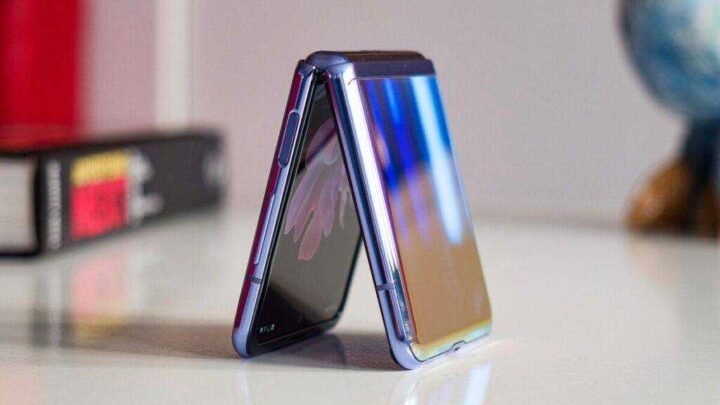
Samsung Galaxy Z Flip 5G Update Status in December 2025
The Galaxy Z Flip 5G was an exciting device when it launched in mid-2020, pushing the boundaries of foldable technology. However, its software support lifecycle concluded earlier than the S21 series.
Current Android OS Version: Android 13 (Final Major OS Update)
The Galaxy Z Flip 5G received its final major operating system update with Android 13. This means that by December 2025, your Z Flip 5G has been running on Android 13 for quite some time and will not receive any further major Android version upgrades, such as Android 14 or Android 15.
End of Official Software and Security Support
Unfortunately, the Galaxy Z Flip 5G has reached its official end-of-life for software and security support. This means Samsung is no longer providing regular security patches or firmware updates for the device. While your phone will continue to operate, the lack of ongoing security updates means it is more susceptible to potential security vulnerabilities. It’s important for users of the Z Flip 5G to be aware of these implications.
How to Check for and Install Any Remaining Updates (If Applicable)
Even if your device is nearing its end-of-life, it’s always a good idea to check for any final or critical security patches that might be available. The process is straightforward:
- Open the Settings app on your Samsung Galaxy phone.
- Scroll down and tap on Software update.
- Tap on Download and install.
Your phone will then check Samsung’s servers for any available over-the-air (OTA) updates. If an update is found, you’ll be prompted to download and install it. Make sure your phone has enough battery life and is connected to Wi-Fi before starting the installation.
Life After Official Support: What It Means for Your Device
When a phone reaches its official end-of-life (EOL) for software support, it doesn’t immediately stop working. However, there are significant implications you should be aware of, especially regarding security, functionality, and overall device health.
The most critical concern is security. Without regular security patches, your device becomes more vulnerable to new threats and exploits. Cybercriminals constantly seek weaknesses, and an unsupported phone is an easier target for malware, phishing attempts, and data breaches. This could compromise your personal information or financial accounts.
You might also start noticing limitations with app compatibility. While most apps will continue to work for a while, newer apps or updates to existing apps may eventually require a more recent Android version than your device supports. This can lead to a degraded user experience, missing features, or even prevent you from using certain services.
Beyond software, consider hardware degradation. Older phones often experience reduced battery life, slower performance due to aging components, and general wear and tear. For foldable devices like the Z Flip 5G, the folding mechanism and screen durability can also become a concern over extended use.
Should You Continue Using Your Galaxy S21 or Z Flip 5G in 2025?
This is a personal decision, but it requires careful consideration, especially for the Z Flip 5G which has already reached its EOL for all support. For the Galaxy S21 series, which is still receiving quarterly security updates in late 2025, the risks are lower but still present.
For the Galaxy Z Flip 5G: Given that it’s no longer receiving official security updates, continuing to use it as your primary device, especially for sensitive tasks like banking or online shopping, carries notable risks. Its battery life will also likely be significantly degraded by now. If you do choose to keep using it, we strongly recommend implementing mitigation strategies. Limit its use for critical applications, keep an eye on your accounts, and consider using it more as a secondary device.
For the Galaxy S21 Series: While still getting some security patches, the frequency is reduced, and major OS updates have ended. You can likely continue to use your S21, S21+, or S21 Ultra safely for a bit longer, but it’s wise to start planning for an upgrade in the near future. The longer you use a device past its official EOL for security, the higher the risk. Also, consider your battery health and overall performance, which will naturally decline with age.
If you decide to keep using your older phone, consider these tips:
- Be extra cautious about clicking on suspicious links or downloading files from unknown sources.
- Only install apps from trusted sources like the Google Play Store.
- Keep all your apps updated to their latest versions, as app developers often include their own security fixes.
- Use a reputable mobile antivirus or security app.
- Regularly back up your important data to a cloud service or external drive.
- Avoid performing sensitive transactions (like banking) on public Wi-Fi networks without a VPN.
Considering an Upgrade? Top Samsung Alternatives in Late 2025
If the thought of using an unsupported phone makes you uneasy, or you’re simply craving the latest features and improved performance, late 2025 is a great time to consider upgrading. Samsung offers a wide range of fantastic alternatives with significant advancements in camera technology, processing power, and battery efficiency:
- For the Latest Flagship Experience: Look towards the upcoming Samsung Galaxy S25 series. These devices will offer cutting-edge processors, advanced camera systems, and the full benefit of Samsung’s extended software support policy (7 years of updates), ensuring long-term usability.
- For Foldable Enthusiasts: If you loved your Z Flip 5G, the Galaxy Z Flip 7 will be the pinnacle of Samsung’s foldable technology, offering significant improvements in durability, performance, camera quality, and potentially new form factor innovations.
- Excellent Value: Don’t overlook Samsung’s popular Galaxy A series. Models like the Galaxy A56 or A76 (or their 2026 equivalents) provide a fantastic balance of features, performance, and affordability, often with good software support commitments for their price point, making them a smart choice for many users.
Samsung also frequently runs trade-in programs, which can significantly reduce the cost of a new device. It’s worth checking their official website or your local carrier for current offers.
Frequently Asked Questions (FAQs)
Will my Galaxy S21 get Android 16?
No, the Samsung Galaxy S21, S21+, and S21 Ultra received their final major OS update with Android 15 (One UI 7). The Galaxy S21 FE, however, is expected to receive Android 16.
How many years of updates does Samsung provide?
For its latest flagship devices (like the Galaxy S24 and upcoming S25 series), Samsung now provides seven years of major Android OS updates and security patches. For older flagships like the S21 series, it was typically three major OS updates and four years of security patches. The Z Flip 5G received two major OS updates and three years of security patches.
Is the Galaxy Z Flip 5G still safe to use?
The Galaxy Z Flip 5G is no longer receiving official security updates from Samsung. While it will still function, using it as a primary device for sensitive activities carries increased security risks due to potential unpatched vulnerabilities. Its battery life will also likely be significantly degraded. It’s advisable to consider an upgrade or use strict mitigation strategies if you continue using it, such as limiting its use for critical tasks.
Can I install custom ROMs on my S21/Z Flip 5G?
Yes, it is technically possible to install custom ROMs on some Samsung devices, including the Galaxy S21 series and potentially the Z Flip 5G, especially for models with unlocked bootloaders (often Exynos variants in certain regions). Communities like XDA Developers are excellent resources for this. However, installing custom ROMs voids your warranty, can be complex, and carries its own risks, including bricking your device, introducing new security vulnerabilities if the ROM isn’t well-maintained, or encountering stability issues. It’s generally not recommended for most users and requires a good understanding of the process and its potential drawbacks.