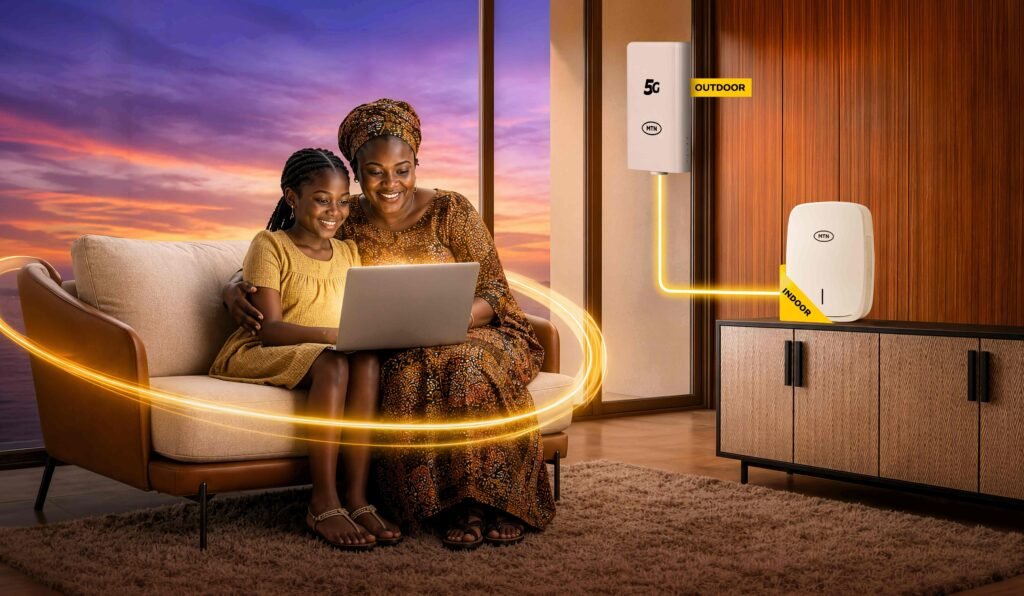
MTN FlyX is a fixed 5G home internet service in Nigeria. An outdoor unit receives MTN’s 5G signal and connects to an indoor unit that provides Wi-Fi. MTN advertises a ₦30,000 new-customer acquisition offer for up to 100Mbps. After that, MTN’s published renewal options are ₦30,000 for up to 50Mbps or ₦45,000 for up to 100Mbps, each for 30 days. The outdoor and indoor units, power bank and professional installation are supplied on a free-to-use basis; they remain MTN property.
MTN FlyX Price in Nigeria (November 2026)
MTN’s public pricing needs to be read in two parts: the acquisition offer for a new connection and the standard renewal plans. They are not presented in exactly the same way on the MTN website, so do not assume that the introductory offer will remain the price of every later subscription.
| Plan or offer | Price | Advertised speed | Validity | Source and note |
|---|---|---|---|---|
| New-connection acquisition offer | ₦30,000 | Up to 100Mbps | Confirm on your order | MTN FlyX offer page |
| FlyX 20 | ₦22,500 | Up to 20Mbps | 30 days | NCC approved bundle list; not shown in MTN’s current FlyX renewal FAQ |
| FlyX 50 | ₦30,000 | Up to 50Mbps | 30 days | MTN renewal FAQ and NCC list |
| FlyX 100 | ₦45,000 | Up to 100Mbps | 30 days | MTN renewal FAQ and NCC list |
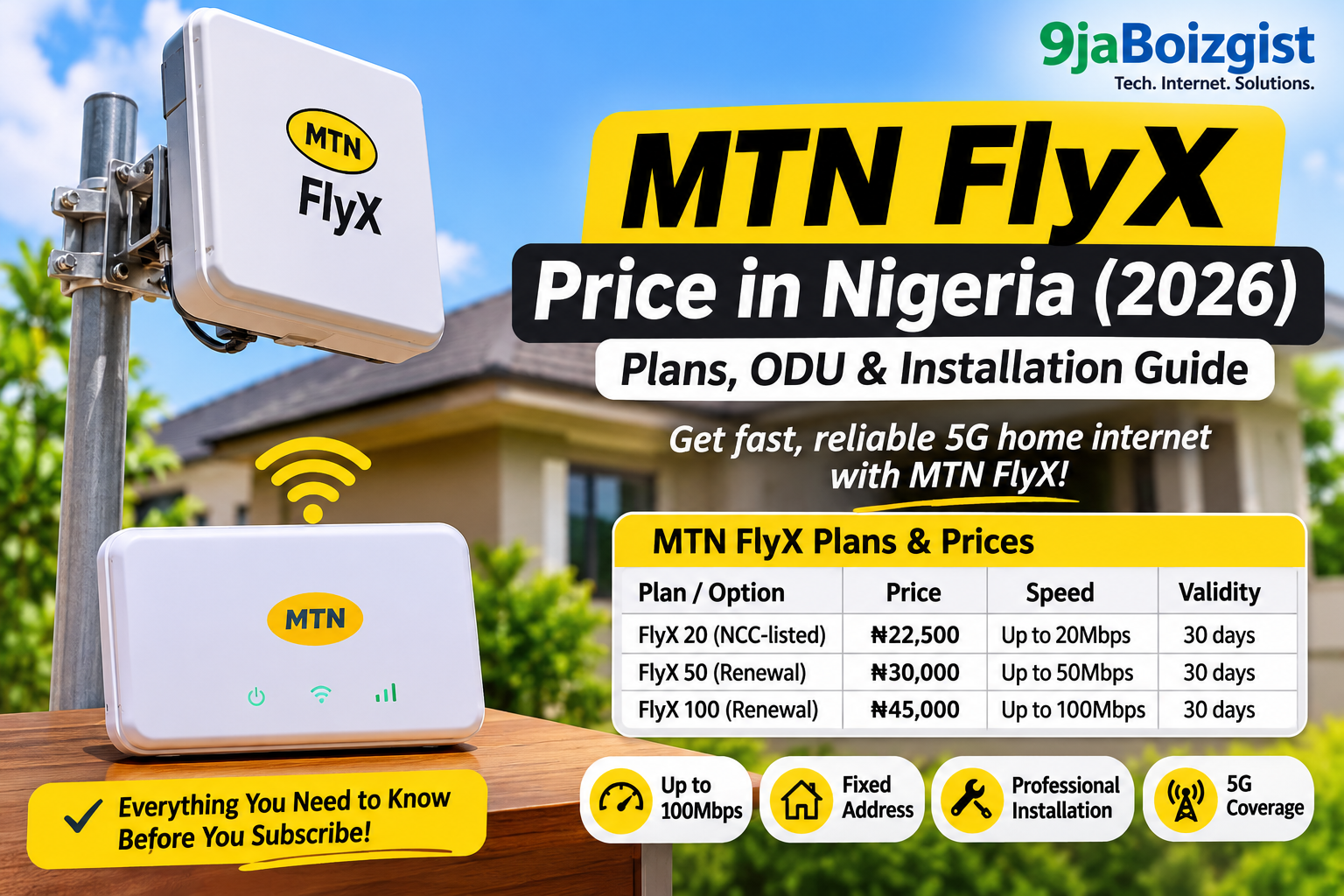
Prices checked on 18 November 2026. MTN’s acquisition page advertises the ₦30,000 offer at up to 100Mbps, while its help page lists the standard 50Mbps and 100Mbps renewal prices as 30-day plans. MTN does not present the acquisition offer as a recurring 100Mbps renewal price, so confirm the first-month validity and the renewal tier attached to your order before paying. Plan availability and prices can change.
MTN says you can renew through the MyMTN app, MTN eShop, USSD *461# or an authorised MTN store. The eShop also has direct listings for the 50Mbps ODU plan and the 100Mbps ODU plan. Check the amount and validity displayed for your FlyX account before confirming payment.
The NCC’s approved operator bundle page lists all three FlyX tariffs and says the entry was last updated on 3 November 2026. MTN’s own FlyX help page currently displays only the 50Mbps and 100Mbps renewal options. That difference is worth checking before you pay: the NCC listing records the approved tariff, while MTN’s app, eShop or store can confirm which plans are selectable for your account today.
Does MTN FlyX Have a Device or ODU Purchase Price?
MTN’s current FlyX offer is not presented as a normal router sale with a separate device price. Instead, MTN supplies the outdoor unit (ODU) and indoor unit on a free-to-use basis as part of the service offer. The power bank and professional installation are also advertised as included.
The equipment remains MTN’s property. Under the published FlyX terms, you may use it only to access MTN Broadband; you cannot sell, transfer, lease, tamper with or otherwise dispose of it. MTN may recover the ODU if you terminate the service, leave it inactive for 90 days, relocate it without approval or breach the terms. You may also be responsible for loss, theft or damage caused by negligence, misuse, vandalism, unauthorised relocation or tampering.
MTN’s terms include a replacement provision for an ODU defect determined to result from a manufacturing or technical fault, where the fault was not caused by customer misuse, negligence, unauthorised modification or physical damage. Replacement and maintenance depend on MTN’s operational process. The terms do not state a separate fixed warranty duration, so ask MTN how to report a fault and what assessment or proof is required.
So, when someone asks, “How much is the MTN FlyX router?”, the more accurate answer is that MTN currently advertises a free-to-use two-unit setup with a subscription, rather than a published standalone purchase price for the ODU. Confirm whether any one-off charge, deposit, delivery fee or other condition applies to your specific order before completing payment; the public offer page does not provide a separate retail price for the equipment.
What Comes with MTN FlyX?
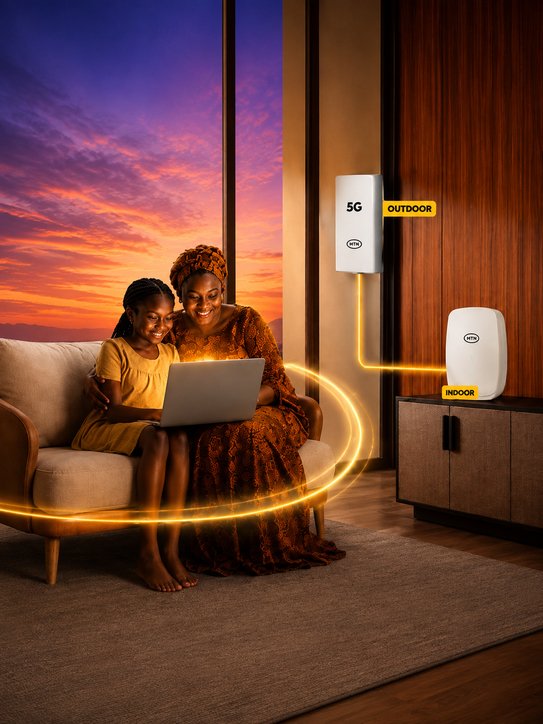
- Outdoor Unit (ODU): mounted outside the building to receive the strongest available MTN signal at the approved installation point.
- Indoor unit: connects to the outdoor unit and provides Wi-Fi for devices inside the home or office.
- Power bank: included in MTN’s advertised offer. MTN’s public page does not state its capacity or how long it can power the equipment, so ask for the exact model and expected backup time.
- Professional installation: carried out by MTN or an authorised installer. MTN does not recommend self-installation.
- 30-day subscription plans: the published renewal tiers are 50Mbps and 100Mbps, with a separate 20Mbps tier appearing on the NCC approved list.
MTN describes the plans as unlimited with no Fair Usage Policy (FUP). That is MTN’s published plan description, not a promise that every home will receive the maximum advertised speed at every hour. Actual performance can vary with 5G signal quality, network capacity, the installation position, building layout, Wi-Fi interference and the number of active devices.
How MTN FlyX Works
FlyX is different from a regular indoor MiFi or router. The outdoor unit is mounted at a suitable point outside your property, where an installer can find a stronger 5G signal. It connects to the indoor unit, which distributes the connection around the building over Wi-Fi.
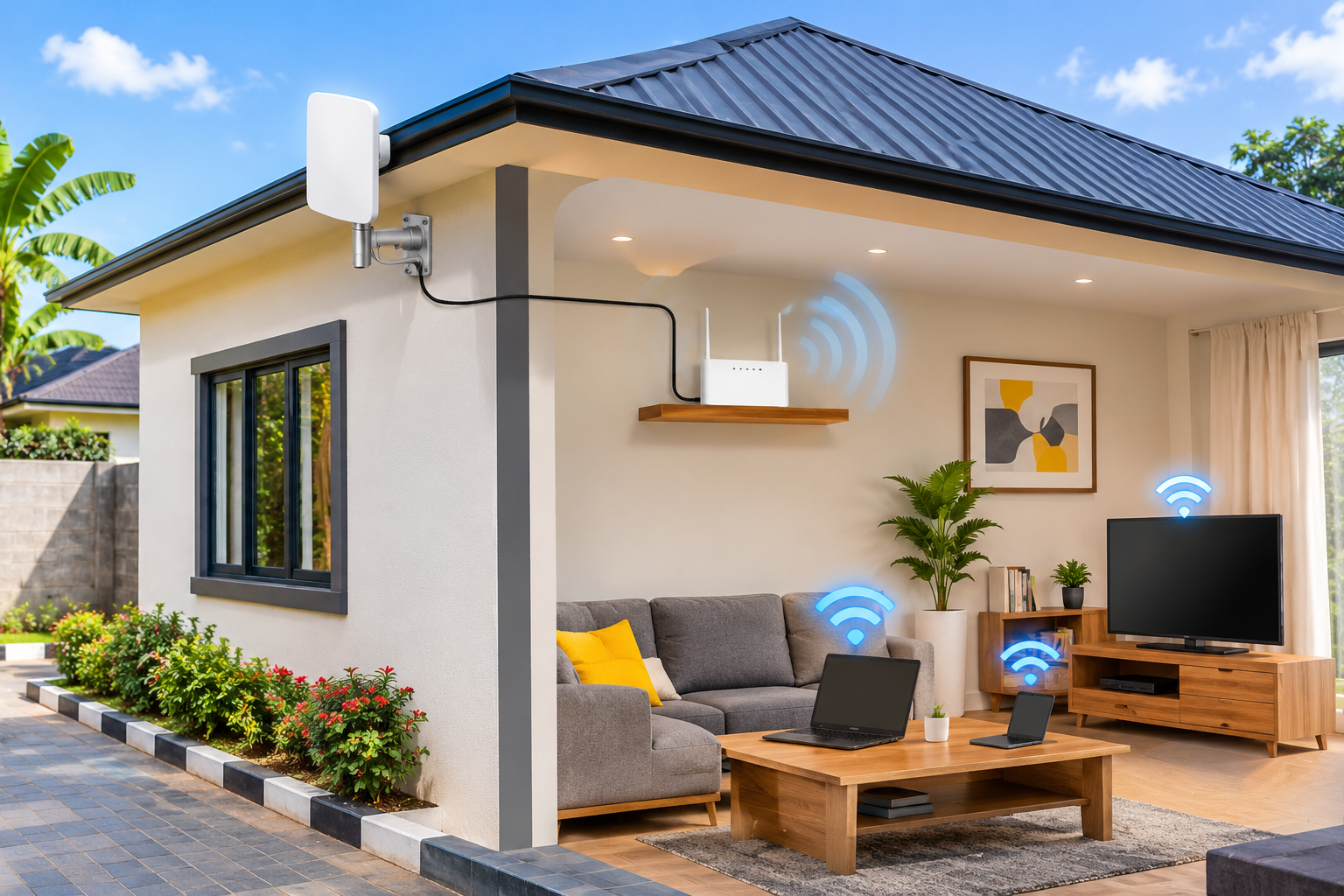
This arrangement can help where a phone or indoor router struggles to receive a good signal inside a building. It does not create 5G coverage where MTN has none, and it cannot remove congestion or every obstacle affecting the network. The outdoor position is intended to improve reception at your premises, but it cannot guarantee a particular download speed.
Who Can Get MTN FlyX?
MTN’s offer terms say FlyX is available to new and existing MTN Nigeria customers who live in an MTN 5G coverage location and pass MTN’s service qualification process. The customer must be at least 18 years old and have a valid Nigerian identity document. MTN may request additional information during verification.
Coverage is only the first check. MTN can still assess whether the specific premises are suitable for installation and whether equipment and an installer are available. A 5G coverage indicator for your town or local government area is not proof that your exact building can be connected.
Before you order, use the official MTN coverage locator and check the exact street, estate or landmark. Our separate guide explains how to check MTN 5G coverage in Nigeria. Then ask MTN to confirm FlyX serviceability at your full installation address.
MTN FlyX Installation: What to Expect
MTN says customers can order online or through an authorised MTN store. After the order is confirmed, an MTN-certified installer contacts the customer to arrange the installation. The outdoor unit is mounted where the installer identifies the strongest suitable signal, then connected to the indoor unit and tested.
MTN’s FlyX terms say it will use reasonable efforts to complete installation within 2–5 working days after successful order confirmation and payment. This is an estimate, not a guaranteed appointment. The terms list installer availability, ODU stock, site readiness, safety, weather, access and other operational constraints as factors that can delay installation.
Make sure an adult can provide access to the property at the agreed time. MTN requires a suitable, secure mounting location and electrical power for the equipment. If you need to change an appointment, its terms ask for at least 48 hours’ notice, subject to a new slot being available.
Can You Move MTN FlyX to Another House?
Do not treat FlyX like a portable MiFi. MTN’s terms say the ODU is intended for the registered installation address and must not be moved elsewhere without prior authorisation. MTN may apply location-locking or other service restrictions. Its help page also describes FlyX as a fixed service rather than a portable connection.
If you are moving house, contact MTN Broadband before disconnecting or relocating the units. Ask whether a transfer is possible, whether a new site qualification is required and whether an installer must visit the new address. Do not assume the equipment will work simply because the new location also has MTN 5G coverage.
Is MTN FlyX Better Than a Normal 5G Router or MiFi?
| What matters | MTN FlyX | MTN FibreX | MTN 5G router plans |
|---|---|---|---|
| How it connects | 5G signal received by an outdoor unit | Fibre-optic cable to the premises | Mobile network received by an indoor router |
| 50Mbps-class plan | Up to 50Mbps: ₦30,000 / 30 days | Up to 50Mbps: ₦30,000 / 30 days | Gold up to 50Mbps: ₦40,000 / 30 days; speed reduces to 5Mbps after 400GB |
| 100Mbps-class plan | Up to 100Mbps: ₦45,000 / 30 days | Up to 100Mbps: ₦45,000 / 30 days | Diamond up to 100Mbps: ₦65,000 / 30 days; speed reduces to 5Mbps after 800GB |
| Equipment | Free-to-use outdoor and indoor units; MTN retains ownership | Free-to-use router and installation are advertised by MTN | Use a compatible router; MTN’s broadband page currently lists a 5G router at ₦40,000, but confirm the model and stock before buying |
| Installation | Professional outdoor installation included in the advertised offer | Fibre installation required; availability depends on the address | Usually self-setup; no FlyX-style outdoor installation |
| Best suited to | Addresses with suitable MTN 5G coverage, especially where indoor reception is weak | Addresses serviceable by MTN fibre | People who want a movable indoor router and accept the applicable plan usage threshold |
What does that mean over three months? At standard renewal prices, three 50Mbps periods cost ₦90,000 on FlyX or FibreX, compared with ₦120,000 for three MTN Gold router-plan renewals. Three 100Mbps periods cost ₦135,000 on FlyX or FibreX, compared with ₦195,000 for three Diamond renewals. If you also need to buy the MTN 5G router at the ₦40,000 price currently displayed on MTN’s broadband page, the router route becomes about ₦160,000 for the Gold option or ₦235,000 for Diamond over those three months. These are arithmetic comparisons, not quotations; they exclude delivery or other fees and assume the displayed router price is still available. If you already own a compatible router, do not add the device cost again. The calculation uses standard renewals and does not assume that the separate FlyX acquisition offer applies to all three months.
If MTN FibreX is available at your address, compare it with FlyX before ordering: the 50Mbps and 100Mbps monthly prices are the same, but fibre uses a cable connection while FlyX depends on a suitable 5G signal and outdoor installation. If fibre is unavailable but FlyX passes the address check, FlyX may be the more practical fixed-home option. A normal MTN 5G router gives you more freedom to move the device, but its Gold and Diamond plans have published usage thresholds. Check the plan terms, not just the headline speed.
Do not choose based on the “up to 100Mbps” label alone. If you are comparing home internet options, also consider whether fibre is available, the monthly renewal price, installation terms, power backup and the quality of the network at the exact address. Our guide to home internet options for streaming in Nigeria covers other connection types.
What to Check Before Paying for MTN FlyX
- Confirm your exact address: ask MTN to qualify the actual building, not just the town or neighbourhood.
- Get the first-month offer in writing: confirm whether the ₦30,000 acquisition offer gives up to 100Mbps for your order and how long it lasts.
- Confirm the renewal price: ask whether you will renew at ₦30,000 for 50Mbps or ₦45,000 for 100Mbps, or whether a different plan is available.
- Ask about the NCC-listed 20Mbps option: the regulator lists it at ₦22,500 for 30 days, but MTN’s main FlyX page does not display it.
- Clarify every extra charge: ask whether any deposit, delivery, installation-related or other one-off fee applies to your order.
- Understand equipment ownership: the units are free-to-use MTN equipment, not a router you can sell or move freely.
- Ask about the power bank: request its capacity, supported outputs and expected backup time. Do not assume it will keep the connection running through a long outage.
- Request the equipment details: ask for the ODU and indoor-unit model numbers, Wi-Fi standard, Ethernet ports, maximum supported devices and power requirements. MTN’s public offer page does not publish a full technical datasheet for the supplied units.
- Check the installation point: discuss where the ODU will be mounted, cable routing, access and any building-owner approval you may need.
- Save the terms: understand the registered-address restriction, equipment recovery conditions and responsibility for loss or damage.
How to Order MTN FlyX
Start from MTN’s official FlyX page and follow its order link, or visit an authorised MTN store. MTN also directs customers to the FlyX ordering portal. Before submitting payment, check the plan name, speed tier, amount, validity, installation address and any additional charges displayed for your order.
MTN’s help information says FlyX uses an embedded eSIM in the outdoor unit, which must be properly registered in line with NCC requirements before activation. You do not insert an ordinary physical SIM into the ODU yourself. Follow the installer’s activation instructions and keep your order confirmation and support details.
MTN FlyX Slow or Not Working? What to Check
If the connection becomes slow or drops after installation, start with simple checks before assuming the ODU is faulty. MTN’s FlyX help page recommends restarting the router, checking that the cables are firmly connected and ensuring the power supply is stable.
- Restart the indoor unit/router and allow it to reconnect fully.
- Check that the cable connecting the outdoor and indoor units has not become loose or damaged.
- Confirm that the equipment has a stable power supply.
- Test with another phone or laptop and, if possible, closer to the indoor unit. This helps determine whether the issue affects one device or the whole connection.
- If the problem continues, contact MTN Broadband support. Do not open, tamper with or reposition the outdoor unit yourself; MTN requires certified installation and the ODU remains its property.
The current MTN FlyX help page lists 352 from an MTN line, 08031021700 from other networks, and MTNBroadband.NG@mtn.com for email support. The FlyX offer terms page currently shows a different alternate number, 07073520000. If one number does not connect, try 352 or the email address and confirm the latest contact details on MTN’s help page. When reporting a fault, have your order reference, registered phone number, installation address, the time the issue started and any router status-light details ready.
Frequently Asked Questions
How much is MTN FlyX in Nigeria?
MTN’s new-connection offer is ₦30,000 for up to 100Mbps. For renewals, MTN currently lists ₦30,000 for up to 50Mbps and ₦45,000 for up to 100Mbps, each valid for 30 days. The NCC’s approved bundle list, last updated 3 November 2026, also includes a 20Mbps plan at ₦22,500 for 30 days. Confirm whether that 20Mbps option is selectable on your FlyX account before paying.
Is the MTN FlyX ODU free?
MTN advertises the outdoor and indoor units as free-to-use equipment with the offer, along with a power bank and professional installation. The units remain MTN property; they are not a free gift that you own outright.
Is MTN FlyX unlimited?
MTN describes its FlyX plans as unlimited data with no Fair Usage Policy. The advertised speed is an “up to” figure, however, and real performance depends on signal, network capacity, installation and local conditions.
Does MTN FlyX require 5G coverage?
Yes. MTN’s offer terms say customers must reside within an MTN 5G coverage location and pass service qualification. Check the exact installation address with MTN before ordering.
How long does MTN FlyX installation take?
MTN’s terms say it will use reasonable efforts to install within 2–5 working days after successful order confirmation and payment. Equipment availability, installer schedules, site readiness, weather and access can affect the timing.
Can I install MTN FlyX myself?
MTN says an MTN-certified installer should mount the outdoor unit and connect the indoor unit. The company does not recommend self-installation.
Can I use MTN FlyX at a different address?
Not without MTN’s prior authorisation. The ODU is intended for the registered installation address, and MTN may apply location-locking or service restrictions. Contact MTN before relocating.
Does MTN FlyX work during a power outage?
MTN includes a power bank in the advertised package, but its public page does not state the power bank’s capacity or the actual backup runtime for both units. Ask MTN or the installer for the exact power requirements and expected backup time before relying on it during outages.
What happens if I stop paying for MTN FlyX?
You need an active MTN Broadband subscription to keep using the service. MTN’s terms say it may suspend service and recover the ODU if there is no active subscription for 90 days. Check the full terms before cancelling or leaving the connection inactive.
Is MTN FlyX Worth It?
MTN FlyX can be a useful home broadband option when MTN 5G reaches your exact property, indoor reception is not good enough and you want a professionally installed outdoor receiver rather than a router sitting beside a window. The free-to-use equipment and installation reduce the need to buy and configure a separate outdoor setup.
It is not automatically the best choice for every household. It is fixed to an approved address, depends on MTN 5G coverage and capacity, and requires you to keep paying for a monthly plan. The biggest point to clarify before buying is the difference between the ₦30,000 acquisition offer and the standard renewal price for the 100Mbps tier. Get that detail, plus any extra charges and the equipment terms, confirmed against your order.
Official Sources and Further Reading
- MTN Nigeria – FlyX offer, acquisition package and plans
- MTN Nigeria – FlyX help, renewal channels, eSIM and support contacts
- MTN Nigeria – FlyX offer terms and conditions
- Nigerian Communications Commission – Approved Operator Bundle Plans
- MTN Nigeria – 5G coverage locator
- MTN Nigeria – FibreX plans and coverage
- MTN Nigeria – Broadband router plans

Oladepo Babatunde (also known as Prince Babatee Tunde) is a Computer Scientist, researcher, professional content writer and SEO content strategist with more than eight years of experience. He holds a Higher National Diploma (HND) in Computer Science from Kwara State Polytechnic, Nigeria, and is based in Ilorin, Kwara State. As a freelance writer, he creates research-led, practical content on technology, Nigerian internet services, AI tools, gadgets and solar power. His work combines research, source checking, technical understanding and SEO strategy. Where an article includes hands-on testing, the product, method and relevant conditions are described in the article; research-based guides are identified as such.