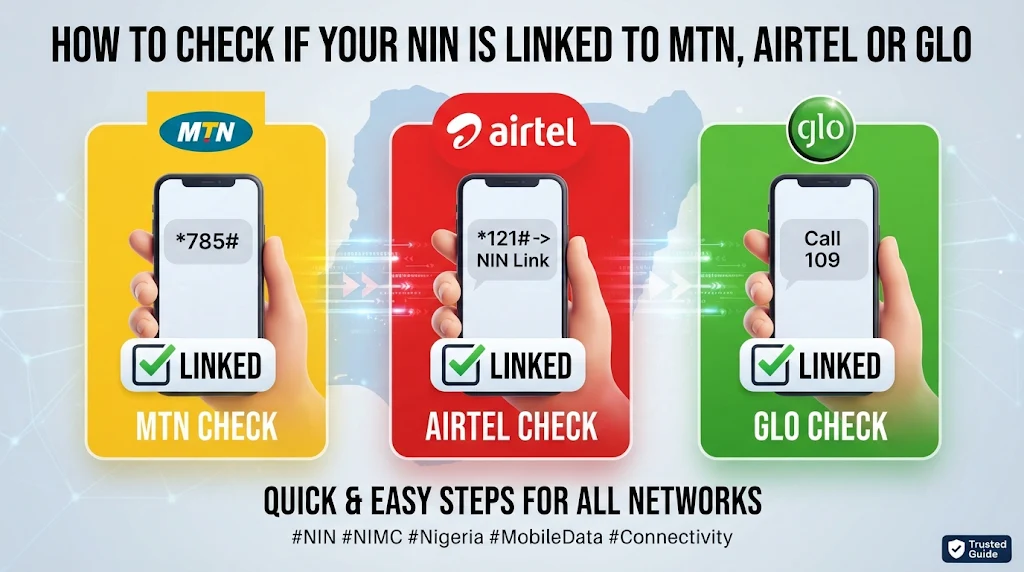
If you have submitted your National Identification Number (NIN) to your mobile network, how do you know the process worked? You should not have to guess.
The Nigerian Communications Commission (NCC) lists a common USSD code for checking NIN-SIM linkage across Nigerian networks. In this guide, I will show you how to check MTN, Airtel and Glo, what the results mean, and what to do if verification fails.
The quickest way to check if your NIN is linked
Dial *996# from the phone number you want to check. Follow the options on your screen and read the response. The NCC says the code works across networks and is free to use.
You may also receive an SMS from your network when your NIN has been checked and successfully linked. Remember, submitting your NIN is not the same as completing verification. Wait for confirmation or check your status again.
If you have more than one phone number, check each line separately. Linking your MTN number does not automatically link your Airtel or Glo number.
Official instructions: NCC SIM-NIN Linkage FAQs.
How to check if your NIN is linked to MTN
You can check your MTN line with the common code or use MTN’s online status portal.
Option 1: Check with USSD
- Use the MTN SIM you want to check.
- Dial *996#.
- Follow the menu and read the status shown.
- Keep any confirmation SMS you receive.
Option 2: Use MTN’s NIN Status Portal
MTN has an online tool that lets customers check whether their lines are linked.
- Open the MTN NIN Status Portal.
- Enter your MTN phone number.
- Request the one-time password (OTP).
- Enter the OTP sent to your line.
- Read the result and follow any next step shown.
MTN says checking your status through this portal is free. If your line is not linked, the portal can show the next step, including an online, USSD or store option. See MTN’s official NIN linking guide for its submission options.
How to check if your NIN is linked to Airtel
Dial *996# from the Airtel number you want to check. Follow the instructions and read the reply.
Airtel says it sends an SMS notification when your NIN has been validated and updated on your number. Check your messages for that confirmation.
If you submitted your NIN but have not received confirmation, contact Airtel through its official FAQ and support channels or visit an Airtel shop. Do not send your NIN to random websites or people who contact you online.
How to check if your NIN is linked to Glo
Glo gives a direct instruction for checking your line:
- Dial *996# from your Glo SIM.
- If the message says your line has been linked, keep the confirmation.
- If it says your NIN has not been linked, visit a Gloworld, Glozone or authorised SIM registration outlet.
These steps are on Glo’s official NIN page. Take your phone and valid NIN details when you visit an outlet.
What the NIN-SIM status messages mean
| Message or result | What it means | What to do |
|---|---|---|
| Linked or verified | Your network confirms the linkage. | Keep the confirmation for your records. |
| NIN not linked | The line is not showing as linked. | Use your network’s official linking channel. |
| Submitted or processing | Your details may have been received but are not fully checked yet. | Wait for final confirmation and check again. |
| Verification failed | The details could not be matched or verified. | Contact your network or visit its service centre. |
| No response | The USSD session may have failed. | Try again later or use the operator’s official portal, app or shop. |
How to link your NIN if it is not connected
If the check says your NIN is not linked, use a channel provided by your network. Do not pay an unknown person who promises to link it for you.
- MTN: Follow the MTN NIN linking guide. MTN lists the USSD option *996*1# and its online linking portal.
- Airtel: Use Airtel’s official support channels or visit an Airtel shop. Keep the confirmation message after submission and validation.
- Glo: Follow the steps on Glo’s NIN page. If the check says the line is not linked, Glo directs customers to an authorised outlet.
Use the phone number you want to link when following the steps. If you have several lines, repeat the process for each number.
Why can NIN verification fail?
If your line is barred or a network says your NIN is not verified, ask the provider to check the exact reason. A mismatch between your SIM registration details and your NIMC record can stop the link from going through. If you received a phone-disconnection message, see our guide on how to check an NCC phone disconnection SMS before clicking any link in the message.
The NCC says a phone number will not be linked if the SIM registration details do not match the NIN information you submitted. Other problems may include entering the wrong NIN, a failed submission or using a SIM registered by someone else.
What should you do if verification fails?
- Check that you entered the correct NIN.
- Compare your NIN details with the information used when the SIM was registered.
- If your NIMC record is wrong, contact NIMC about correcting it.
- If the SIM details are wrong or the SIM is not registered in your name, visit your network’s service centre with proof of ownership and use.
- Ask the network to check the exact reason for the failed verification.
If you did not register the SIM yourself, do not assume that sending your NIN will fix the ownership issue. The NCC advises subscribers to visit their operator with their NIN and proof of ownership or use so the record can be checked.
How to retrieve your NIN if you have forgotten it
If you registered for NIN but cannot remember the number, dial *346# using the phone number you gave NIMC during registration. Follow the instructions on your screen.
This is different from *996#. The first code helps you retrieve your NIN. The second is used for NIN-SIM verification and linkage.
If *346# does not work, contact NIMC or visit an enrolment centre. Check the official NIMC website for current guidance.
Can one NIN be linked to more than one phone number?
Yes. You use the same NIN to update the SIM records for the different phone numbers you own. But you must submit it for each line through that line’s network provider. Linking your MTN number does not automatically link your Airtel or Glo number.
The NCC says an individual can register up to four SIM cards with each network operator. This limit also covers SIMs used in Wi-Fi and IoT devices. If you have several lines, check each one separately and make sure the SIM registration details match your NIN record.
Is *996# free?
Yes. The NCC says you will not be charged for using *996# to check your NIN-SIM linkage. Be careful with people who ask you to pay them just to check the status.
How to protect your NIN when linking your SIM
Your NIN is personal information. Only use the official website, app, USSD code or service centre provided by your network or NIMC.
- Do not post your NIN on social media.
- Do not send your NIN or OTP to strangers who contact you.
- Check the website address before entering personal details.
- Do not share a one-time password with anyone claiming to be customer care.
- Where a provider supports it, consider using a Virtual NIN (VNIN) instead of sharing your permanent NIN.
A Virtual NIN (VNIN) is a coded version of your NIN. It helps you confirm your identity without giving the other party your permanent NIN. The NCC says you can create one with the NIMC MWS Mobile ID app or by using the USSD format *346*3*Your NIN*AgentCode# when you have the agent code. Read the NCC’s VNIN instructions before using it.
Frequently asked questions
What is the code to check if my NIN is linked?
Dial *996# from the phone number you want to check. The NCC says the code works across Nigerian networks.
What is the difference between *346# and *996#?
Dial *346# to retrieve your NIN if you have forgotten it. Use *996# to check or manage your NIN-SIM linkage.
I submitted my NIN. Does that mean my line is linked?
Not always. Submission and successful verification are not the same. Wait for your network’s confirmation or check the status again.
Can I check my MTN NIN status online?
Yes. Use the MTN NIN Status Portal. Enter your number, request an OTP and follow the instructions.
What if I have two SIM cards?
Check both numbers separately. Your NIN must be submitted to each network provider for the line you want to link.
What if my line is still barred after submitting my NIN?
Contact your network and ask whether the NIN was received and whether verification passed. If it failed, ask for the reason and visit an authorised service centre if needed. Keep your complaint reference.
Final word
If you want to check whether your NIN is linked to MTN, Airtel or Glo, start with *996#. It is the common code listed by the NCC.
If the result is not clear, use your network’s official channel. For MTN, you can also check online. For Glo, follow the instruction on its NIN page. For Airtel, look out for the validation SMS or contact its support team.
Most importantly, do not share your NIN or OTP with strangers. Check the status yourself and keep your personal details safe.

Oladepo Babatunde (also known as Prince Babatee Tunde) is a Computer Scientist, researcher, professional content writer and SEO content strategist with more than eight years of experience. He holds a Higher National Diploma (HND) in Computer Science from Kwara State Polytechnic, Nigeria, and is based in Ilorin, Kwara State. As a freelance writer, he creates research-led, practical content on technology, Nigerian internet services, AI tools, gadgets and solar power. His work combines research, source checking, technical understanding and SEO strategy. Where an article includes hands-on testing, the product, method and relevant conditions are described in the article; research-based guides are identified as such.