
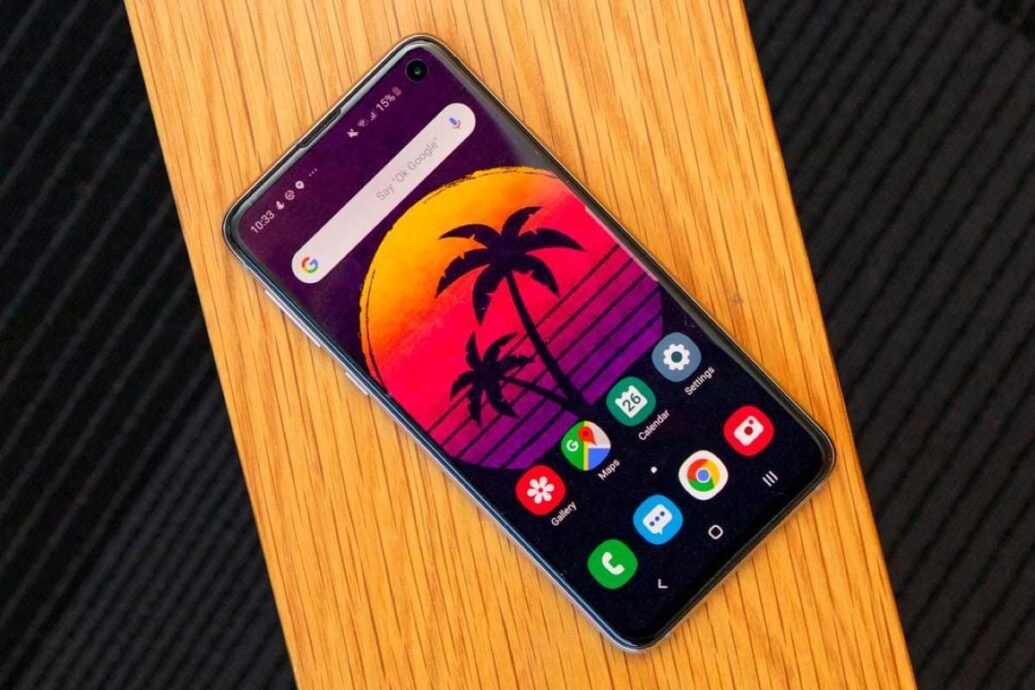
Samsung Galaxy S10 Lite receives One UI 3.1 with March security patch

Samsung Galaxy S10 Lite in 2025: Revisiting One UI 3.1 and Navigating Its End-of-Life

The Samsung Galaxy S10 Lite was once a compelling “flagship killer.” It offered solid performance without the premium price tag. Back in March 2021, many owners, especially in Spain, celebrated the One UI 3.1 update. It brought Android 11 and a host of new features, breathing fresh life into the device.

Fast forward to December 2025, and the story is starkly different. The S10 Lite has officially reached its end-of-life for software support. Your once-capable device is now a relic in Samsung’s eyes. It runs outdated software and faces significant security risks. This isn’t just about missing out on new emojis; it’s about real vulnerabilities that can compromise your data.

But don’t give up entirely. While official support is long gone, the Android community offers a lifeline. You can still keep your S10 Lite relevant, secure, and even running newer Android versions. You just need to be willing to try something different.

The Initial Buzz: One UI 3.1 Arrives on the Galaxy S10 Lite in Spain

In March 2021, the Samsung Galaxy S10 Lite received a major over-the-air update to One UI 3.1, based on Android 11. This rollout began in regions like Spain, bringing many new features to users.

The firmware version, G770FXXU4EUBA, also included the March 2021 security patch. This kept the device up-to-date at the time.

This update was a big deal. It delivered many enhancements previously exclusive to the newer Galaxy S21 series to older, more affordable devices like the S10 Lite.

Key Enhancements One UI 3.1 Delivered

  • The blue light filter was rebranded as “Eye Comfort Shield.” It adjusted blue light based on the time of day.
  • An improved Single Take feature let users capture various image and video formats with a single tap.
  • Google Discover was added as an option for the left-most home screen, offering an alternative to Samsung Free.

Camera Tricks and Productivity Boosts

One UI 3.1 wasn’t just about interface tweaks. It brought substantial camera and productivity improvements. These features made the S10 Lite feel more capable than its price point suggested.

  • The “Object Eraser” tool was introduced. This smart photo editing feature effortlessly removed unwanted elements from pictures.
  • “Multi Mic Recording” allowed users in Pro Video mode to record audio simultaneously through both the phone’s microphone and a connected Bluetooth device.
  • Director’s View enabled real-time viewing from multiple cameras at once, offering more creative control.

Beyond One UI 3.1: The S10 Lite’s Full Software Journey

The Galaxy S10 Lite launched in January 2020. It shipped with Android 10 and One UI 2.0.

It then received its second major OS update, Android 12 (with One UI 4), in January 2022.

The device’s final official major OS upgrade was Android 13 (One UI 5), which rolled out in January 2023.

From Android 10 to Its Final Official OS

The S10 Lite’s update path followed Samsung’s policy at the time. It received a good run of major Android versions, considering its launch period.

  • Launched: Android 10 (One UI 2.0)
  • First Major Update: Android 11 (One UI 3.x)
  • Second Major Update: Android 12 (One UI 4)
  • Third (and Final) Major Update: Android 13 (One UI 5)

Samsung’s Update Promise for the S10 Lite

Under Samsung’s 2020 software update policy, the Galaxy S10 Lite was promised three major Android OS updates and four years of security updates.

This was a respectable commitment back then. However, policies change. Older devices inevitably get left behind.

December 2025 Reality Check: The S10 Lite’s End-of-Life Status

Let’s be blunt: your Samsung Galaxy S10 Lite is officially retired. Samsung ended all software update support for the device in March 2024.

This means your phone no longer receives official One UI updates or crucial security patches. It’s like a car with expired registration; it still runs, but it’s not legally protected on the digital highway.

The S10 Lite likely remains stuck on the February 2024 security patch. Samsung removed it from its quarterly update list in March 2024.

When Official Support Ceased

The clock ran out for the S10 Lite over a year and a half ago. This isn’t just an inconvenience; it’s a critical security concern for any active user.

  • Last Major OS Update: Android 13 (One UI 5) in January 2023.
  • Official End-of-Life for Software Updates: March 2024.
  • Last Known Security Patch: Likely February 2024.

The Shifting Sands of Samsung’s Update Commitments

Samsung’s update policy has changed dramatically since the S10 Lite’s release. The company now offers significantly longer support for its newer flagships.

  • S10 Lite Era Policy (2020): 3 major Android OS updates and 4 years of security updates.
  • Current Flagship Policy (as of 2025): Up to 7 years of major Android OS upgrades and 7 years of security patches for devices like the Galaxy S24 and S25 series.

This means newer devices will theoretically receive updates up to Android 21. Your S10 Lite, unfortunately, was born in a different era.

The Perils of an Unpatched Phone in 2025

Using an unsupported phone in December 2025 is a gamble. Google’s December 2025 Android Security Bulletin is a stark reminder of the dangers. It details a staggering 107 vulnerabilities across the Android platform.

Among these are two actively exploited zero-day flaws: CVE-2025-48633 (an information disclosure vulnerability) and CVE-2025-48572 (an elevation of privilege bug). These are not theoretical threats; attackers are actively using them.

The bulletin also highlights critical remote denial-of-service flaws, such as CVE-2025-48631. These could destabilize your device without any interaction from you.

Unseen Threats: Critical Vulnerabilities Exposed

An unpatched phone is a wide-open door. You wouldn’t leave your house unlocked, so why treat your digital life any differently? The threats are real and numerous.

  • Actively Exploited Zero-Days: Two critical flaws (CVE-2025-48633, CVE-2025-48572) are already being exploited in the wild.
  • Remote Denial of Service: Critical vulnerabilities in the Android Framework could allow attackers to remotely crash your device.
  • Escalation of Privileges: Other flaws could allow malicious apps to gain higher access than intended, bypassing Android’s security model.
  • Data Breaches & Malware: An unsecure device is a prime target for malware, leading to potential data theft and privacy invasion.

App Compatibility and Performance Degradation

Beyond security, an outdated Android version (likely Android 13) can lead to compatibility issues with newer applications and services. Developers target current Android versions, leaving older ones behind.

You might find certain apps refuse to install, or they might perform poorly due to optimizations for newer OS versions. Your user experience will gradually degrade, turning your once-speedy S10 Lite into a frustrating bottleneck.

Extending the S10 Lite’s Lifespan: The Custom ROM Path

Here’s where things get interesting, and a bit technical. Despite its official end-of-life, the Galaxy S10 Lite is still a capable piece of hardware. Its Qualcomm Snapdragon 855 chipset remains powerful enough to run much newer Android versions efficiently.

The vibrant community on XDA Forums is actively developing custom ROMs for the S10 Lite. This means you can unofficially install newer Android versions and receive more up-to-date security patches.

You can find projects like unofficial One UI 6.1 (based on Android 14) or various versions of LineageOS specifically tailored for the S10 Lite.

Unlocking New Android Versions with Community Support

Custom ROMs are essentially alternative operating systems built by independent developers. They can transform your S10 Lite.

  • Newer Android Versions: Gain access to features and improvements from Android 14 or even later, long after Samsung abandoned your device.
  • Updated Security Patches: Many custom ROMs integrate the latest Android Security Bulletins, offering better protection than your current outdated software.
  • Enhanced Features: Custom ROMs often bring additional customization options, performance tweaks, and a cleaner, near-stock Android experience.

Exploring the Custom ROM World: Risks and Rewards

This isn’t for the faint of heart, but it’s a viable path for the technically inclined. Installation typically involves unlocking your bootloader and flashing a custom recovery like TWRP.

Be warned: this process carries risks. You could void your warranty (though that’s likely already irrelevant for the S10 Lite), and there’s a small chance of “bricking” your device if done incorrectly. Always follow guides carefully and understand the steps involved.

Is It Time to Upgrade? Weighing Your Options in 2025

For many, the custom ROM route is too intimidating. If you prioritize official support, guaranteed security, and the latest features without tinkering, then yes, it’s absolutely time to upgrade. Your S10 Lite is a security liability in its current state.

Consider a newer Samsung device. Models like the Galaxy S22 or any newer flagship offer significantly extended software support. The latest S24 and S25 series boast an impressive seven years of updates.

The choice boils down to a trade-off: the cost of a new device versus the inherent risks and effort of maintaining an unsupported phone or diving into custom ROMs. Think carefully about your comfort level with security risks and technical challenges.

The Case for a New Galaxy Device

Upgrading offers peace of mind and access to modern technology.

  • Guaranteed Security: New Samsung flagships receive monthly security patches for years, protecting you from emerging threats.
  • Latest Features: Enjoy the newest One UI versions, camera advancements, and performance improvements that your S10 Lite simply cannot offer.
  • Seamless Experience: Avoid compatibility issues and enjoy optimal performance with all your favorite apps and services.

Balancing Cost, Security, and Performance

Every decision has its pros and cons. A new phone means a significant investment, but it buys you digital safety and a smooth user experience. Extending the life of your S10 Lite, while environmentally friendly, comes with its own set of challenges.

If you choose to stick with your S10 Lite, remember that custom ROMs are your best bet for security and modern features. If not, take your personal data and digital security seriously. An outdated phone is a ticking time bomb in the digital world of 2025.

Scroll to Top