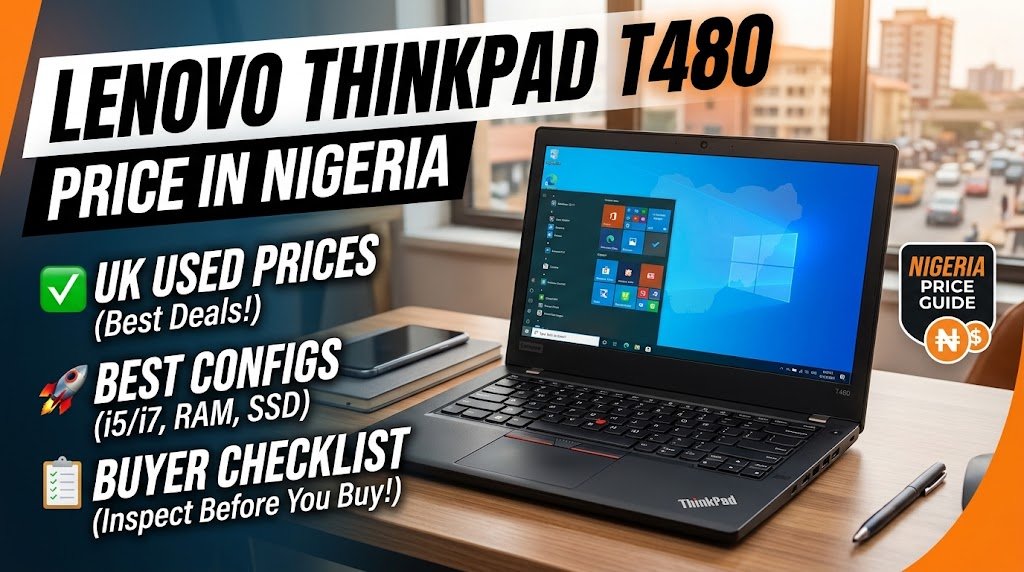
The Lenovo ThinkPad T480 remains an option for Nigerians looking for an affordable business laptop for programming, remote work, office tasks and everyday productivity. However, buying a UK-used unit requires care. Two laptops with the same processor and RAM can have very different values if one has a healthy battery and Full HD screen while the other has a weak battery, a poor display or hidden hardware problems.
If you are searching for the Lenovo ThinkPad T480 price in Nigeria, this guide explains what to budget for, which configuration offers the best value, where to look, and what to test before making payment.
The key advice is simple: do not choose a T480 based on processor and price alone. Screen quality, battery condition, storage, keyboard condition and USB-C functionality can make a bigger difference to your experience.
Price note: The figures in this guide are indicative estimates, not guaranteed live quotations. Prices vary by seller, location, configuration, condition and warranty. Confirm the exact unit and its final price before travelling or making payment.
How Much Is Lenovo ThinkPad T480 in Nigeria?
As a starting budget, consider approximately ₦230,000–₦350,000 for many UK-used ThinkPad T480 configurations. Higher-priced listings may appear for i7 models, upgraded configurations, units with dedicated graphics or sellers offering additional support. A high asking price does not automatically mean a laptop is in better condition.
Online marketplace listings show considerable variation. For example, Jiji has advertised T480 units around ₦250,000, ₦310,000 and ₦320,000, with some listings priced substantially higher. These are seller asking prices, not independently verified completed-sale prices. Check current listings before buying.
| Configuration to look for | Budget guide | What to consider |
|---|---|---|
| Core i5, 8GB RAM, 256GB SSD | ₦230,000–₦280,000 | Suitable for basic office work; check whether the RAM can be upgraded |
| Core i5, 16GB RAM, 256GB SSD | ₦260,000–₦320,000 | A strong starting point for coding and multitasking |
| Core i5, 16GB RAM, 512GB SSD | ₦280,000–₦350,000 | Better if you keep many files or install several development tools |
| Core i7, 16GB RAM, SSD | ₦300,000–₦400,000+ | Consider only if the condition and price justify the premium |
| Model with NVIDIA MX150 graphics | Varies significantly | Verify the GPU in Windows; do not pay extra based only on the seller’s description |
These ranges are for budgeting, not a promise that every configuration is currently available at those prices. Inspect the individual laptop and compare it with other current listings before deciding.
What affects the price?
- Processor: The Core i5-8250U and i5-8350U are useful options for everyday work. An i7 can cost more, but it is not automatically the better purchase if the battery or screen is poor.
- RAM: 16GB is a sensible target for coding, multiple browser tabs and office multitasking.
- Storage: An SSD makes a noticeable difference to everyday responsiveness. Check both its capacity and health.
- Screen: A Full HD IPS display is generally preferable to the lower-resolution HD TN option.
- Battery condition: A unit with two weak batteries may need extra spending soon after purchase.
- Physical condition: Inspect the hinges, keyboard, casing, ports and charger.
- Warranty and returns: A seller offering a clearly written warranty may justify a higher price, depending on what the warranty actually covers.
Which ThinkPad T480 Configuration Should You Buy?
For most students, developers and remote workers, I would prioritise a Core i5 model with 16GB RAM, a 256GB or 512GB SSD, a Full HD IPS display and tested batteries.
The T480 was sold with several processor configurations, including some 7th-generation Core i5 models and 8th-generation Core i5 and i7 models. Do not assume every T480 has the same processor performance.
Lenovo’s official ThinkPad T480 specifications list the available processors, memory configurations, screen options and ports.
Best configuration by use case
| Your main use | Recommended starting configuration | Important consideration |
|---|---|---|
| Browsing, documents and online classes | Core i5, 8GB RAM, 256GB SSD | Upgrade to 16GB if your workload grows |
| Web development and programming | 8th-gen Core i5, 16GB RAM, 256GB SSD or larger | Check your development tools’ memory requirements |
| Remote work and multitasking | Core i5, 16GB RAM, 512GB SSD if affordable | Prioritise batteries, webcam, Wi-Fi and display quality |
| Light graphic design | Core i5, 16GB RAM, Full HD IPS display | Check colour accuracy; not every IPS panel is suitable for colour-critical work |
| Light video editing | 16GB RAM and SSD; test the actual workload | The integrated graphics are limited for demanding editing |
| Modern gaming or heavy 3D work | Consider a different laptop | The T480 is an older productivity machine, not a modern gaming workstation |
An i7 is not essential for most office tasks or ordinary web development. A well-maintained i5 with 16GB RAM and a good display can be a better purchase than a worn-out i7 model.
Where Can You Buy a Lenovo ThinkPad T480 in Nigeria?
You can look for the T480 through online marketplaces, physical laptop shops and established retailers. Each option has different trade-offs.
| Buying option | Main advantage | Main risk |
|---|---|---|
| Jiji Nigeria | Compare multiple seller listings | Listings and condition claims need independent verification |
| Computer Village, Ikeja | You can inspect the laptop in person | You still need to compare sellers and test the unit |
| Established laptop retailers | May offer documented warranty or return terms | Prices and protection differ by retailer |
| Private sellers and technology forums | Potentially negotiable prices | Less predictable after-sales support |
Buying from Computer Village
If you are in Lagos, visiting Computer Village can make it easier to compare several units before paying. Ask to test the specific laptop you intend to buy, rather than relying on a demonstration unit.
Before making a decision:
- Compare at least three units with similar specifications.
- Ask whether the display is HD or Full HD and whether it is IPS.
- Request battery-health information for both batteries.
- Test the USB-C ports, charging, keyboard, touchpad, webcam and Wi-Fi.
- Ask for a receipt and written details of any warranty or return agreement.
Do not assume that a shop’s location or reputation guarantees the condition of every used laptop it sells.
Buying online
If you are buying through a marketplace, request recent pictures of the actual unit. Ask the seller to show the BIOS screen, Windows system information, battery report and display resolution.
Avoid paying the full amount in advance to an unfamiliar seller without a reliable way to verify the product. If possible, arrange an in-person inspection or use a legitimate purchase-protection process where available.
Is a warranty worth paying extra for?
It can be, especially if you are not confident diagnosing laptop problems. But read the terms carefully.
Ask the seller:
- How long does the warranty last?
- Does it cover the motherboard, charging circuit, keyboard and screen?
- Are batteries covered, and is there a minimum battery-health guarantee?
- Who pays for repairs or delivery?
- Can you return the laptop if its advertised specifications are incorrect?
- Are accidental damage and cosmetic wear excluded?
Do not rely on claims such as “full warranty” or “battery guarantee” without written terms. Warranty conditions vary by seller, so verify them directly.
UK-Used ThinkPad T480: Checklist Before Paying
A used laptop can look clean and still have expensive faults. Use this checklist before handing over your money.
1. Confirm the exact model and processor
Open Windows System Information or Task Manager and confirm the processor, installed memory and operating system. Check that the seller is offering the standard ThinkPad T480, not the slimmer T480s.
The two models differ in their battery design, memory arrangement and upgrade options. Do not assume parts or specifications are interchangeable.
2. Check both batteries
The standard T480 uses Lenovo’s Power Bridge design, combining an internal battery with a removable external battery in supported configurations. The battery capacities vary by model and configuration.
To generate a Windows battery report:
- Open Command Prompt.
- Run
powercfg /batteryreport. - Open the HTML report saved at the displayed file location.
- Compare each reported battery’s design capacity with its full-charge capacity, where available.
A battery retaining 60% of its original design capacity has experienced substantial degradation. This is a useful warning sign, not a universal pass-or-fail threshold. Actual runtime also depends on screen brightness, workload, battery calibration and other factors.
Ask the seller to demonstrate the laptop running on battery power. Check whether it shuts down unexpectedly, drops charge unusually quickly or fails to recognise one of its batteries.
Do not assume Lenovo’s original advertised battery life reflects the runtime of an eight-year-old used unit.
3. Inspect the display
The T480 was offered with several 14-inch display options, including:
- HD TN: 1366 × 768 resolution.
- Full HD IPS: 1920 × 1080 resolution.
- WQHD IPS: 2560 × 1440 resolution on selected configurations.
For long hours of coding, reading or office work, Full HD IPS is a good target. The WQHD option may be appealing for some users, but verify the actual panel rather than paying a premium based on a seller’s description.
To check the display:
- Open Windows display settings and confirm the available resolution.
- View the screen from different angles.
- Look for dead pixels, bright spots, pressure marks, flickering and uneven backlighting.
- Test brightness controls.
- Check whether touch input works if the seller advertises a touchscreen.
A high resolution alone does not guarantee accurate colours. If you do professional design work, check the panel’s colour performance rather than relying on the term “IPS.”
4. Test the keyboard and touchpad
Type a few sentences and test every key. Check the function row, arrow keys, TrackPoint, touchpad buttons and backlight if fitted.
Look for sticky keys, missing keycaps, worn legends and intermittent input. Test the webcam privacy shutter and microphone too, especially if you work remotely.
5. Test every important port
The T480’s port selection is one of its advantages. Depending on the configuration, it includes USB-A, USB-C, Thunderbolt 3, HDMI, Ethernet, a card reader and a headphone/microphone combo jack.
Test the ports you expect to use. In particular, confirm that the laptop charges properly through USB-C and that the relevant display output works if you plan to connect an external monitor.
Important Thunderbolt check: Lenovo has published critical Thunderbolt software and firmware updates for the T480 family. Lenovo’s support documentation describes possible symptoms involving USB-C charging, the Thunderbolt controller, docks and display output. See Lenovo’s Thunderbolt update guidance.
Ask whether the firmware and drivers have been updated. If charging or USB-C functionality is unreliable, do not dismiss it as a minor issue—have the laptop checked before buying.
6. Check BIOS and device security
Restart the laptop and enter the BIOS setup. If a supervisor password prevents access, ask the seller to resolve it before payment.
Also check that the device is not still controlled by a previous organisation. A second-hand business laptop should not remain enrolled in a company management system that prevents you from setting it up for personal use.
Do not buy a device on the assumption that a forgotten BIOS password or management lock will be easy to remove.
7. Check the SSD and general performance
Open Task Manager and confirm the installed RAM and storage. Check for warning signs such as very slow booting, repeated freezes, unusual clicking from a mechanical drive, or errors during normal use.
If possible, review the SSD’s health using a reputable diagnostic utility. Make sure the laptop can restart normally and that it does not overheat or shut down under a short, ordinary workload.
8. Confirm Windows support and activation
Windows 10 reached end of support on October 14, 2025. A laptop running Windows 10 will still operate, but standard support and security updates have ended unless the device is covered by an applicable extended-security-update arrangement.
Many 8th-generation T480 configurations may be candidates for Windows 11, but eligibility depends on the exact hardware and other requirements. Some older processor configurations require extra caution. Use Microsoft’s Windows 11 system requirements and compatibility checker rather than trusting a seller’s claim.
Check Windows activation as well. A laptop that is activated today is not necessarily licensed correctly for every future installation or business use.
Is the Lenovo ThinkPad T480 Still Worth Buying in 2026?
Yes, for the right price and condition. The T480 can still serve well as a budget productivity laptop, but its age makes inspection particularly important.
What it does well
Comfortable typing: The ThinkPad keyboard and TrackPoint are useful features for people who spend many hours writing or coding.
Useful connectivity: USB-A, USB-C, HDMI and Ethernet can reduce the need for adapters, depending on the devices you use.
Upgrade options: Lenovo’s specifications list two DDR4 SO-DIMM memory sockets and support for up to 32GB of RAM. Storage configurations vary, so check the exact unit before purchasing an SSD upgrade.
Flexible battery design: Supported T480 configurations combine an internal battery with a removable external battery. A healthy battery setup can be convenient when working away from a power socket, but used-battery runtime varies significantly.
Practical productivity performance: An 8th-generation Core i5 with an SSD and 16GB RAM is suitable for many browser-based workflows, office applications and ordinary development tasks.
Where it falls short
- Integrated Intel graphics are not suited to demanding modern games or heavy 3D workloads.
- The original webcam and speakers are basic by modern standards.
- Some screen configurations have poor viewing angles and low resolution.
- Used batteries may have lost much of their original capacity.
- A unit with worn cooling components or outdated firmware may need maintenance.
- Windows support and compatibility need checking before you commit to using it as your main work computer.
The T480 is best viewed as an older business laptop that can still be useful—not as a new machine with guaranteed years of trouble-free service.
ThinkPad T480 vs T480s: What Is the Difference?
The ThinkPad T480s is the thinner, lighter variant. Although the names are similar, their internal layouts and upgrade options differ.
| Feature | ThinkPad T480 | ThinkPad T480s |
|---|---|---|
| Battery design | Internal battery plus removable external battery on supported configurations | Internal battery; no hot-swappable external battery |
| RAM | Two SO-DIMM slots | Soldered memory plus one SO-DIMM slot, depending on configuration |
| Storage | Configuration-dependent storage options | Configuration-dependent storage options |
| Portability | Generally heavier | Generally thinner and lighter |
| Best reason to choose it | Battery flexibility and memory upgrades | Lighter design |
Confirm the exact model number before ordering replacement batteries, RAM or other parts.
ThinkPad T480 vs T490: Which Should You Choose?
The T490 is a newer, slimmer design, while the T480’s removable external battery and two memory slots can be attractive to buyers who value flexibility.
| Consideration | ThinkPad T480 | ThinkPad T490 |
|---|---|---|
| Portability | Older, generally bulkier design | Generally thinner and lighter |
| Battery design | Internal plus removable external battery on supported configurations | Internal battery |
| Memory upgrades | Two SO-DIMM slots | Soldered memory plus one SO-DIMM slot, depending on configuration |
| Best fit | Buyers who value upgrade options and battery flexibility | Buyers who prioritise portability and a newer design |
Do not assume the T490 is always the better deal or that it always costs a fixed amount more. Compare current listings with equivalent RAM, storage, screen quality, battery condition and warranty terms.
How Much Should You Budget After Buying a T480?
The purchase price is only part of the cost. A laptop that needs a battery, RAM upgrade or replacement charger can quickly become less attractive than a better-maintained unit.
Before buying, ask for quotes on any part that may need replacement. Use the table below as a budgeting checklist, not as a claim about fixed current retail prices.
| Potential extra cost | What to verify |
|---|---|
| Battery replacement | Exact battery model, capacity, compatibility and warranty |
| RAM upgrade | DDR4 SO-DIMM specification and available slots |
| SSD upgrade | Supported drive type, capacity and physical fit |
| Charger replacement | Correct USB-C charger wattage and quality |
| Screen replacement | Exact panel type, resolution, connector and installation cost |
| Servicing | Diagnosis, cooling-system cleaning and any required repairs |
If the laptop has a weak battery, damaged display, charging fault and worn keyboard, calculate the total repair cost before agreeing to buy it.
Lenovo ThinkPad T480 Specifications
The following is a summary of the main platform specifications. Exact features depend on the machine’s original configuration.
| Specification | Details |
|---|---|
| Model | Lenovo ThinkPad T480 |
| Release generation | 2018-era business laptop |
| Processor options | Selected 7th-generation Core i5 and 8th-generation Core i3, i5 and i7 processors |
| RAM | DDR4 memory, up to 32GB officially listed by Lenovo |
| Memory slots | Two SO-DIMM sockets |
| Display | 14-inch HD TN, Full HD IPS or selected WQHD IPS configurations |
| Graphics | Integrated Intel graphics; optional NVIDIA MX150 on selected models |
| Storage | Configuration-dependent SATA or M.2 storage |
| Battery | Internal battery plus removable external battery on supported configurations |
| Ports | USB-A, USB-C/Thunderbolt 3, HDMI, Ethernet, card reader and audio combo jack, depending on configuration |
| Wireless | Wi-Fi and Bluetooth; exact wireless hardware can vary |
| Security | TPM 2.0 and optional features such as fingerprint reader |
| Keyboard | ThinkPad keyboard with TrackPoint; backlight varies by configuration |
| Official specifications | Lenovo ThinkPad T480 PSREF |
Lenovo notes that specifications and available configurations can vary by region and model. Use the official documentation and the machine’s model details to confirm any feature that matters to you.
Frequently Asked Questions
How much is the Lenovo ThinkPad T480 in Nigeria?
Many UK-used listings fall around ₦230,000–₦350,000 as an indicative budgeting range, although some sellers ask more. Prices change with the processor, RAM, SSD, display, battery health, condition and warranty. Compare current listings and inspect the actual laptop before paying.
Which ThinkPad T480 configuration is best for coding?
An 8th-generation Core i5 with 16GB RAM, an SSD and a Full HD IPS screen is a sensible starting point for many web-development tasks. Choose more RAM or storage if your tools and workload require it.
Does the ThinkPad T480 support 32GB RAM?
Lenovo’s official platform specifications list support for up to 32GB DDR4 memory through two SO-DIMM slots. Confirm the exact model and compatible memory before purchasing an upgrade.
Does the ThinkPad T480 have two batteries?
Supported standard T480 configurations use Lenovo’s Power Bridge design, with an internal battery and a removable external battery. Battery configuration and condition vary between individual units, so check both before buying.
Is the ThinkPad T480 good for graphic design?
It can handle some light design work, but display quality matters. Look for a Full HD IPS or suitable WQHD IPS panel and verify its colour performance. The T480 should not be the default choice for colour-critical professional work or demanding graphics workloads.
Can the ThinkPad T480 run Windows 11?
Some T480 configurations may meet Windows 11 requirements, but eligibility depends on the exact hardware and system configuration. Check Microsoft’s official requirements and compatibility tool before buying, especially if the unit has a 7th-generation processor.
What should I check first when buying a UK-used T480?
Start with battery health, screen type, processor, RAM, SSD health, keyboard, USB-C charging and Thunderbolt functionality. Also check for BIOS passwords, organisational management locks, Windows activation and written warranty terms.
Is the ThinkPad T480 better than an HP EliteBook?
Neither brand is automatically better. Compare the specific models and their condition. The T480’s battery design and upgrade options may appeal to some buyers, while certain EliteBook models may offer a better screen, newer hardware or a lighter design for a similar budget.
Final Verdict: Should You Buy the ThinkPad T480?
The Lenovo ThinkPad T480 can still be a practical used laptop for coding, remote work, studying and office productivity in Nigeria. The best purchase is not necessarily the cheapest or the one with the i7 badge; it is the unit with the right configuration, a good screen, healthy batteries and working ports.
Use these priorities when shopping:
- Tight budget: Consider an i5 model with 8GB RAM and an SSD, but check the screen and battery condition carefully.
- Best all-round configuration: Aim for an 8th-generation Core i5, 16GB RAM, a 256GB or larger SSD, and a Full HD IPS display.
- Heavy creative workloads or modern gaming: Compare newer laptops with stronger graphics before choosing the T480.
Before paying, test the actual unit, confirm the model and specifications, check both batteries, verify USB-C charging and Thunderbolt functionality, and get any warranty terms in writing. A little extra inspection can help you avoid buying a laptop that needs expensive repairs immediately.
For more options, read our guide to the best budget laptops for coding in Nigeria. If you are building a remote-work setup, you may also find our guide to the best power banks for laptops in Nigeria useful.

Oladepo Babatunde (Prince Babatee Tunde) is a Computer Scientist, researcher, and professional content writer with a Higher National Diploma in Computer Science from Kwara State Polytechnic, Nigeria.
With a background in technology and a passion for clear communication, Babatunde specializes in creating thoroughly researched, reader-focused content on productivity, personal development, home living, and technology. Every article he writes is backed by extensive research and fact-checking to ensure readers receive accurate, actionable information.
As a freelance writer, he has helped brands and publications deliver content that educates, engages, and empowers their audiences. His mission at 9jaboizgist is simple: make complex topics easy to understand and help Nigerians live smarter, more productive lives.