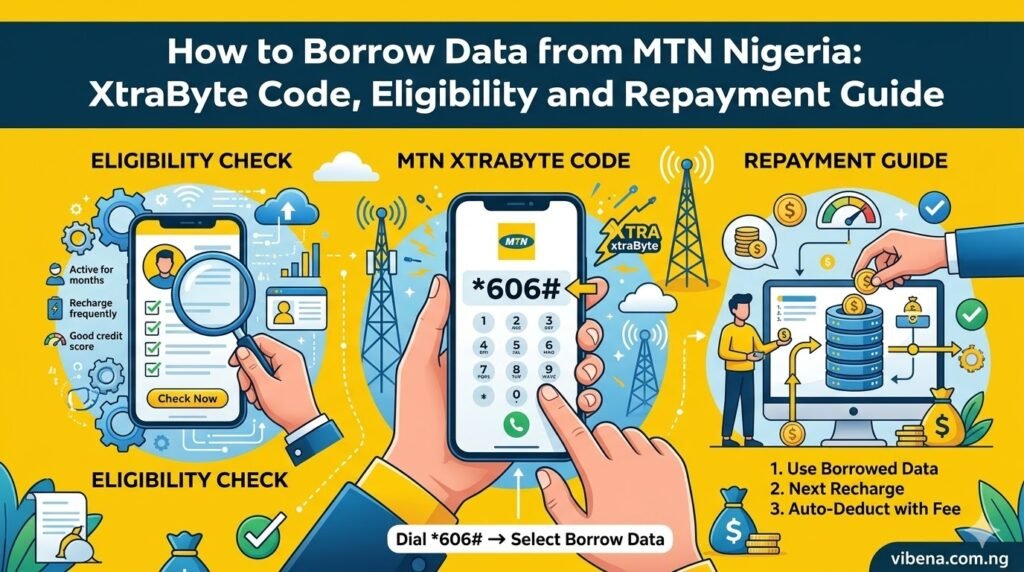
To borrow data from MTN Nigeria, open the borrowing menu by dialling *303# and look for the data-borrowing option, or use MTN’s Zigi assistant or myMTN app. Select an offer only after checking the data amount, service fee and total repayment shown to your line. Availability and the offers displayed depend on MTN’s eligibility checks.
Many people still search for “XtraByte code” because that is MTN’s name for its data-advance service. The important point is to use MTN’s current borrowing channels rather than rely on old codes, fixed bundle lists or eligibility figures copied from an outdated page.
What is MTN XtraByte?
XtraByte is MTN’s data-borrowing service. It is designed for eligible customers who need a data bundle before they can make their next normal purchase. The amount advanced is not a free bonus: MTN applies the fee and repayment terms shown during the request.
MTN’s Zigi service page lists borrowing XtraTime and XtraByte among the assistant’s supported services. Zigi can be accessed through MTN’s website and supported chat channels, including the myMTN app. For a USSD route, the NCC’s unified short-code list assigns *303# to borrow services.
How to borrow data from MTN using *303#
- Insert your active MTN SIM and open the phone dialler.
- Dial *303#.
- Choose the borrowing or data option shown on your screen. Menu wording may vary.
- Review the data bundle offered to your number.
- Read the service fee and total repayment before confirming.
- Confirm only if you accept the amount and terms.
- Wait for MTN’s confirmation message before using the borrowed data.
If the menu does not show a data option, do not keep selecting unrelated services or assume a different subscriber’s code will work. Your line may not currently have a data offer, or the menu may have changed.
How to borrow MTN data through Zigi or the myMTN app
MTN identifies Zigi as a self-service assistant that can help customers borrow XtraTime and XtraByte. To use it:
- Open the official Zigi page or open Zigi from the myMTN app.
- Ask for help borrowing data or XtraByte.
- Follow the instructions and authenticate if MTN requests it for a transaction.
- Review the offer, fee and repayment amount before approving.
- Keep the confirmation message in case you need to query the transaction.
Zigi can also help with account checks, bundle purchases and support. Its available functions may vary by channel, so follow the options actually displayed in your session.
Who is eligible to borrow data on MTN?
MTN does not guarantee that every prepaid line will receive the same offer or borrowing limit. Eligibility can depend on the line’s status, account history, previous borrowing and the offer available to the subscriber. MTN may show a different data amount or no data-borrowing option at all.
Rather than rely on a fixed recharge threshold or minimum line age from an old guide, check your own eligibility in the current *303# menu or ask Zigi. If you have an outstanding advance, settle it as directed before trying again. Meeting a general condition does not guarantee approval for a particular amount.
How much does MTN XtraByte cost?
The cost depends on the offer displayed to your line. Before confirming, look for three details:
- Data amount: how much data will be credited?
- Service fee: what extra charge applies to the advance?
- Total repayment: how much will MTN recover from your next recharge?
Do not assume that a fee reported for borrowed airtime automatically applies to every data offer. If the confirmation screen does not make the total clear, cancel the request and ask MTN to explain the terms before borrowing.
How is borrowed data repaid?
Borrowing services generally recover the outstanding amount and applicable fee from a later recharge, according to the terms presented when the advance is approved. Check the confirmation SMS and your account or transaction details to see the amount owed. If you recharge and the balance is lower than expected, compare the deduction with the borrowing record before assuming it is an unrelated subscription.
If you believe the wrong amount was deducted, keep the transaction SMS, recharge reference, date and amount. Contact MTN through its official website or customer-support channels and request an itemised explanation.
Why can’t I borrow data from MTN?
If XtraByte does not appear or your request is declined, work through these checks:
- Check the SIM: make sure you are using an MTN line and that it is active.
- Check the menu: dial *303# again later or use Zigi to see whether a data-borrowing option is available.
- Check previous borrowing: an unpaid advance may prevent another request.
- Check account eligibility: MTN decides which customers and amounts qualify; the criteria and offer can change.
- Check for a temporary service issue: if the menu fails, retry later or use another official MTN support channel.
- Ask MTN to investigate: if your line previously qualified but the service has disappeared, ask customer care to check the account rather than repeatedly trying unofficial codes.
Is XtraByte the same as XtraTime?
No. XtraByte refers to borrowing data, while XtraTime is the airtime-advance service. Both are listed among the borrowing services supported by MTN’s Zigi assistant and can be reached through the borrowing menu. Choose the correct option and read its terms before confirming.
If you need airtime rather than data, see our separate guide to borrowing airtime from MTN. If you are trying to understand an unexpected airtime deduction, read how to check MTN XtraTime deductions.
What if *303# is not working?
- Confirm that the MTN SIM is active and selected for the call.
- Check that you typed *303# correctly, including the final hash.
- Try again after a short wait if the network is busy.
- Use Zigi or the myMTN app as an alternative.
- If the problem continues, contact MTN and provide the error message and time of the failed request.
Frequently asked questions about MTN XtraByte
What is the code to borrow data from MTN?
Dial *303# and follow the borrowing menu to see whether a data option is available to your line. You can also ask MTN’s Zigi assistant for help with XtraByte.
Can I borrow data from MTN if I am not eligible?
No. The service is subject to MTN’s eligibility checks. If no offer appears, ask Zigi or MTN support to check your account; do not use another person’s offer or an unofficial code.
How much data can I borrow?
There is no single amount that should be assumed for every MTN subscriber. Check the options displayed to your own line and read the terms before accepting.
When will MTN recover the borrowed data amount?
Check the repayment terms shown during the request and in the confirmation message. The outstanding amount and applicable fee are recovered according to those terms, commonly from a later recharge.
Is XtraByte free?
No. It is an advance, not a free data gift. Review the service fee and total repayment before confirming.
Can I borrow data and airtime at the same time?
MTN lists both XtraByte and XtraTime as borrowing services, but whether both options are available to you depends on your account and the menu. Check the separate terms for each before accepting.
What should I do if MTN deducts more than I expected?
Compare the deduction with your borrowing confirmation and recharge record. If it does not match, contact MTN with the transaction details and request an itemised explanation.
Official sources and useful links
- MTN Zigi assistant — MTN lists borrowing XtraTime and XtraByte among its supported services.
- MTN Nigeria — official customer support and service information.
- NCC Consumer Handbook — lists *303# as the unified borrow-services short code.
Final advice
MTN XtraByte can be useful when you run out of data unexpectedly, but it is still a borrowing service with repayment terms. Use *303# or MTN’s Zigi assistant, check the offer shown to your own number, and confirm only after you understand the data amount, fee and total repayment. If no data offer appears, ask MTN to check your eligibility rather than relying on old codes or fixed bundle claims.

Oladepo Babatunde (also known as Prince Babatee Tunde) is a Computer Scientist, researcher, professional content writer and SEO content strategist with more than eight years of experience. He holds a Higher National Diploma (HND) in Computer Science from Kwara State Polytechnic, Nigeria, and is based in Ilorin, Kwara State. As a freelance writer, he creates research-led, practical content on technology, Nigerian internet services, AI tools, gadgets and solar power. His work combines research, source checking, technical understanding and SEO strategy. Where an article includes hands-on testing, the product, method and relevant conditions are described in the article; research-based guides are identified as such.